A contract-based discount applies the discount against a contract. You can use frame agreements to set up product level, category level, and account level discounts and use them to drive pricing of future sales. By using frame agreements, you can avoid the need for individual contracts for each new deal because terms are pre-negotiated by the frame agreement. You must create a frame agreement and activate the contract for the contract-based discount to be activated.
For more information, see Creating Frame Agreements.
-
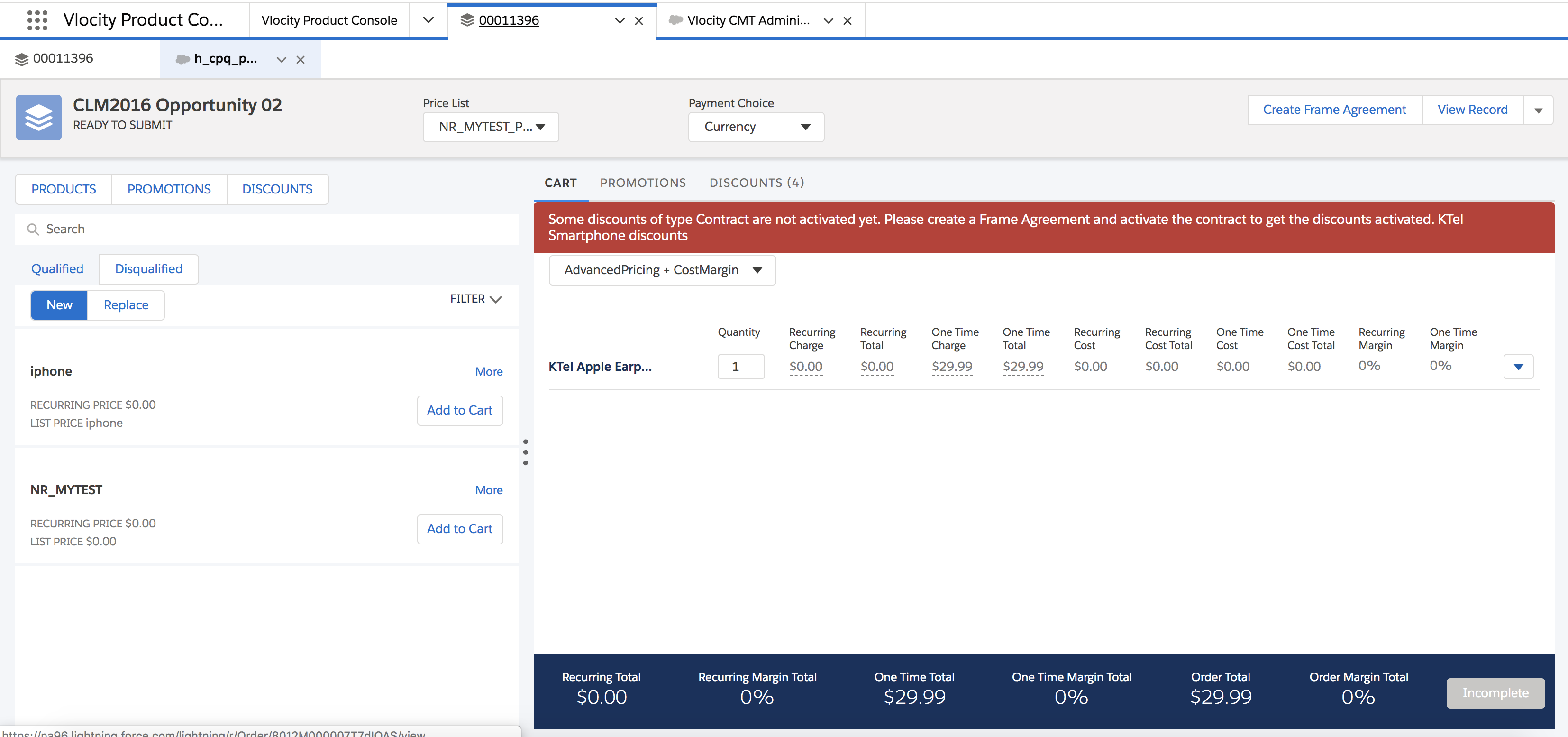
If a contract-based discount has not been activated, you can edit it in the cart where you created or edited the discount. When a contract-based discount is activated, it means that the contract has been activated. If the contract has not been activated, you see the following error message in the Industries CPQ Cart.
-
You can edit a contract-based discount that has been activated only through a Contract Amendment process. See Amend a Discount in a Contract.
- From the App Launcher, search for "Vlocity Product Console" using the quick search box.
- In the Product Console, follow the steps listed in Defining a New DiscountDefine a New Discount in the Product Console to create a contract-based discount.
- Select Contract for Discount Type.
- Click Save.
-
Follow the steps listed in Creating Frame Agreements and activate the
contract.
See Creating a Frame Agreement.
Amend a Discount in a Contract
To edit a contract-based discount that is activated, you must amend a discount in a contract.

Amend a frame agreement with an updated discount.
As an account executive, you negotiate and establish a 5% discount on all accessories for employees of company ABC who have purchased iPhone products. The 5% discount is part of the agreed-upon frame agreement. When any new employee joins ABC, the 5% discount is applied automatically when they add any iPhone accessories to the cart. However, you decide that you want to amend the contract-based discount to 10%. You can amend the existing contract or frame agreement.
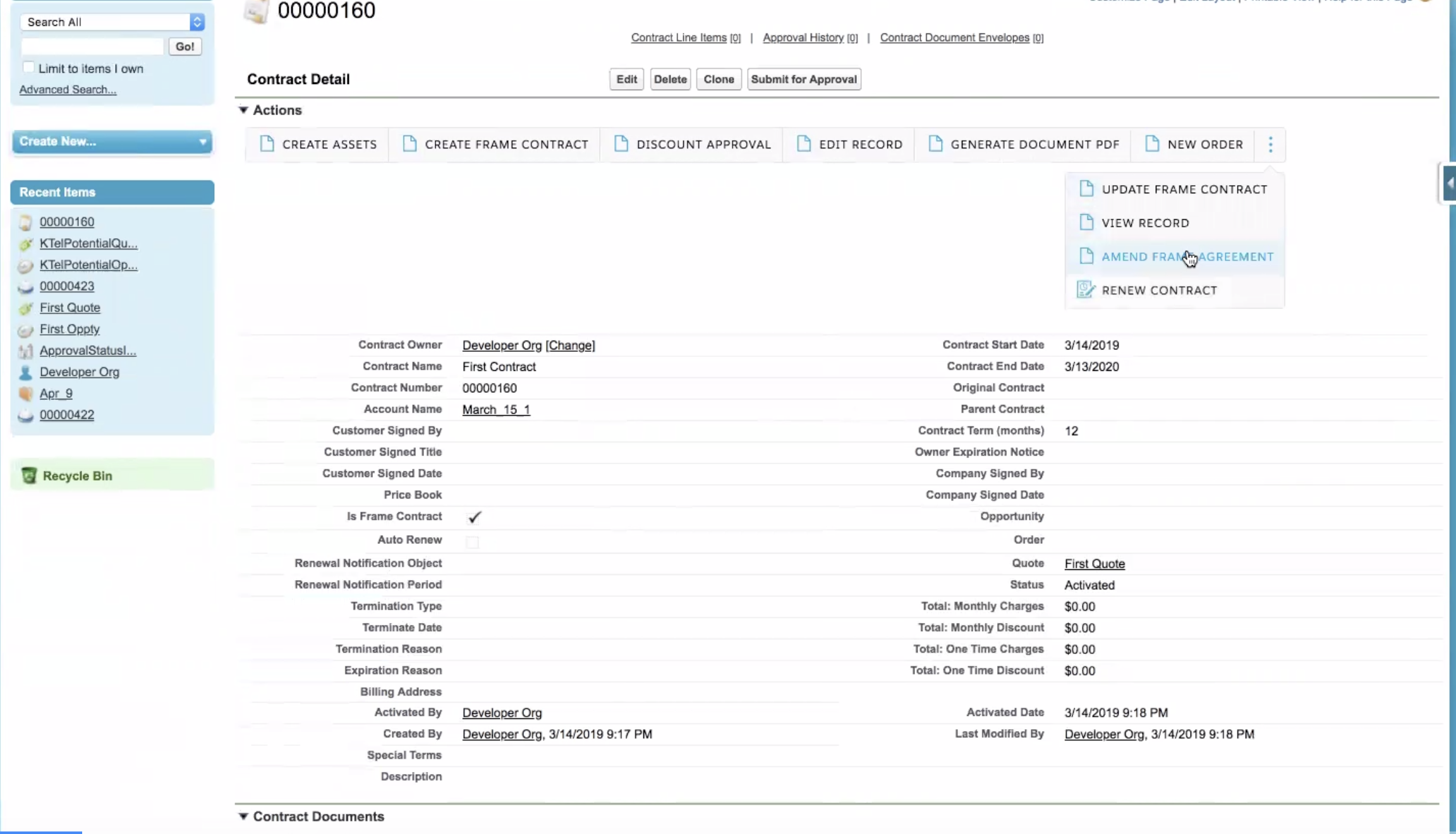
- Search for and open an existing contract that is activated to update the discount.
- Click Amend Frame Agreement.
- Click CPQ to go to the Industries CPQ Cart.
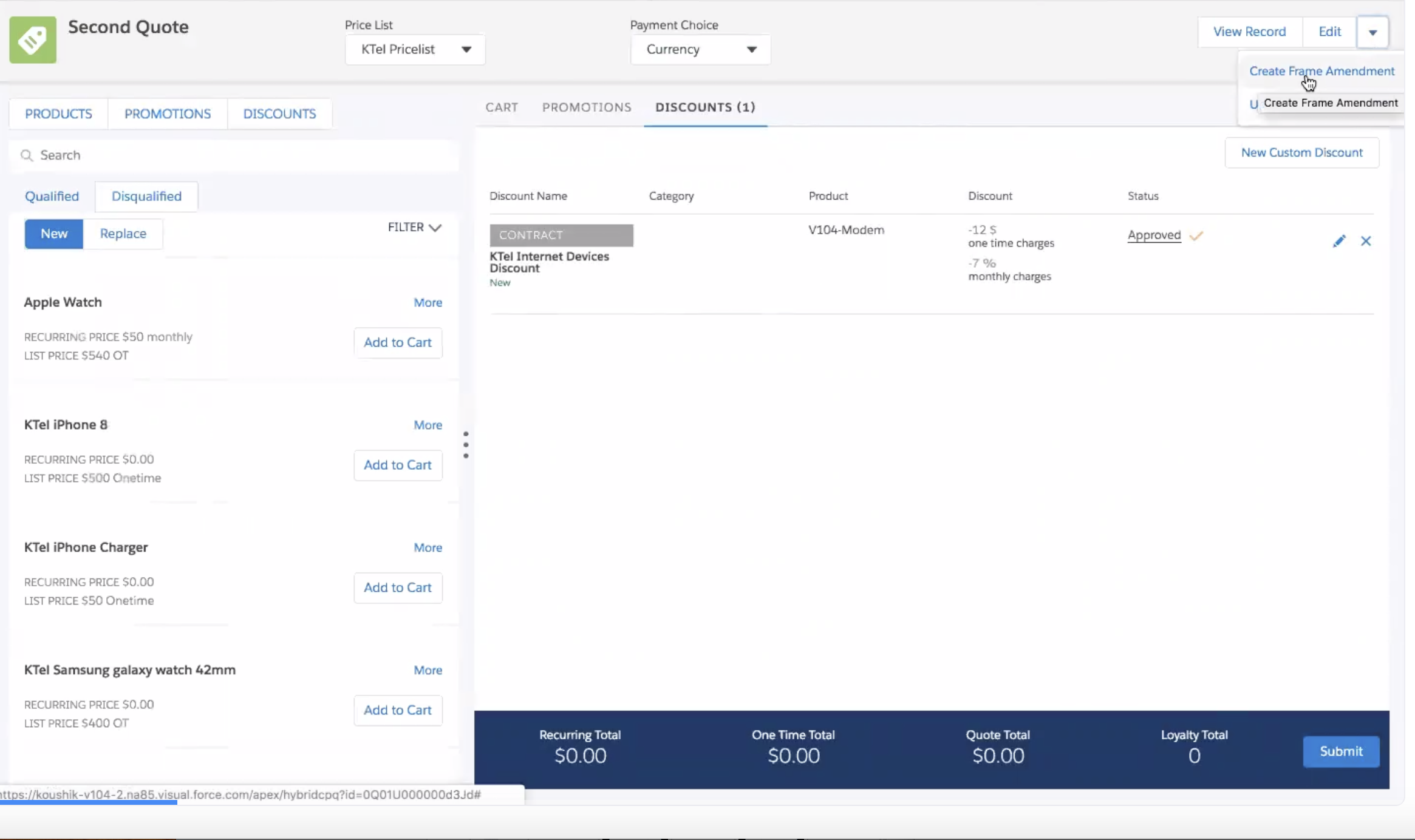
- Click the pencil icon to edit the discount in the Cart.
- Make your changes to the discount and click Save.
- Click the drop-down arrow next to the Edit button and select Create Frame Amendment.
- In the Contract Details page, edit the contract start date.
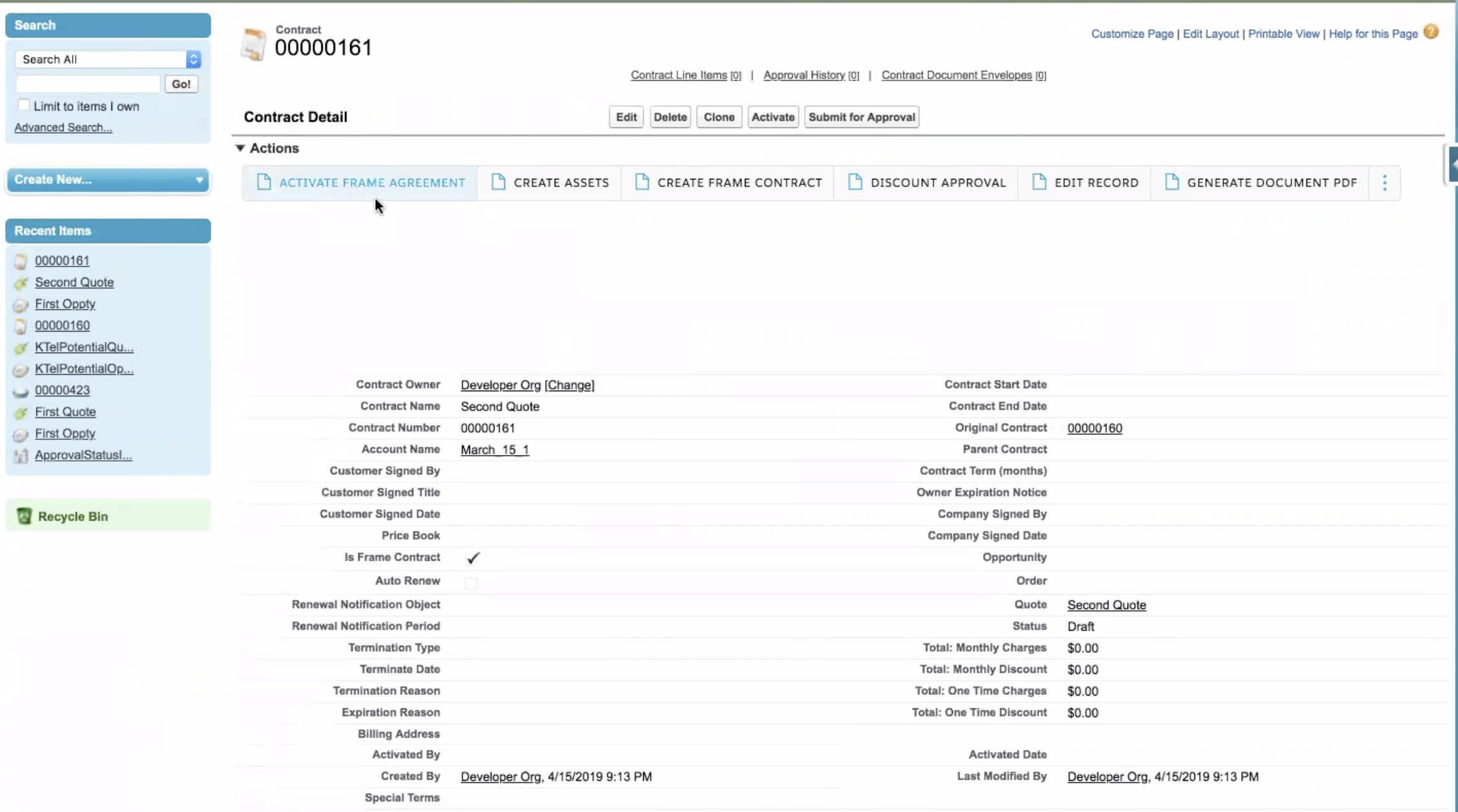
- Click Submit for Approval.
- Click Activate Frame Agreement to activate the contract with the updated discount.
- To view the changes in the contract, click Manage Contract Terms. and clock the Discounts tab.