Configuring OM and OM Plus Interfaces

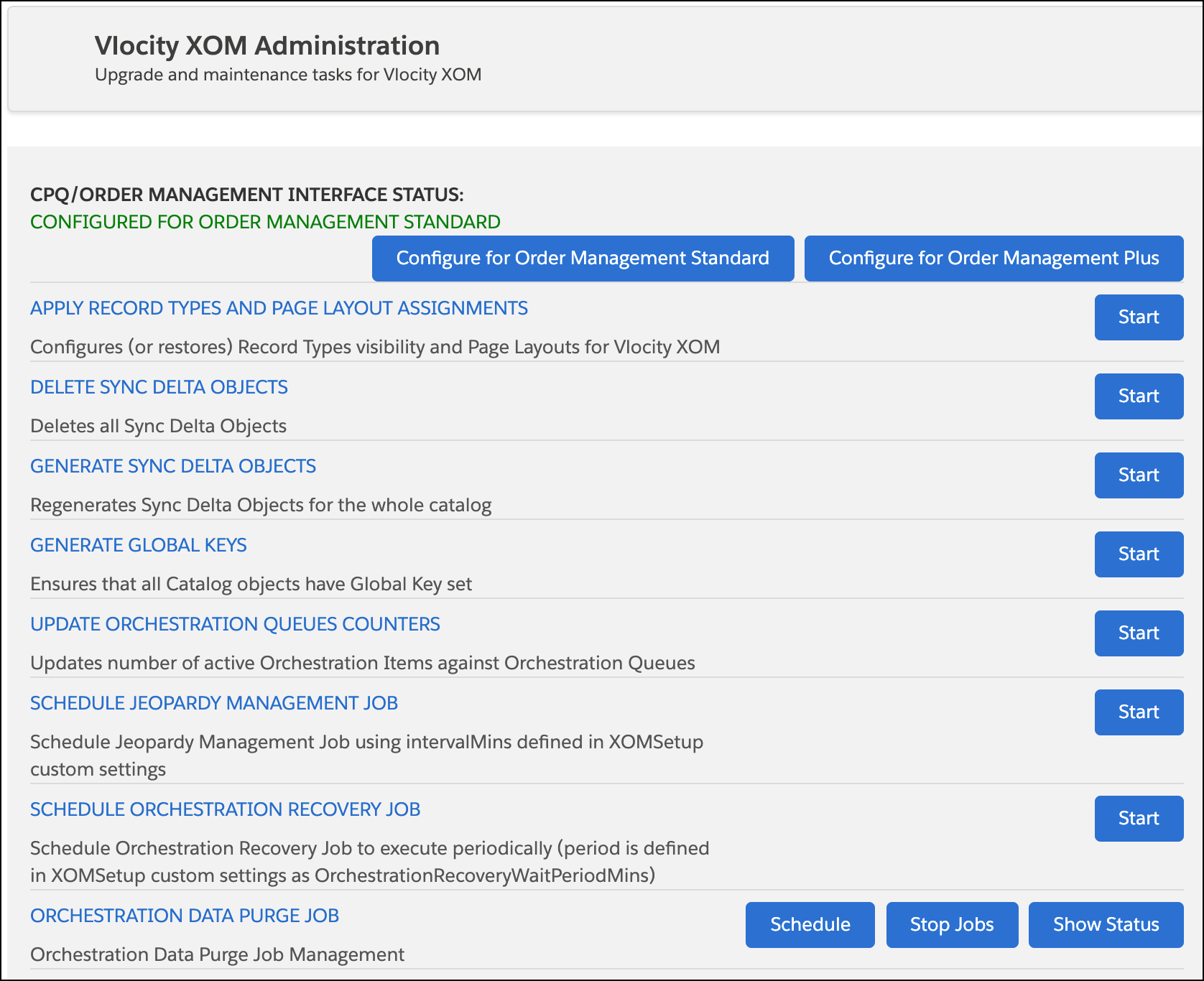
Once the upgrade or installation package has been installed, you must ensure that the OM and OM Plus interfaces are configured correctly. You can do so from the XOM Administration panel.

Follow the instructions below to configure OM and OM Plus interfaces:

  1. In Lightning Experience, click the App Launcher: Lightning App Launcher icon
  2. Click Vlocity XOM Administration. The Vlocity XOM Administration panel opens.
    The Vlocity XOM Administration panel
  3. Click either Configure for Order Management Standard or Configure for Order Management Plus, depending on your environment.