
Starting in the Summer '18 release, data entered by the user at runtime is stored in a new type of object called a virtual object. This data is not committed to Salesforce or persisted. This data exists only in memory during the user's session. There is one virtual object called AdjustmentData, and it is used to create context rules for pricing adjustments.
Setting Up the AdjustmentData Virtual Object
The AdjustmentData virtual object must exist in the shared catalog before you can create rules for pricing adjustments. To set up the AdjustmentData virtual object, go to the EPC Jobs in the CMT Administration screen and run the job.

The Create Default Contextual Adjustment Data job is a one-time job that should be run as a post-install step after upgrading. However, if you ran this job for the Summer '18 release, you will need to run it again for the Fall '18 release to receive the latest updates to the AdjustmentData Virtual Object. (There is no risk in running this job more than once.)
AdjustmentData Virtual Object Attributes
The AdjustmentData virtual object includes the following attributes. These attributes are used to create context mappings to virtual data entered at runtime such as AdjustmentValue or AdjustmentType. The object is also used to evaluate data stored in opportunity, quote, order or account sObjects. In addition, you can create context mappings to data across opportunities, quotes and orders using the ANYReusable Content: table_fab3926297ed7b8a39fd120479b96985.dita attribute, like the ANY context scope.
|
Attribute |
Purpose |
|---|---|
|
Account |
Maps to information on the account related to the order, quote or opportunity. |
|
AdjustmentAmountTotal Available starting in Fall '18 |
Defines the maximum manual adjustment amount allowed at runtime. Does not include adjustments or overrides applied at the product level or by an applied promotion. |
|
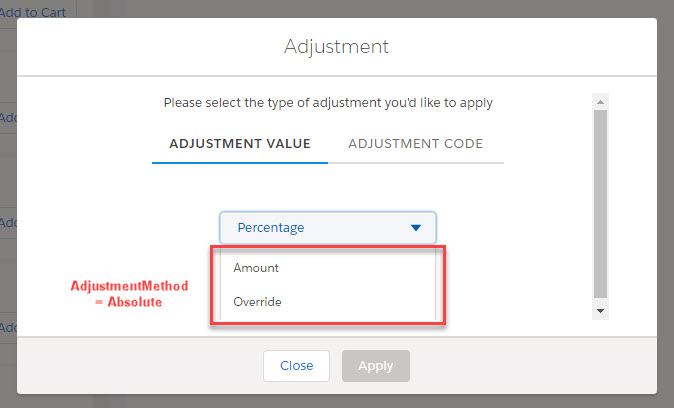
AdjustmentMethod |
Maps to data entered at runtime using the adjustment picklist. Use the following values in your rule conditions, to evaluate what the user selects.
|
|
AdjustmentPercentTotal Available starting in Fall '18 |
Defines the maximum manual adjustment percent allowed. Does not include adjustments or overrides applied at the product level or by an applied promotion. |
|
AdjustmentTotal Available starting in Fall '18 |
Defines the maximum manual adjustment allowed, combining absolute and percentages adjustment totals. Does not include adjustments or overrides applied at the product level or by an applied promotion. |
|
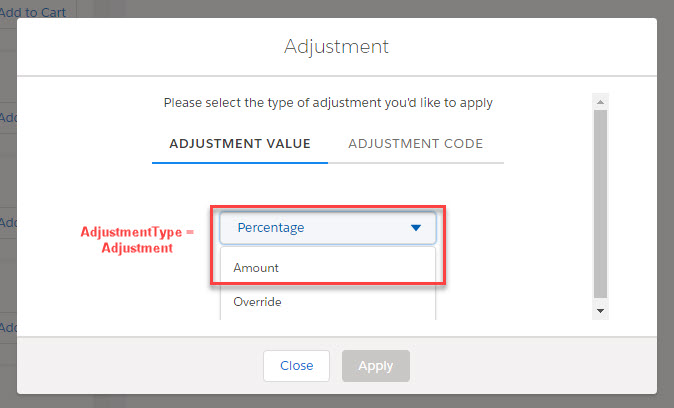
AdjustmentType |
Maps to data entered at runtime using the adjustment picklist. Use the following values in your rule conditions, to evaluate what the user selects.
|
|
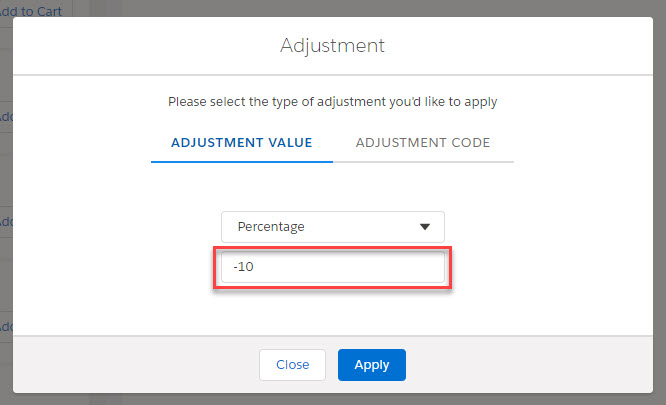
AdjustmentValue |
Maps to data entered at runtime in ADJUSTMENT VALUE box. |
|
Enables you to map to fields across order, quote or opportunity sObjects, similar to the ANY entity context scope. |
|
|
Opportunity |
Maps to fields on the opportunity sObject. |
|
Order |
Maps to fields on the order sObject. |
|
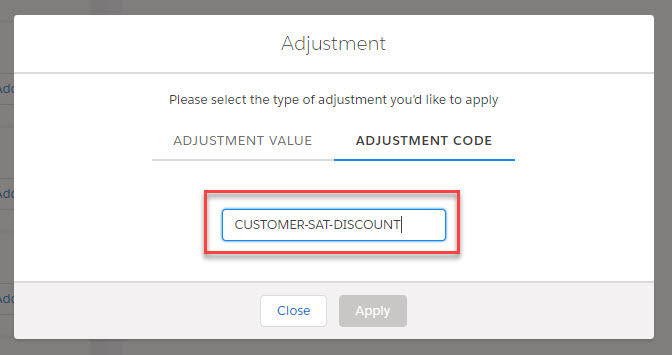
PricingVariableCode |
Maps to data entered at runtime in the ADJUSTMENT CODE box. |
|
ProductCode Available starting in Fall '18 |
Maps to the Product Code field on the Product object. Enables the creation of pricing adjustment rules for specific products. |
|
Quote |
Maps to fields on the quote sObject. |
For details on how to write context mappings to attributes on a virtual object, see Using Source Expressions.
Review the AdjustmentData Virtual Object
You can confirm that the AdjustmentData virtual object was created by reviewing it in the shared catalog.
The AdjustmentData virtual object is a system object and must not be altered. Do not change its general properties or its attributes. If the AdjustmentData object or its attributes are accidentally altered, run Create Default Contextual Adjustment Data job to reset the object to its original settings.
- In the Product Console, in the Metadata section of the Dashboard, click the search icon next to Object.
- In the Search Object dialog box, enter data and click the search icon.
- Click the name of the AdjustmentData virtual object, or click the edit icon to open the object for editing.
- In the sidebar, click Attributes, and review the list of attributes available in this virtual object.