After you create a product bundle, you must update the product hierarchy cache, or the new product bundle doesn't display properly in the Industries Cart.
-
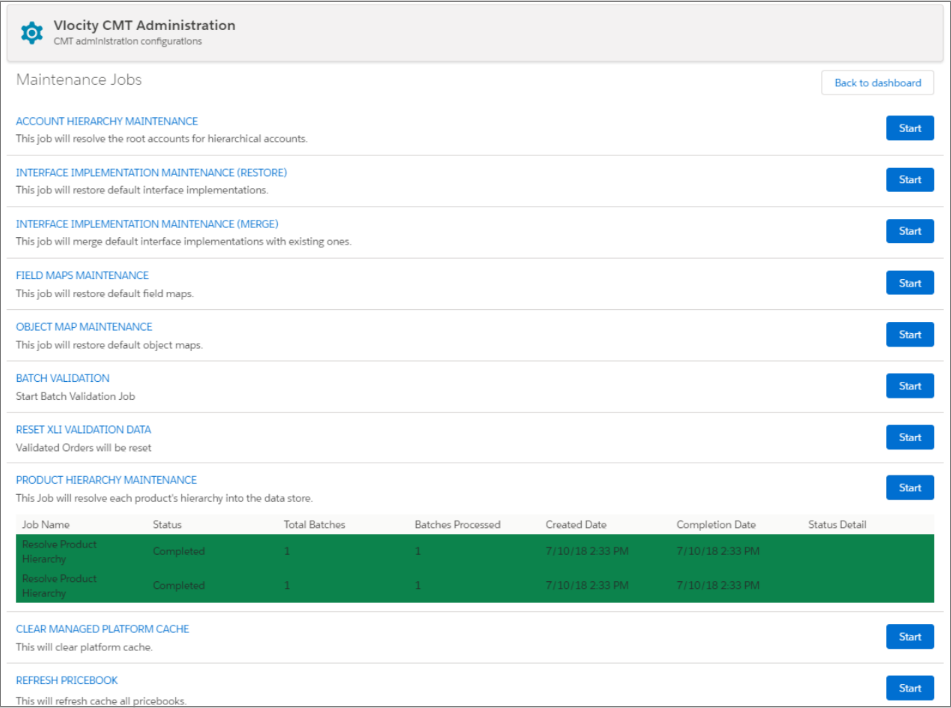
Build the product hierarchy data store by running the Product Hierarchy Maintenance job:
- From the App Launcher in Lightning or the + icon in Salesforce Classic, click Vlocity CMT Administration.
- Under Admin Console, click Maintenance Jobs.
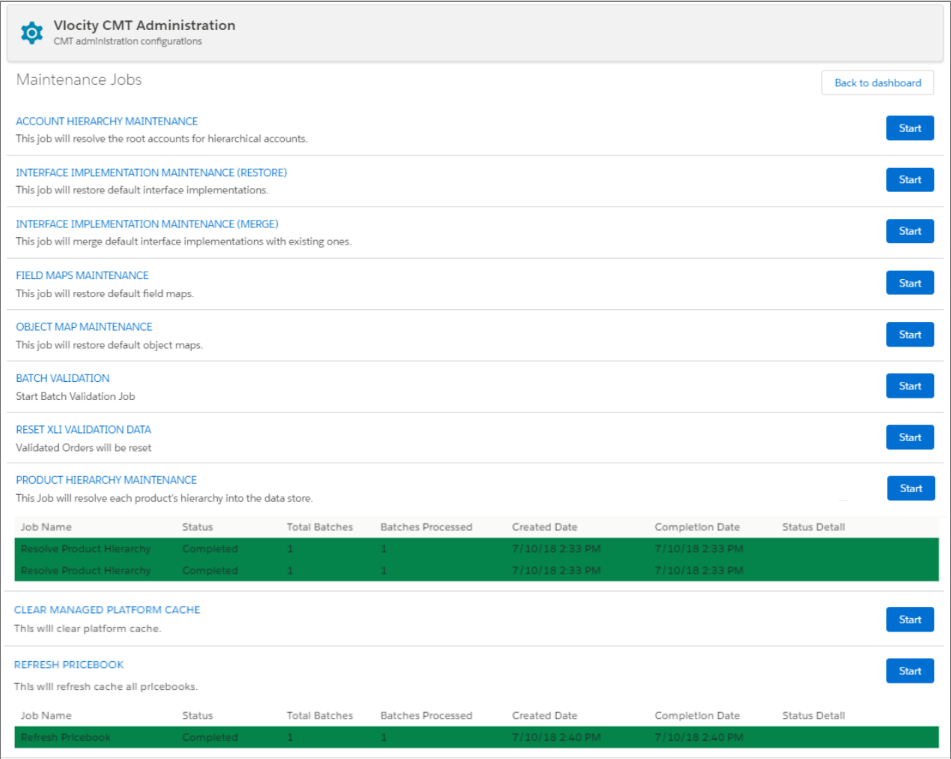
- On the Maintenance Jobs page, find the PRODUCT HIERARCHY MAINTENANCE job and click Start. See Product Hierarchy Maintenance about the Delete Old Data option.
- Click OK to accept the notification that the job may affect your org settings and items.
-
Populate the platform cache and the attribute cache:
- On the Maintenance Jobs page, find the REFRESH PRICEBOOK job and click Start.
- Click OK to accept the notification that the job may affect your org settings and items. Messages should display indicating that the job completed successfully.