Run the Product Attributes Conversion job once when you enable JSONAttribute v2 to add and populates these new fields for product records.
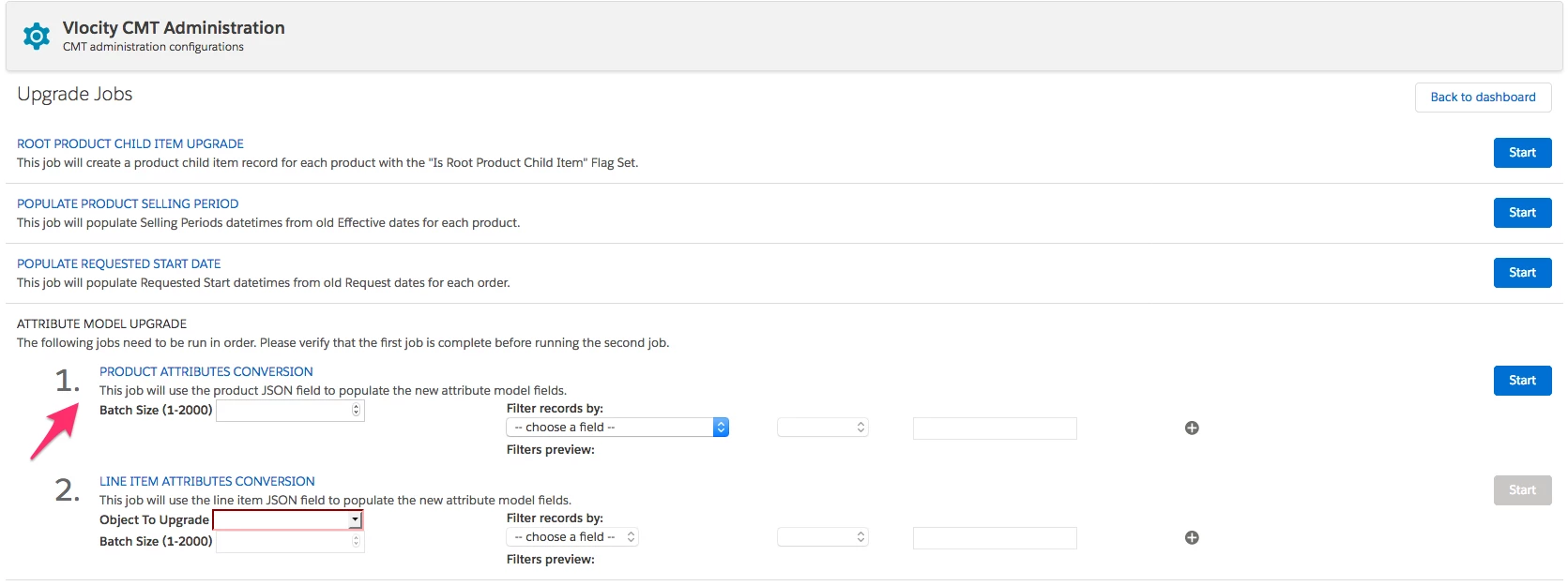
For information about running this job, see Running Upgrade Jobs for the CME Managed Package and Upgrading the Attribute Schema.
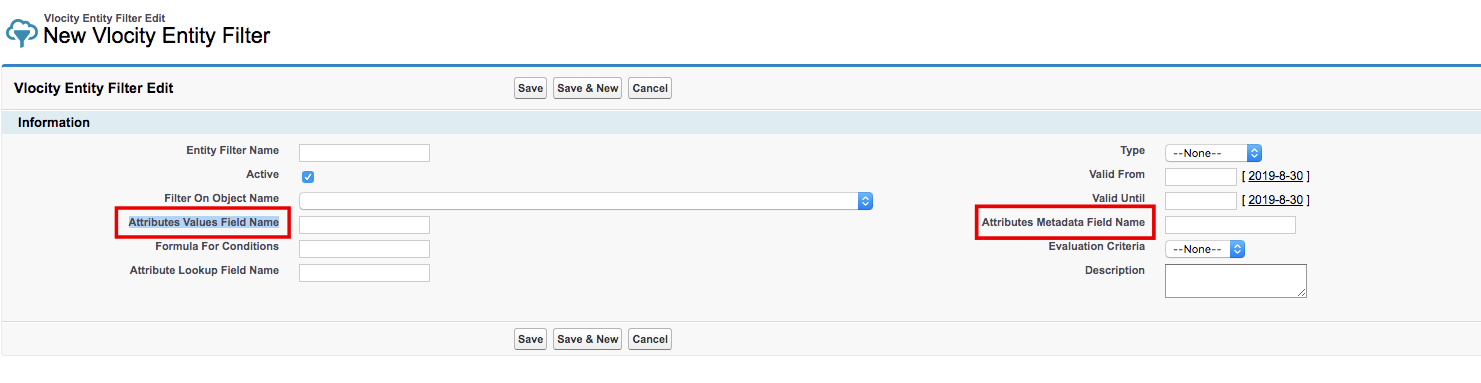
If you enable JSONAttribute v2JSONAttributeSupport, you need to populate two new fields on the entity filter:
-
Attribute Metadata Field Name
-
Attributes Values Field Name
If you enable JSONAttribute v2 and then create new entity filters, you must manually update these fields after adding them in the layout.
To expose these fields in the layout:
-
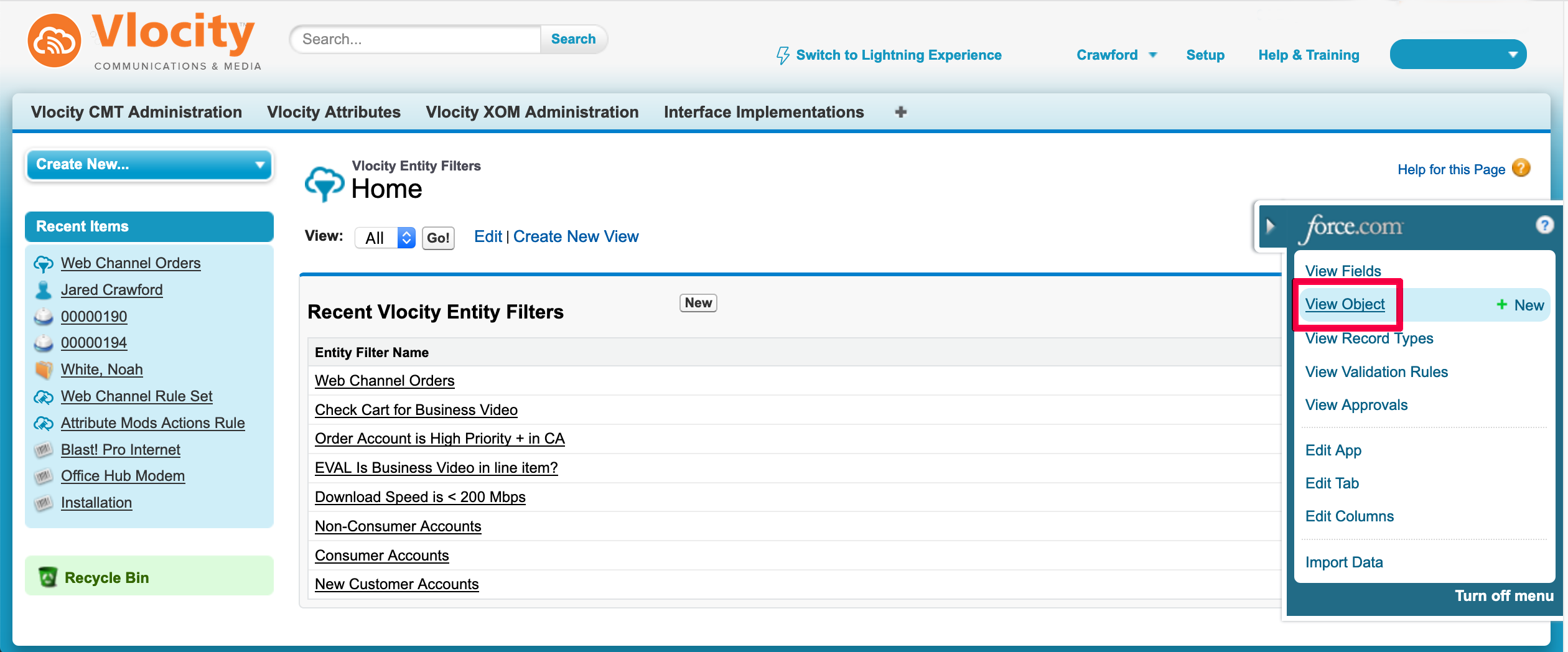
In Salesforce Classic experience, go to All Tabs > Vlocity Entity Filters.
-
Expand the Quick Access menu and select View Object.
The Custom Object details appear.
-
Scroll down to the Field Sets section.
-
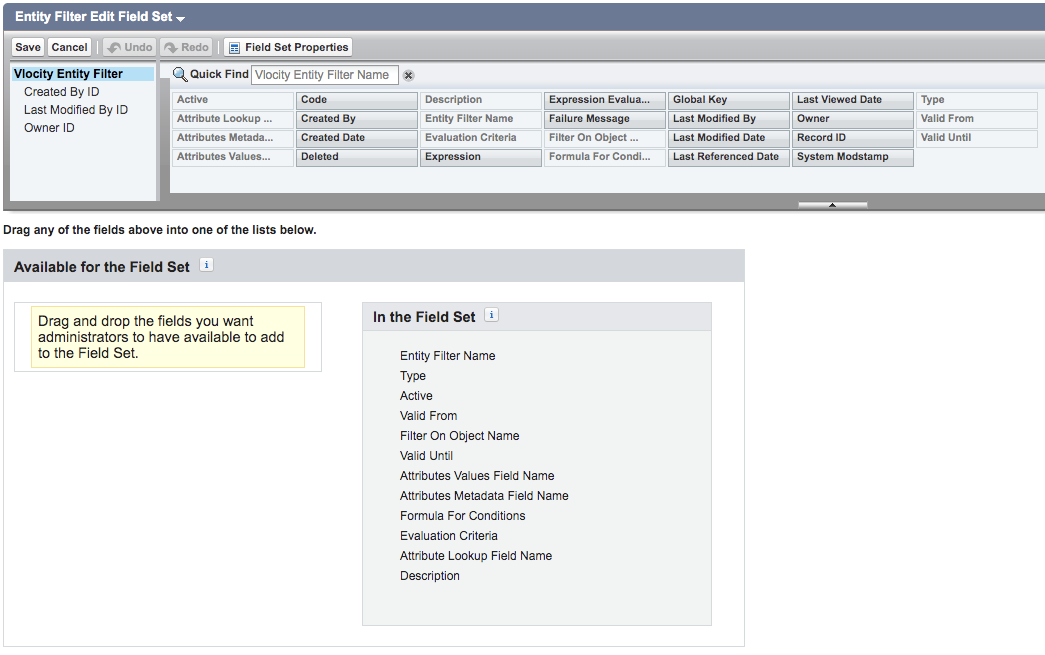
Next to Entity Filter Edit Field Set, click Edit.
-
Add Attribute Metadata Field Name and Attributes Values Field Name to the layout.
-
Click Save.
The Attribute Metadata Field Name and Attributes Values Field Name fields are available in the layout when you create a New Entity Filter and then manually populate it.