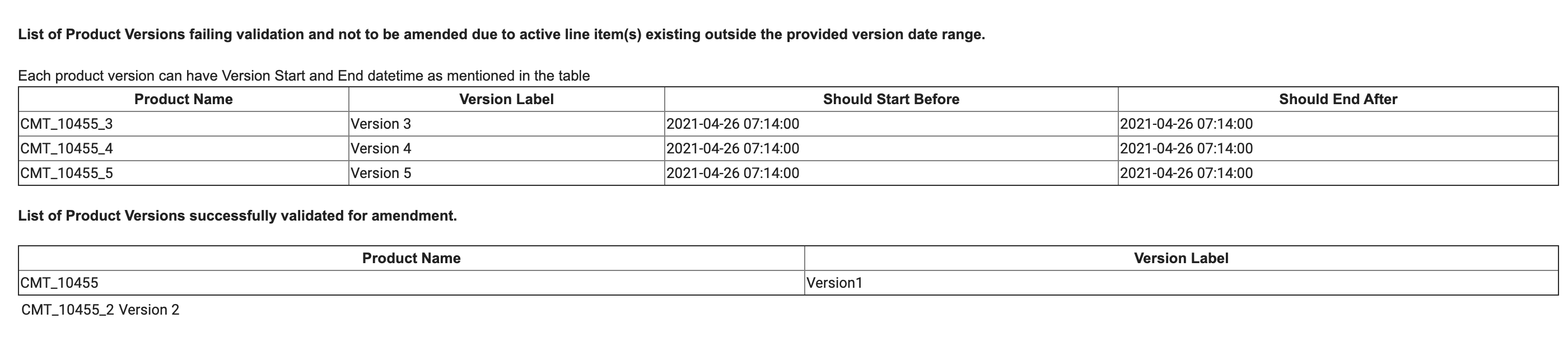
Used before importing products from other orgs, this report checks that the product data to be imported has valid versioning dates. The global keys must be the same across the two orgs. It validates each product version’s date range against dates on line items in the org. It then sends an email with a list of products to be imported whose versioning dates are invalid.
This report requires that the input file GlobalKeysToVersionDates.csv is uploaded in the Static Resource folder in Setup. This file has a list of global keys, versioning start dates, and versioning end dates for product versions that will be imported into the org.
The file must use the format shown in the following example. The locale for
both the orgs should be same. The accepted format for version dates is
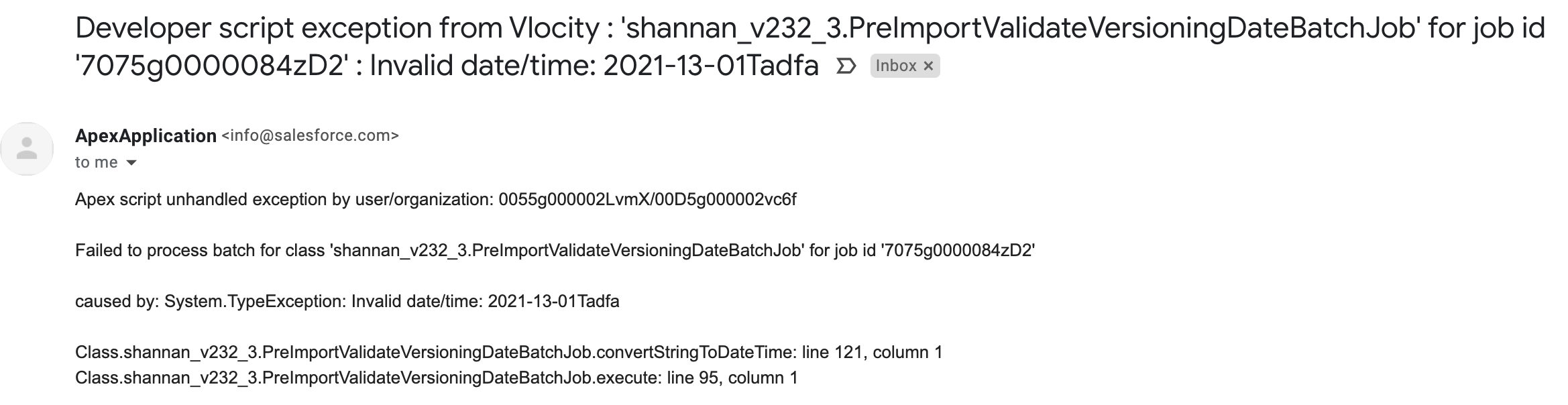
YYYY-MM-DD HH:MM:SS. The script throws an exception if date is
entered in any other format.
The file name and the static resource name have to be the same, and both must be named GlobalKeysToVersionDates. Otherwise, the job doesn't work.
"GlobalKey","VersionStartDate","VersionEndDate"
"1bda99bd-b75d-d940-5736-9d48ad81c65c","2021-04-01","2021-04-20"
"2bacfded-4719-74fa-8bcb-f5731f881fb7","2021-04-01",""
"6eecb743-01d6-307e-8473-20412c9fa791","","2021-04-20"
"09087665-859c-07dd-0ca0-207302dc6412","2021-04-01","2021-04-20"
"8bdc35ca-bef0-f25a-de0f-ba50640b9d90","",""|
Applies to |
Salesforce Industries Communications, Media, and Energy Summer '21 |
|---|---|
|
Apex Name |
PreImportValidateVersioningDataBatchJob |
|
Where to Run This Job |
Reports Jobs link on the Vlocity CMT Administration page > Admin Console table. |
|
Risks of Running This Job |
No Risk |
|
When Not to Run This Job |
When you're not importing product data from another org. |
|
When to Run This Job |
After you have enabled the versioning feature and before importing products into your Production org from other orgs. |
|
How to Run This Job |
|
|
More Information |
An email is sent to the user running the job with a report of products that pass or fail the validation. An email is sent if there's an error, such as the incorrect date format in the input file. |