
In the Structure view of an offer, you can override the group and local cardinality and the attributes of root and child product specifications and offers. These overrides apply within the context of the offering bundle.
The following table shows the available overrides and settings for the different products and specifications in an offering bundle. A simple product (offer or specification) has no child products, and a bundled product has child products.
A product specification can have overrides. If the overrides are created before an offer is associated with that specification, the offer inherits those overrides. If overrides are made to the specification after the association, the associated offer does not get those updates.
Consider these practices for overrides for product specifications and offers.
-
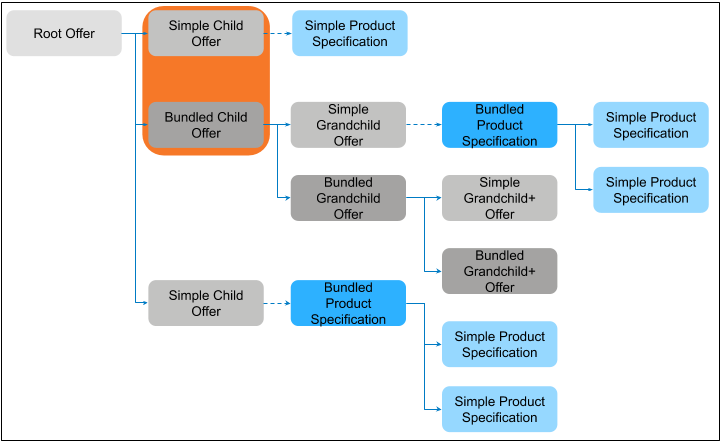
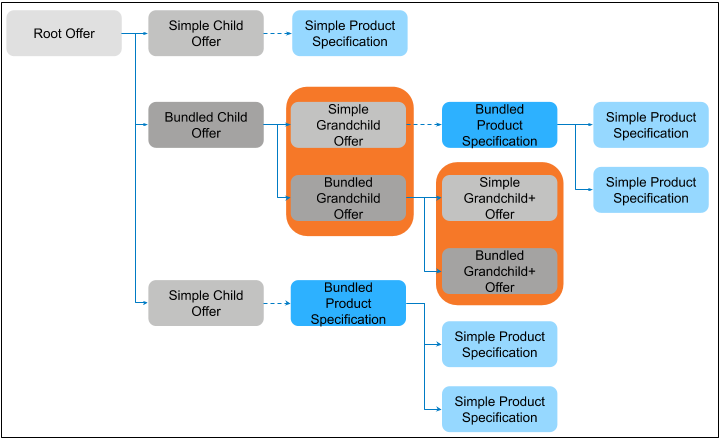
Cardinality Overrides — For an immediate child product of a root product, you can modify the local or group cardinality. For products that are grandchildren or lower, always use overrides.
-
Attribute Overrides — You can create overrides at any level except for a product specification that is directly associated with an offer at any level (root, child, grandchild, or lower level).
-
Price Adjustments and Overrides — Always configure price adjustments or overrides on an offer and not on the product specification.
|
Offer-Product Relationship |
Attributes |
Local Cardinality Action |
Group Cardinality |
|---|---|---|---|
|
Root product (Simple offer or specification) |
Override not allowed in the Structure tab but allowed in the Details tab |
Override not allowed but can modify |
Override not allowed but can modify |
|
Simple or bundled immediate child offer of root offer |
Override allowed |
Override not allowed but can modify immediate child |
Changes are reflected in all the root products in other bundles. Override not allowed but can modify immediate child products. |
|
Simple or bundled offer as a grandchild (and lower levels) to root offer |
Override allowed (applies to only that specific root product) |
Override allowed (applies to only that specific root product) |
If the product has children, override allowed but can't modify. |
|
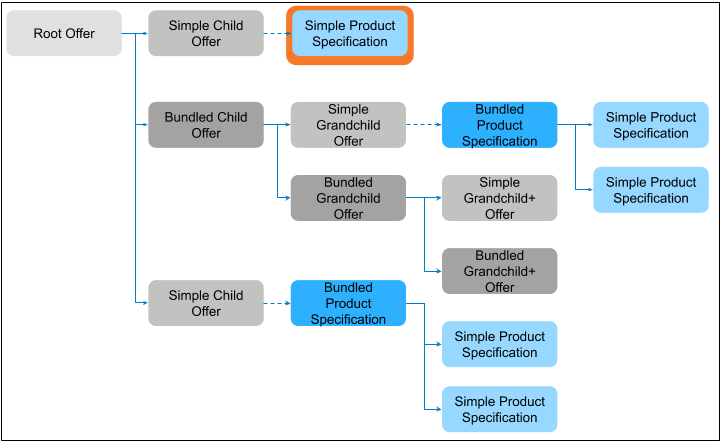
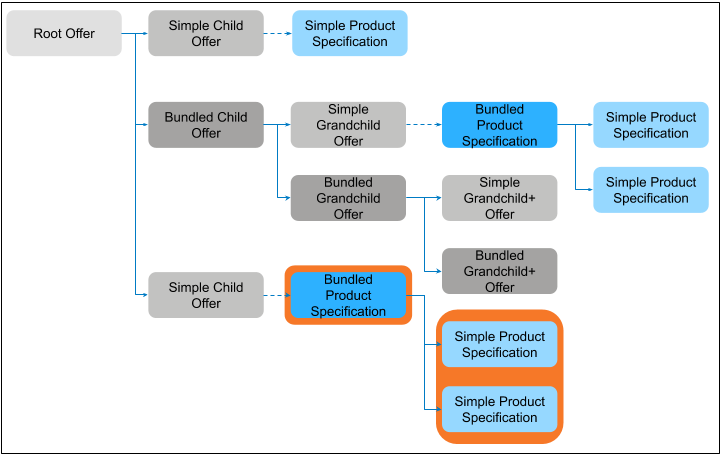
Associated simple product specification |
Override not allowed |
Override or modification not allowed |
Does not apply |
|
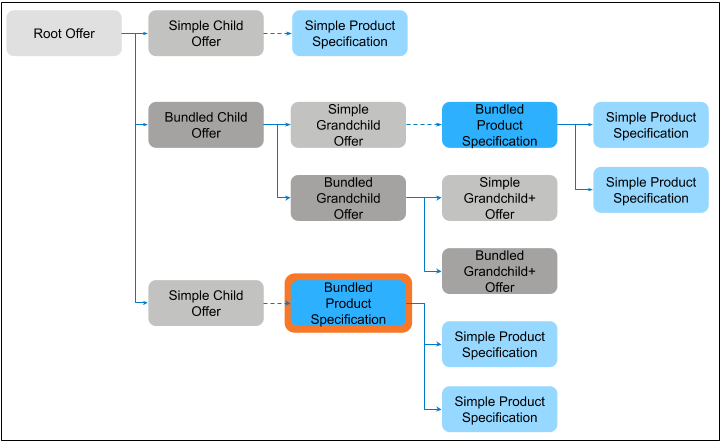
Associated bundled product specification (root node) |
Override allowed |
Override not allowed but can modify |
Override allowed |
|
Associated bundled product specification Non-root parent node (intermediate parent) |
Override not allowed |
Override not allowed |
Override not allowed |
|
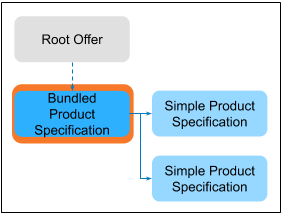
Associated bundled product specification (with a simple child product) |
Override allowed |
Override allowed |
Does not apply |
Virtual Items
You can't set a root product (neither a simple offer nor a product specification) as virtual. You can use it to have choices for customers. You can control the presentation and selection of group offers by setting the group cardinality to 1, which forces one selection.
-
You can set a product as virtual only if its Specification Sub Type is set to Bundled. If it's set to Simple, you can't set the product as virtual.
-
You can set a bundled product as virtual if it's the immediate child of the root product.
-
If the bundled product is a grandchild or lower of a root offer, setting it to virtual isn't recommended because the changes apply to all root products in other bundles.
-
You can't set a product as virtual in these other scenarios:
-
Associated simple product specification
-
Associated bundled product specification (root node)
-
Associated bundled product specification Non-root parent node (intermediate parent)
-
Associated bundled product specification (with a simple child product)
-
Reference for Creating Overrides and Virtual Items
To set a product as virtual or to create overrides, use the Structure tab for a product in Vlocity Product Designer.
|
Task |
Action |
|---|---|
|
Mark a product as non-assetizable |
Select Virtual Item in the Edit Relationship panel. |
|
Modify the local or group cardinality |
|
|
Modify attributes |
|
