OM Standard Only: Run XOMPopulateMainOrderItemIDBatchJob

This job improves Order Management performance.

Run this job from the Debug menu in the Developer Console, as in the following steps:

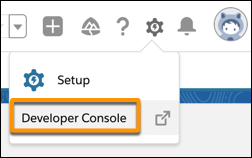
  1. Click the gear icon, then click Developer Console.
    The Developer Console menu item.
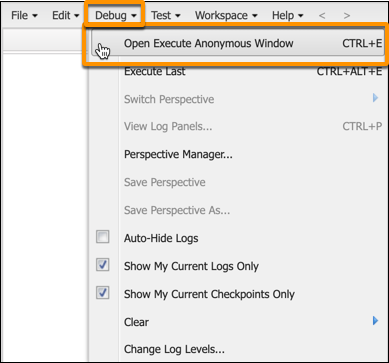
  2. From the Debug menu, select Open Execute Anonymous Window.
    The Debug menu, with the Open Execute Anonymous Window option highlighted.
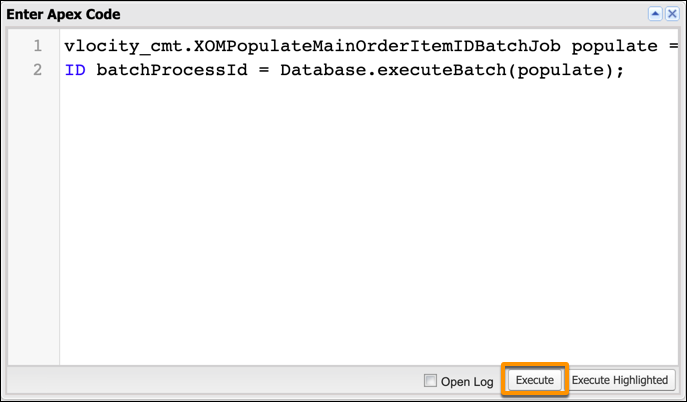
  3. Replace whatever is in the window with the following text, then click Execute.
    vlocity_cmt.XOMPopulateMainOrderItemIDBatchJob populate = new vlocity_cmt.XOMPopulateMainOrderItemIDBatchJob('Draft', 1000);
    ID batchProcessId = Database.executeBatch(populate);
    The Enter Apex Code window, with the Execute button highlighted.

    The script runs and you can move on the next step.