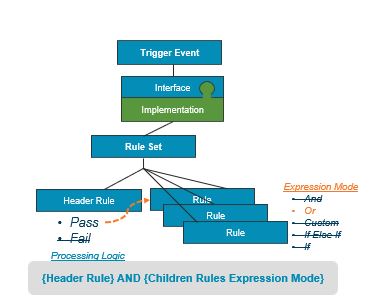
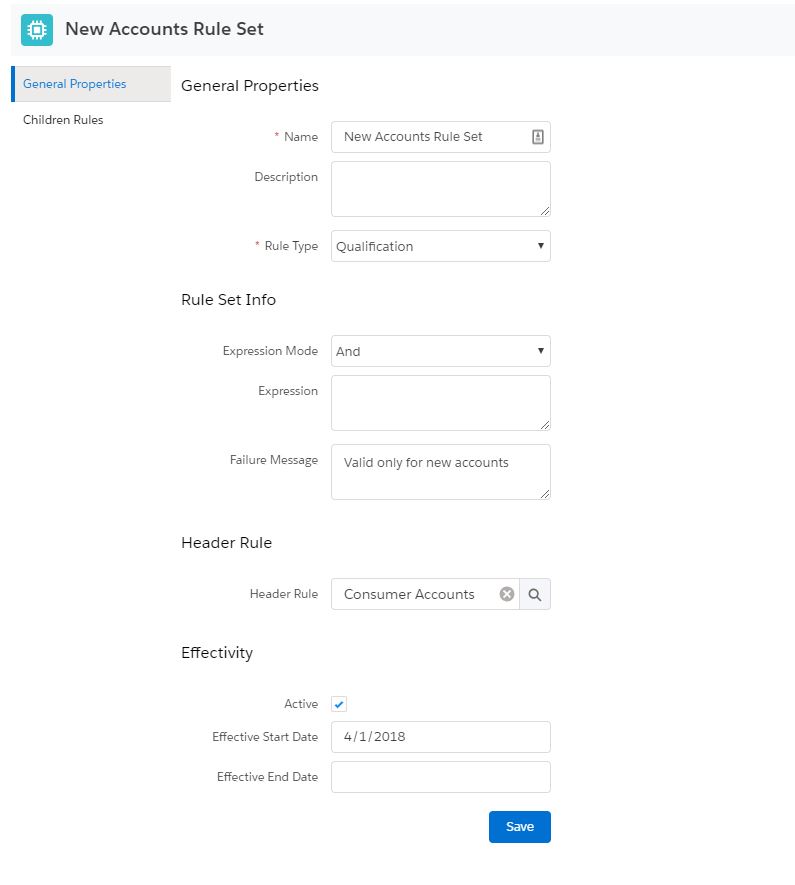
To configure which rule is executed first when you have multiple children rules in a rule set, you can specify one of the rules as the header rule. If the header rule does not pass, processing stops on the entire rule set. Using header rules enables you to optimize rule set evaluation.
Header Rule Processing Logic
When a header rule exists, the rules engine processes it using an AND expression with the children rules' expression mode. The header rule must pass before the rules engine evaluates the children rules using the expression mode declared in the rule set, which can be And, Or, Custom, If Else If, or If.