
When creating context rules, you can create failure messages for the following entities: rule sets, context rules, and rule conditions.
Failure Messages for Rule Sets Assigned to Products and Promotions
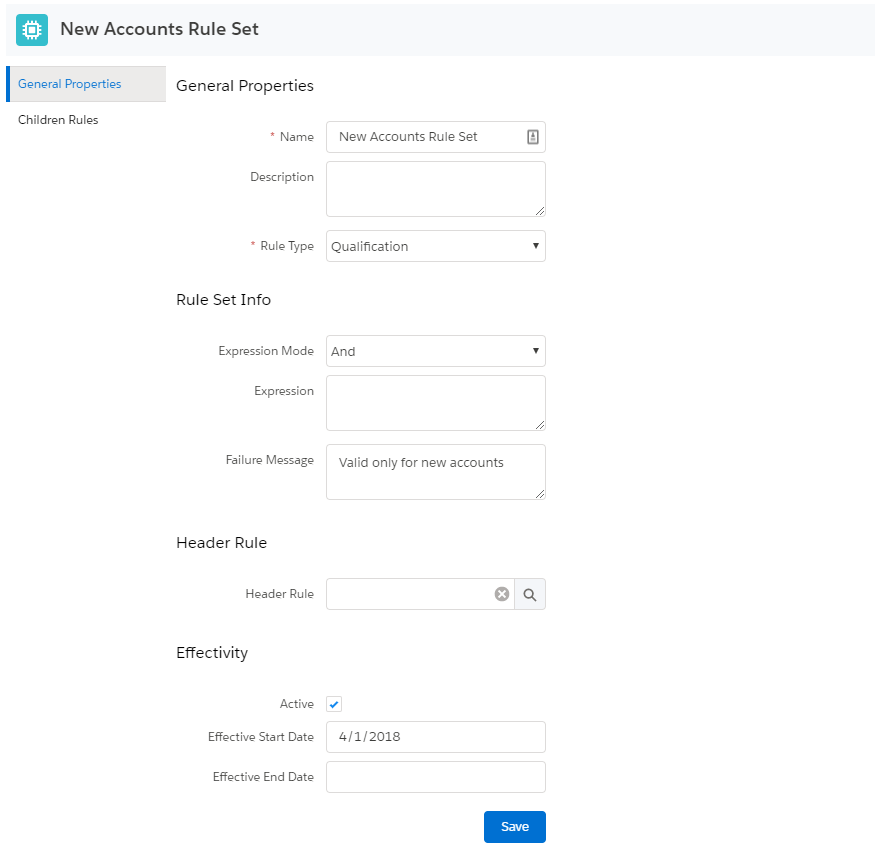
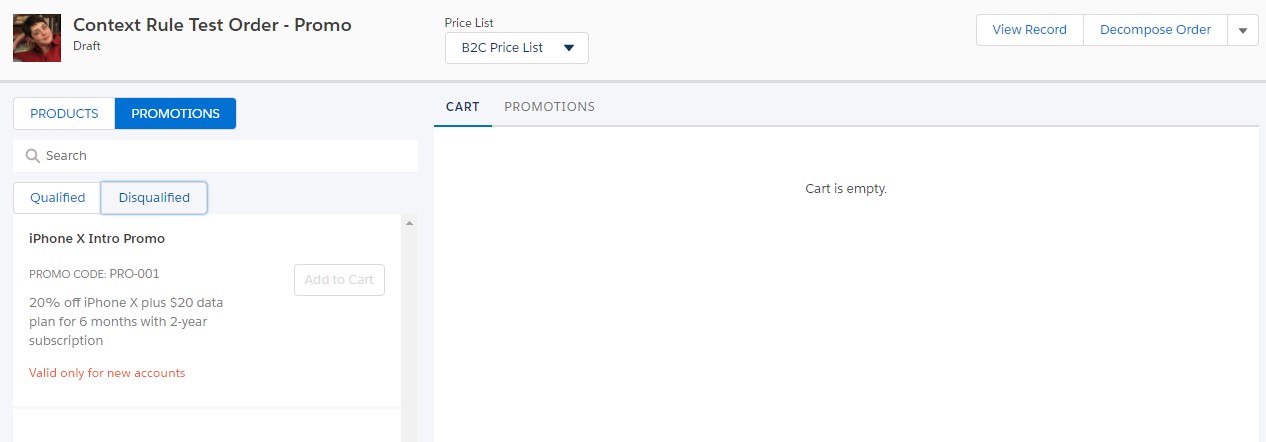
Failure messages for rule sets assigned to a product or promotion display in the Disqualified subtab of Industries Cart. The message will be ignored if the same rule set is applied to a price list or price list entry.
Failure Messages for Rule Sets Assigned to Pricing Adjustments
You can alert users when they enter invalid pricing adjustments by specifying a failure message in the rule set assigned to the pricing adjustment. When the user enters an invalid adjustment value or code, a toast message displays above the pricing adjustment dialog box.
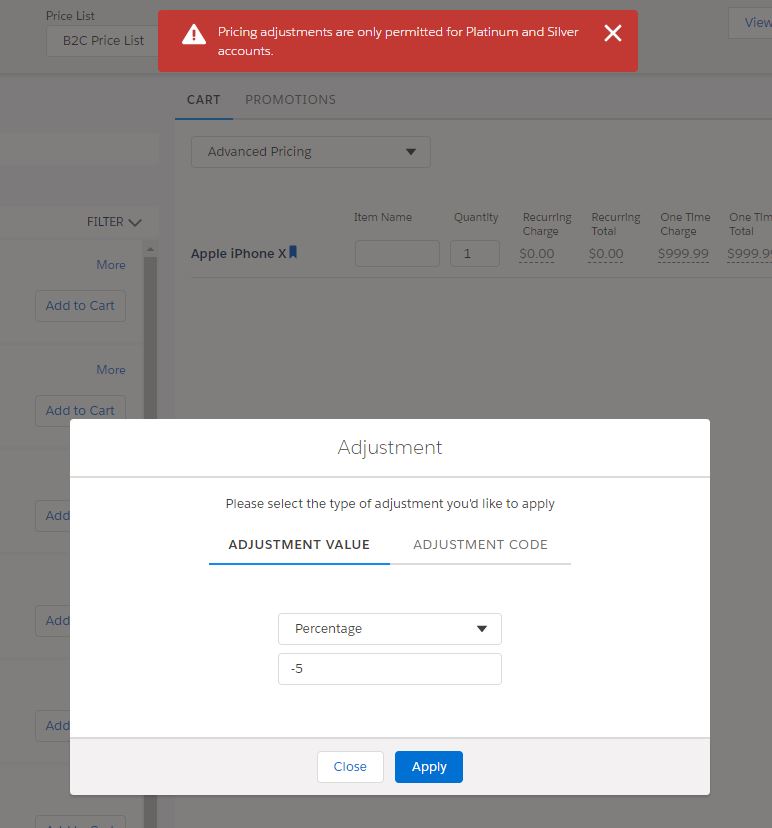
To enable the display of failure messages for pricing adjustments, set the CPQ Toast Message Log Level in the CPQ Configuration Setup custom settings to All. For more information on this custom setting, see CPQ Configuration Settings Reference. When changing a failure message for a pricing adjustment, you must clear the CPQPartition platform cache to ensure your changes display. For more information, see Configuring the CPQ Platform Cache.
Using Context Rule Message Service API
You can access failure messages for all entities using the Context Rule Message Service API. For more information, see CME Common APIs.