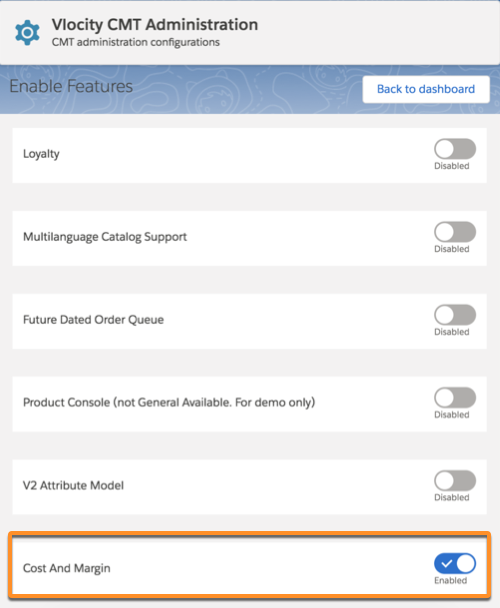
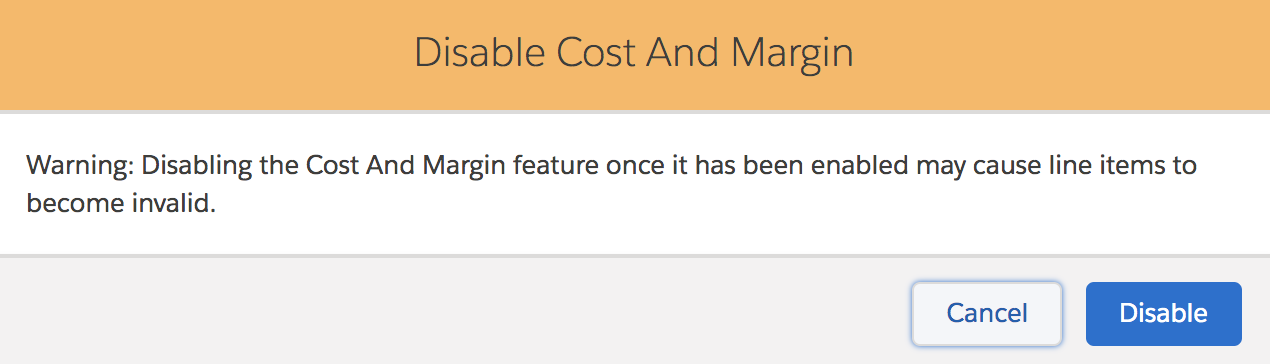
You can enable the cost and margin feature using the Vlocity CMT Administration Console. When you enable this feature, it creates metadata to define the cost and margin. A special variable related to cost and margins is enabled. You can view and use costs in Industries Cart. When you disable this feature, any quotes, opportunities, or orders using costs become invalid. Salesforce recommends that you do not disable this feature after you have enabled it.

Note
The Costs tab is always visible from either the Products, Pricing facet or the Price List, Pricing Elements facet even if the feature is disabled.
- Log in to Salesforce and go to the App Launcher.
-
Enter Vlocity CMT Administration Console in the quick find
search.
The Vlocity CMT Administration Console is displayed.
- From the Custom Settings section, select Enable Features.
- Navigate to the Cost and Margin feature and toggle the switch to enable it.
- Click Enable.