
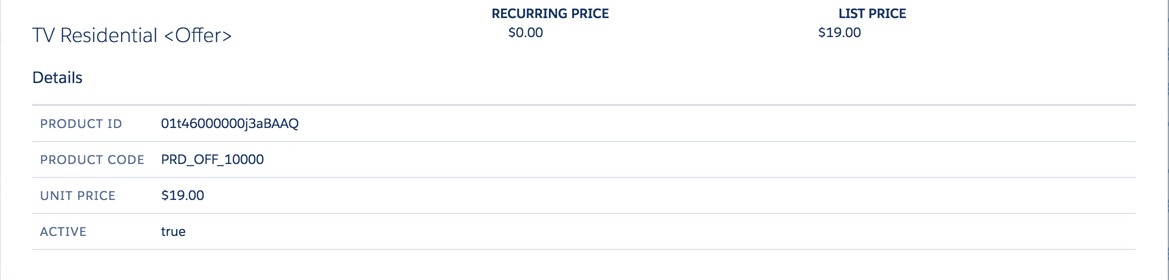
The cpq-product-item-details template provides the structure for each product in the Product Details dialog box.
In Salesforce Industries Communications, Media, and Energy Summer '18, cpq-product-item-details has been changed:
-
Provides multi-language support to translate Product Name and Product Description.
-
Provides multi-language support to translate price list entry text for both RecurringPrice__c and OneTimeLoyaltyPrice__c.
-
Supports retrieving Vlocity attachments for images using the new function
getProductAttachments(). -
Adjusted SCSS.
Template Type
Cards
Code
HTML, CSS/SCSS
Image
Upgrade from Vlocity CME Winter '18 to Vlocity CME Summer '18
When upgrading from Salesforce Industries Communications, Media, and Energy Winter '18 to Salesforce Industries Communications, Media, and Energy Summer '18, you must make the following changes to the HTML in the Card Designer.
First Change
<div class="slds-tile__title slds-text-heading_medium">
{{::obj.Name.value}}
</div>
<div class="slds-tile__title slds-text-heading_medium" cpq-translate="Product2.Name">
{{::obj.Name.value}}
</div>
Second Change
<div class="cpq-product-item-table-row-item cpq-product-item-table-flex-recur cpq-cart-item-attr-value">
{{::importedScope.getPriceValue(obj, importedScope.nsPrefix+'RecurringPrice__c')}}
</div>
<div class="cpq-product-item-table-row-item cpq-product-item-table-flex-recur cpq-cart-item-attr-value"
cpq-translate="PriceListEntry.DisplayText">
{{::importedScope.getPriceValue(obj, importedScope.nsPrefix+'RecurringPrice__c')}}
</div>
Third Change
<div class="cpq-product-item-table-row-item cpq-product-item-table-flex-onetime cpq-cart-item-attr-value">
{{::importedScope.getPriceValue(obj, 'UnitPrice')}}
<span ng-if="::obj[$root.nsPrefix + 'OneTimeLoyaltyPrice__c']"> {{::importedScope.customLabels.CPQOr}}
<span class="cpq-loyalty-points"> {{::obj[$root.nsPrefix + 'OneTimeLoyaltyPrice__c'].value}}</span>
<div class="cpq-product-item-table-row-item cpq-product-item-table-flex-onetime cpq-cart-item-attr-value">
{{::importedScope.getPriceValue(obj, 'UnitPrice') | CPQTranslateFilter:'PriceListEntry.DisplayText'}}
<span ng-if="::obj[$root.nsPrefix + 'OneTimeLoyaltyPrice__c']">   {{::importedScope.customLabels.CPQOr}}
<span class="cpq-loyalty-points" cpq-translate="PriceListEntry.DisplayText"> {{::obj[$root.nsPrefix + 'OneTimeLoyaltyPrice__c'].value}}</span>Fourth Change
<div class="slds-tile__detail slds-text-body_small">
{{::obj.Product2.Description}}
</div>
<div class="slds-tile__detail slds-text-body_small" cpq-translate="Product2.Description">
{{::obj.Product2.Description}}
</div>
Fifth Change
<ul class="scroll">
  <!--Supporting only images as of now-->
    <li ng-repeat="media in obj.Attachments">
	  <ul class="scroll">
	    <!--Supporting only images as of now-->
		  <li ng-repeat="media in ::importedScope.getProductAttachments(obj)">
SCSS Change
.#{$namespace}-product-item-table-row-item {
display: flex;
flex-flow: row nowrap;
flex: 1 0 auto;
In Summer '18, replace the CSS statements above with the following:
.#{$namespace}-product-item-table-row-item {
display: flex;
flex-flow: row nowrap;
flex: 1 0 33%;