
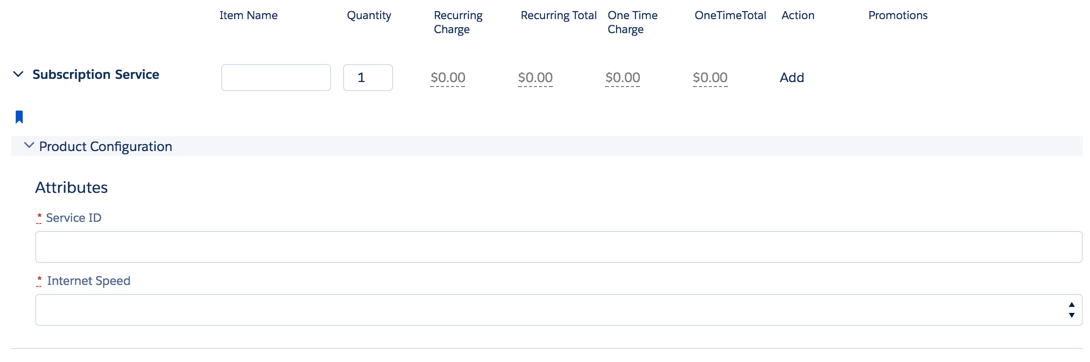
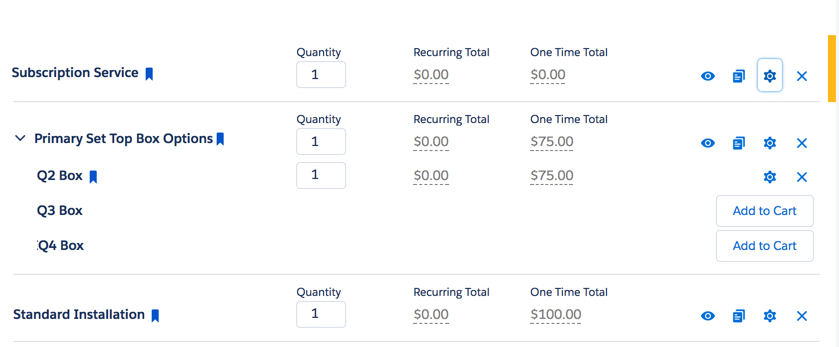
The cpq-product-cart-item template provides the structure for the Line Item Details dialog box.
The cpq-product-cart-item template also provides the structure for each root-level line item in the cart.
In Salesforce Industries Communications, Media, and Energy Summer '18, cpq-product-cart-item has been changed:
-
Provides multi-language support to translate Product Name and Promotion Name.
-
Disables the manual adjustment and payment choice buttons when an order is active.
Template Type
Cards
Code
HTML, CSS/SCSS
Image
Upgrade from Vlocity CME Winter '18 to Vlocity CME Summer '18
When upgrading from Salesforce Industries Communications, Media, and Energy Winter '18 to Salesforce Industries Communications, Media, and Energy Summer '18, you must make the following changes to the HTML in the Card Designer.
First Change
<!-- Name -->
<div ng-if="customField.name === 'Name'">
  <slds-button-svg-icon sprite="'utility'" size="'small'" icon="'switch'" extra-classes="'slds-button__icon_left'"
ng-class="{'cpq-fix-slds-close-switch' : !childProdState.show}"></slds-button-svg-icon>
  <span class="slds-assistive-text">Toggle</span>
  <span class="cpq-product-name">{{obj.PricebookEntry.Product2.Name}}</span>
  <span title="{{obj[$root.nsPrefix+'Action__c'].value}}">
    <slds-button-svg-icon sprite="'utility'" size="'small'" icon="'bookmark'" extra-classes="'slds-button__icon_left'" class="cpq-product-item-bookmark-{{obj[$root.nsPrefix+'Action__c'].value.toLowerCase() || 'null'}}"></slds-button-svg-icon>
  </span>
  <span class="cpq-product-name" cpq-translate="Product2.Name">{{obj.PricebookEntry.Product2.Name}}</span>
</button>
<div class="cpq-item-no-children" ng-show="!(obj.lineItems.records || obj.childProducts.records || obj.productGroups.records || (attrs.lineItemModal && obj.attributeCategories.records.length > 0))">
  <span>{{obj.PricebookEntry.Product2.Name}}</span>
  <span title="{{obj[$root.nsPrefix+'Action__c'].value}}">
    <slds-button-svg-icon sprite="'utility'" size="'small'" icon="'bookmark'" extra-classes="'slds-button__icon_left'" class="cpq-product-item-bookmark-{{obj[$root.nsPrefix+'Action__c'].value.toLowerCase() || 'null'}}" title="Hooray"></slds-button-svg-icon>
  </span>
</div>undefined</div>undefined<!— Name -->undefined<div ng-if="customField.name === 'Name'" class="cpq-product-name-block">
<button class="slds-button cpq-item-has-children" aria-controls="tree0-node1"
ng-click="childProdState.show = !childProdState.show"
ng-hide="!(obj.lineItems.records || obj.childProducts.records || obj.productGroups.records || (attrs.lineItemModal && obj.attributeCategories.records.length > 0))">
  <slds-button-svg-icon sprite="'utility'" size="'small'" icon="'switch'" extra-classes="'slds-button__icon_left slds-float_left'" ng-class="{'cpq-fix-slds-close-switch' : !childProdState.show}"></slds-button-svg-icon>
  <span class="slds-assistive-text">Toggle</span>
  <span class="cpq-product-name" cpq-translate="Product2.Name">{{obj.PricebookEntry.Product2.Name}} </span>
</button>
<div class="cpq-item-no-children"
ng-show="!(obj.lineItems.records || obj.childProducts.records || obj.productGroups.records || (attrs.lineItemModal && obj.attributeCategories.records.length > 0))"
cpq-translate="Product2.Name">
{{obj.PricebookEntry.Product2.Name}}
</div>
<!-- Icons -->
<div class="cpq-product-icon-block">
  <div title="{{obj[$root.nsPrefix+'Action__c'].value}}">
    <slds-button-svg-icon sprite="'utility'" size="'small'" icon="'bookmark'" class="cpq-product-item-bookmark-     {{obj[$root.nsPrefix+'Action__c'].value.toLowerCase() || 'null'}}"></slds-button-svg-icon>
  </div>
</div>undefined</div>
Second Change
<button class="slds-button slds-button_icon-border" aria-haspopup="true"
title="{{::importedScope.customLabels.CPQPaymentChoice}}"
ng-if="obj[customField.fieldName]['actions']['switchpaymentmode']"

<button class="slds-button slds-button_icon-border" aria-haspopup="true"
title="{{::importedScope.customLabels.CPQPaymentChoice}}"
ng-if="obj[customField.fieldName]['actions']['switchpaymentmode']"
ng-disabled="obj.orderActive"
Third Change
<div class="slds-button-group" role="group">
<button class="slds-button slds-button_icon-border" ng-disabled="obj.orderActive"
<button class="slds-button slds-button_icon-border"
title="{{::importedScope.customLabels.CPQChangePrice}}"
ng-if="obj[customField.fieldName]['actions']['applyadjustment']"
<div class="slds-popover__body cpq-price-actions-popover__body">
<div class="slds-button-group" role="group">
<button class="slds-button slds-button_icon-border"
title="{{::importedScope.customLabels.CPQChangePrice}}"
ng-if="obj[customField.fieldName]['actions']['applyadjustment']"
ng-disabled="obj.orderActive"
Fourth Change
<div ng-repeat="promoItem in obj[customField.fieldName].records" ng-attr-title="{{promoItem.Name}}" class="cpq-promo-text-wrap" ng-class="{'cpq-promo-name-strike': importedScope.isPromoActionDisconnect(promoItem)}">
{{promoItem.Name}}{{$last ? '' : ', '}}
<div ng-repeat="promoItem in obj[customField.fieldName].records" ng-attr-title="{{promoItem.Name}}" class="cpq-promo-text-wrap" ng-class="{'cpq-promo-name-strike': importedScope.isPromoActionDisconnect(promoItem)}">
<span cpq-translate="Promotion.Name">{{promoItem.Name}}</span>
{{$last ? '' : ', '}}
</div>