---
schema_version: "1"
id: 41d53c6940e94b0a1fe193cc66a815c77ebe1c458a73bdd989a9d929549cd486
title: cpq-product-cart-config (template)
collection: admin
version: current
locale: en-us
portal_url: https://docs.salesforce.com/admin/current/en-us/ind/264-0-0/comms_cpq_product_cart_config__template_.md
canonical_url: https://help.salesforce.com/s/articleView?id=ind.comms_cpq_product_cart_config__template_.htm&release=264.0.0&type=5
source_site: help.salesforce.com
content_type: documentation
content_hash: 5a4962dfc0d0c11dd897b0f3d6f6c170a6cc6625abcf3cbcd318100b19b06a26
description: The cpq-product-cart-config template provides the structure for the configuration panel in the cart.
products:
  - Communications
  - Media
  - Energy and Utilities
release: "264"
---
# cpq-product-cart-config (template)

The cpq-product-cart-config template provides the structure for the configuration panel in the cart.

In ​Salesforce Industries Communications, Media, and Energy Summer '18, cpq-product-cart-config has been changed.

- Disabled editing a text field when the order is active.
- Corrected the syntax of `.#{$namespace}-error-msg` in SCSS.

**Template Type**

Containers

**Code**

HTML, CSS/SCSS

**Image**
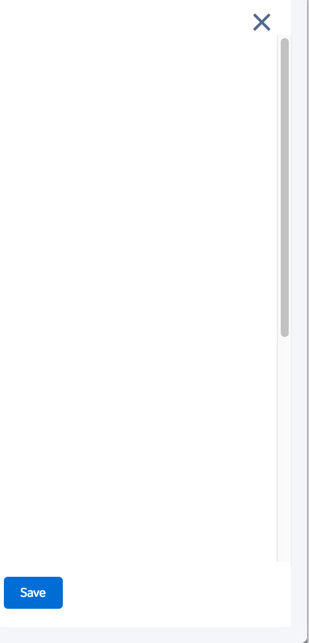
![This layout or template has an X for closing, a scroll bar, and a Save button.](https://sf-zdocs-cdn-prod.zoominsoftware.com/tdta-ind-comms_media_energy_managed-264-0-0-production-enus/ff4079f6-a384-475c-b863-578bbbb0ef9b/resources-product/images/salesforce_cpqcart_configpanelonly.jpg)

**Upgrade from Vlocity CME Winter '18 to Vlocity CME Summer '18**

When upgrading from ​Salesforce Industries Communications, Media, and Energy Winter '18 to ​Salesforce Industries Communications, Media, and Energy Summer '18, you must make the following changes to the HTML or CSS in the Card Designer.

**HTML Change**

In Winter '18, keep the following HTML:

```
<div class="slds-form-element" ng-repeat="editableItem in importedScope.editableItemList">
  <label class="slds-form-element__label">{{::editableItem.label}}
    <span ng-if="editableItem.dataType === 'PERCENT'"> %</span>
  </label>
  <div class="slds-form-element__control">
    <input ng-if="::editableItem.dataType === 'STRING'" type='text' class="slds-input" ng-model='editableItem.value' ng-model-options="{ updateOn: 'default blur', debounce: { 'default': 800, 'blur': 0 } }"
ng-change="importedScope.refreshEditableField(editableItem , true);"/>
    <input ng-if="::(editableItem.fieldName === 'Quantity' || editableItem.dataType === 'CURRENCY' || editableItem.dataType === 'PERCENT')" type='number' step='any' class="slds-input" ng-model='editableItem.value'  ng-model-options="{ updateOn: 'default blur', debounce: { 'default': 800, 'blur': 0 } }"
ng-disabled="importedScope.isAsset(importedScope.configItemObject,editableItem.fieldName)"
ng-change="importedScope.refreshEditableField(editableItem, true);"
ng-keydown="importedScope.checkQuantityField(editableItem.fieldName, $event.key)"/>
    <span class="cpq-error-msg">{{editableItem.qtyValidationMessage}}</span>
  </div>
</div>
div class="slds-form-element" ng-repeat="editableItem in importedScope.editableItemList">
<label class="slds-form-element__label">{{::editableItem.label}}
  <span ng-if="editableItem.dataType === 'PERCENT'"> %</span>
</label>
<div class="slds-form-element__control">
  <input ng-if="::editableItem.dataType === 'STRING'" type='text' class="slds-input" ng-model='editableItem.value'
ng-model-options="{ updateOn: 'default blur', debounce: { 'default': 800, 'blur': 0 } }"
ng-disabled="importedScope.configItemObject.orderActive"
ng-change="importedScope.refreshEditableField(editableItem , true);"/>
  <input ng-if="::(editableItem.fieldName === 'Quantity' || editableItem.dataType === 'CURRENCY' || editableItem.dataType === 'PERCENT')"
type='number' step='any' class="slds-input"
ng-model='editableItem.value'
ng-model-options="{ updateOn: 'default blur', debounce: { 'default': 800, 'blur': 0 } }"
ng-disabled="importedScope.isAsset(importedScope.configItemObject,editableItem.fieldName)"
ng-change="importedScope.refreshEditableField(editableItem, true);"
ng-keydown="importedScope.checkQuantityField(editableItem.fieldName, $event.key)"/>
  <span class="cpq-error-msg">{{editableItem.qtyValidationMessage}}</span>
</div>undefined</div>
```

**CSS Change**

```
#{$namespace}-error-msg {
```

In Summer '18, replace the CSS statement above with the following CSS statements:

```
.#{$namespace}-error-msg {
color: $error;"
```