---
schema_version: "1"
id: b4a1eafc5d36c6555ecc7bfaa3b63b2a0236b87ae5a81d5de5adbbdc58f03038
title: cpq-product-cart (template)
collection: admin
version: current
locale: en-us
portal_url: https://docs.salesforce.com/admin/current/en-us/ind/264-0-0/comms_cpq_product_cart__template_.md
canonical_url: https://help.salesforce.com/s/articleView?id=ind.comms_cpq_product_cart__template_.htm&release=264.0.0&type=5
source_site: help.salesforce.com
content_type: documentation
content_hash: 8ec832e9cb2e83d926cebe50a0f915da0fc4b33f890e97df482c0588534e5934
description: The cpq-product-cart template provides the structure for the cart.
products:
- Communications
- Media
- Energy and Utilities
release: "264"
---
# cpq-product-cart (template)
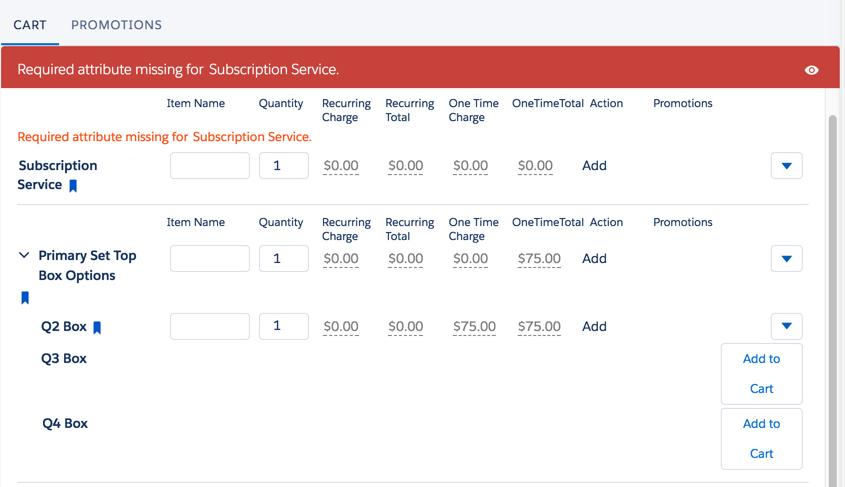
The cpq-product-cart template provides the structure for the cart.
In Salesforce Industries Communications, Media, and Energy Summer '18, cpq-product-cart has been changed to use a custom label that matches the custom view name.
**Template Type**
Containers
**Code**
HTML, CSS/SCSS
**Image**
**Upgrade from Vlocity CME Winter '18 to Vlocity CME Summer '18**
When upgrading from Salesforce Industries Communications, Media, and Energy Winter '18 to Salesforce Industries Communications, Media, and Energy Summer '18, you must make the following changes to the HTML in the Card Designer.
```
{{importedScope.customLabels[customView.viewName]}}
{{importedScope.customLabels[customView.viewName]}}
```