Configure the Layout of the Project Custom Object

You must make the field information for Projects visible for the Project object.

  1. From Setup, open Object Manager.
  2. Click Project to open the object, and then click Page Layouts.
  3. In the Page Layouts table, click Project Layout.
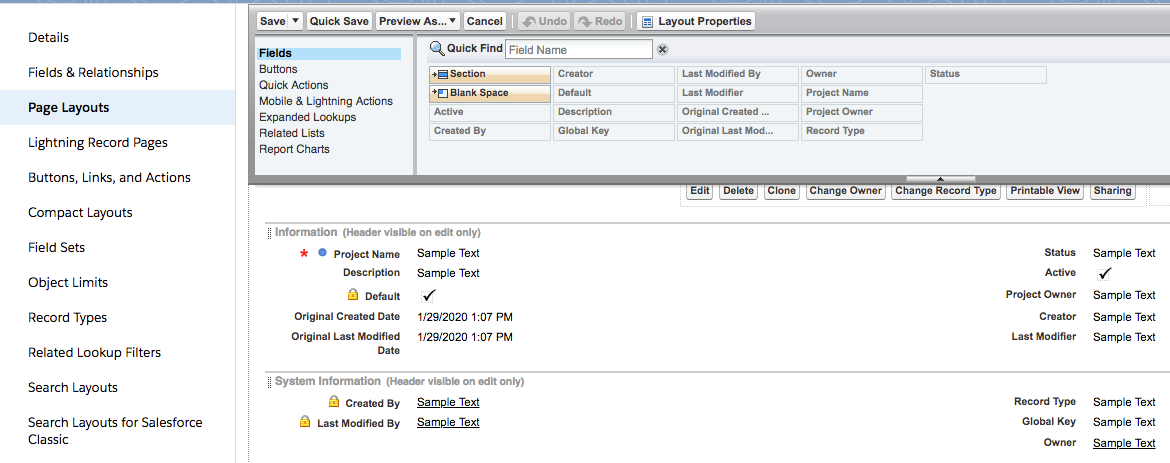
  4. Drag the fields from the Fields list onto the Information and System Information sections of the layout as shown.
    The Fields palette in the Project page layout.

    Project Fields for Information

    Project Fields for System Information

    • Project Name

    • Description

    • Default

    • Original Created Date

    • Original Last Modified Date

    • Status

    • Active

    • Project Owner

    • Creator

    • Last Modifier

    • Created By

    • Last Modified By

    • Record Type

    • Global Key

    • Owner

  5. Click Save.