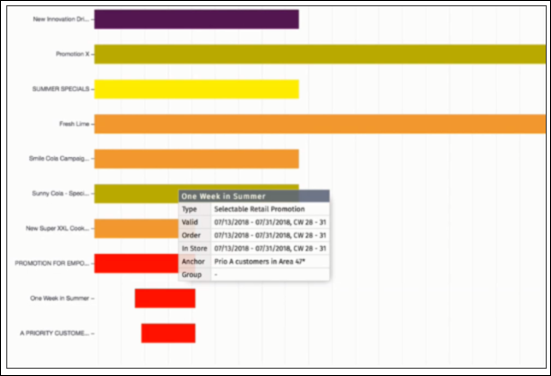
A promotion calendar report is a graphical representation of the promotions that are
valid for a period for a customer. The maximum number of days that are considered for a report is
180 days. The period is calculated as Visit Start Date + Promotion Finding Lead Time. You can view
promotions report for either a customer or a customer set.
Required Editions
| Available in: Lightning Experience in Professional, Enterprise, and
Unlimited Editions that have Consumer Goods Cloud enabled.
|
| User Permissions Needed |
| To create promotion calendar report: |
CGCloud Sales User
OR
CGCloud Retail Sales User AND CGCloud Retail User
|
-
From the main menu, tap Reports.
-
Tap Promotion Calendar.
-
To select a customer, tap Customer.
The promotion calendar report opens only if promotion information is available for the
selected customer on the device. If the relevant promotion information isn’t available on the
device, you can request the data. If you request the data, the system downloads promotion
information on the device for the selected customer. Only the promotions whose status is
Committed are shown in a report.
In a report, 25 promotions are shown for tablets and 20 promotions for phones. If
the number of promotions exceeds this limit, then a note is shown.
-
To view the promotion information, tap a promotion bar.
The Type field shows the description of the promotion template that's used to create
the promotion.