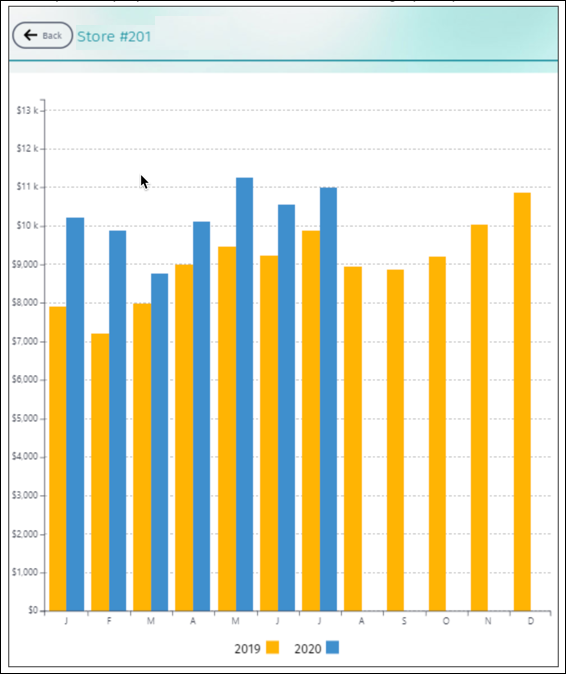
A customer sales report shows the sales graph for a customer. Use this report to analyze
month-wise sales data for a customer, and compare last year’s sales with the current year's sales.
You can view the data of the previous year, past months, and the current month.
Required Editions
| Available in: Lightning Experience in Professional, Enterprise, and
Unlimited Editions that have Consumer Goods Cloud enabled
|
| User Permissions Needed |
| To create a customer sales report: |
CGCloud Sales User
OR
CGCloud Retail Sales User AND CGCloud Retail User
|
A customer sales report pulls data from the Account_Sales_Data object.
This object contains information about the monthly sales volume of a customer. The information
is captured in the object through custom project work.
-
From the main menu, tap Reports.
-
Tap Customer Sales.
-
To select a customer, tap Customer.
By default, the currency is shown in USD.