Sales reps and supervisors can use daily reports to analyze, track, and monitor all
field rep activities. Daily reports track the productive time spent on customer visits,
research, and sales, and the downtime spent on breaks, vacation, and private appointments. Use
daily reports to improve productivity by tracking the time spent on customer visits. Sales reps
can use Visit Calendar to create and maintain daily and weekly visits, and update the daily
reports for productive and downtime visits.
Required Editions
| Available in: Lightning Experience in Professional, Unlimited, and
Enterprise Editions that have Consumer Goods Cloud enabled.
|
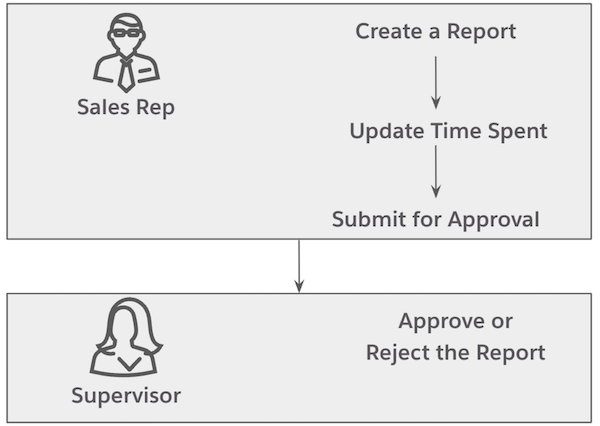
Sales reps use the daily reports to enter their activities and the time spent on each
activity. Reps must release a daily report before a supervisor can approve or reject the daily
report.
This workflow defines the tasks for sales reps and supervisors.
These resources help you set up daily reports. To set up daily reports in the Consumer Goods
Cloud offline mobile app, see Create
a Daily Report by Using Time Cards.
- Create a Daily Report
Create daily reports to capture the time that you spent on performing various tasks during each day.
- Update Duration for Daily Report Activities
Based on the daily report template that's used, activities are shown for a daily report. As a sales rep, to create a report, enter the duration for each of these activities. The maximum duration for each activity and the duration for all the activities in a daily report can’t be more than the maximum duration that's configured in the daily report template.
- Request Approval to Release a Daily Report
In a typical daily report workflow, you must request for an approval before you can release a daily report. You can request approval for the reports whose status is Initial.
- Approve or Reject a Daily Report
Supervisors can review their reps’ daily reports whose status is Released, and can either approve or reject the reports.
- Reassign a Daily Report
If a report is incorrectly assigned to a supervisor, the supervisor can reassign daily reports to a different approver.

