Use the product hierarchy to organize your product offerings in retail execution
processes such as orders, promotions, or inventory. When you create a product, its product level
determines its position in the product hierarchy. The product is added to the hierarchy when you
assign a parent to the product.
Required Editions
| Available in: Lightning Experience in Performance, Enterprise, and
Unlimited Editions that have Consumer Goods Cloud enabled
|
Generally, product hierarchy information is fetched from the ERP systems via integration. A
product has a dynamic (via parent relations) and a static (or “flattened”) product hierarchy
for optimized access in certain scenarios such as Condition Search in Penny Perfect Pricing.
In the Enhanced model, both dynamic and static product hierarchies are required for Consumer
Goods Cloud processes.
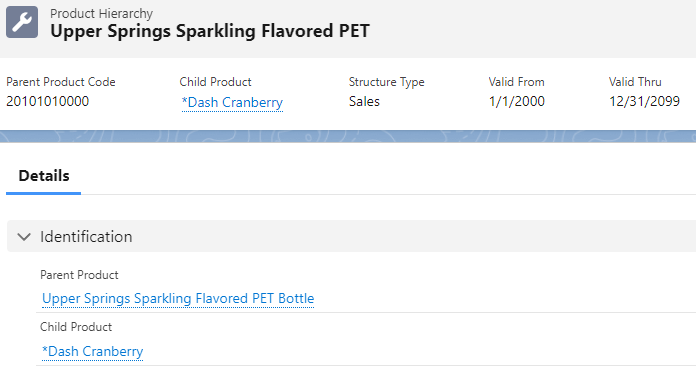
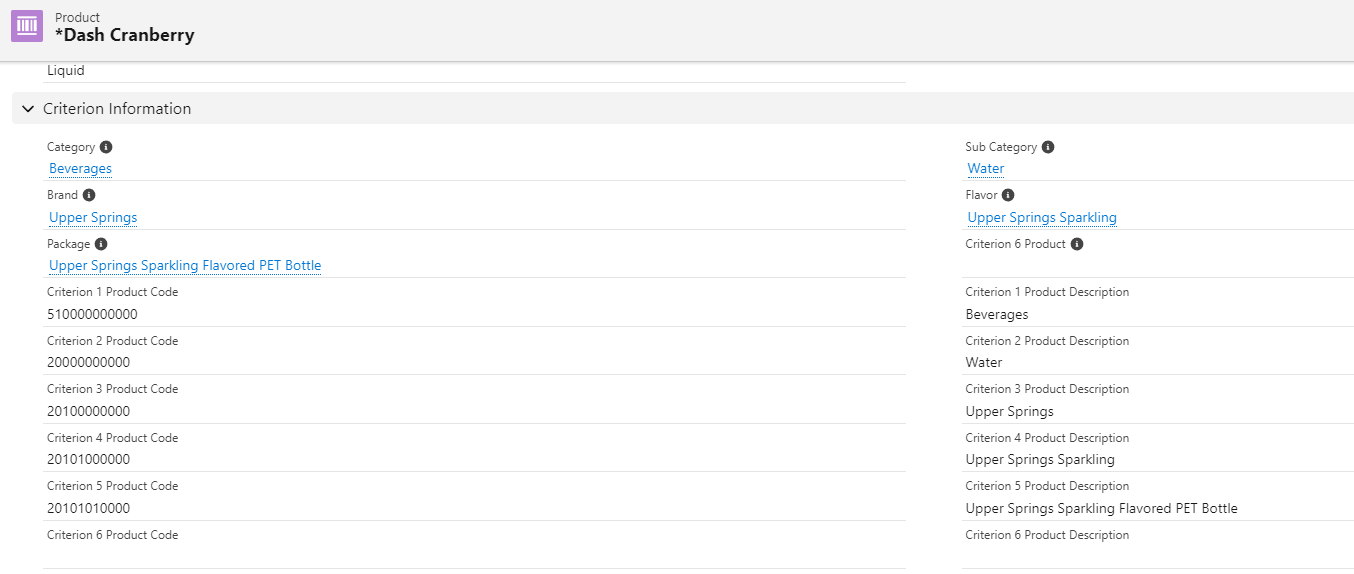
For example, Dash Cranberry is mapped to its parent Upper Springs Sparkling Flavored PET via
parent product, but it also contains a direct link to the parent product using Criterion 5,
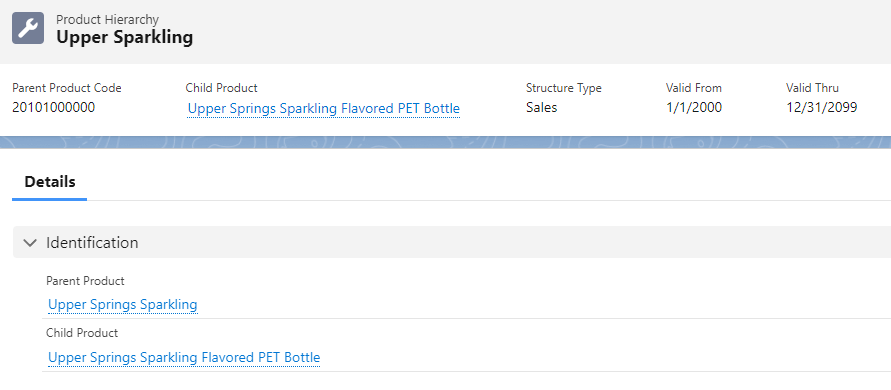
Package. The parent Upper Springs Sparkling Flavored PET is in turn related to its parent
product, Upper Springs Sparkling, and can be directly found in Dash Cranberry as Criterion 4,
Flavor.
- Product Dynamic Hierarchy
Use a product dynamic hierarchy to identify, group, and search for products. Use the higher levels in the product hierarchy as filter criteria to search for products, to group product lists, or to assign pricing conditions.
- Parent Product (Product Group)
Product group refers to a parent of the product or a product group. For a parent product, always use product Template with the type as product group.
- Add a Product Level to a Product Hierarchy
You can have up to 6 levels in a product hierarchy. When you add a level, it’s added to the Product Level picklist.
- Translate Product Level Picklist Labels
You can translate the product picklist labels to a desired language.

