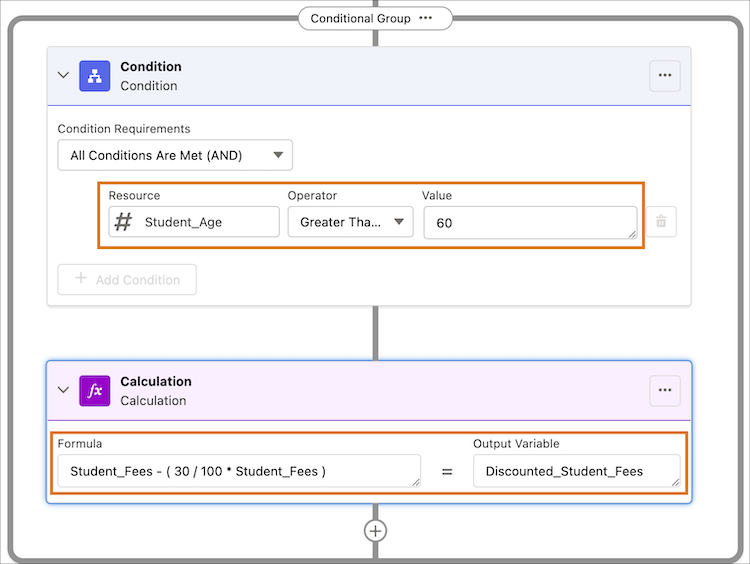
A conditional group step element runs a group of steps if the expression in the
condition element in the group evaluates to true. A conditional group can have these step
elements: condition, calculation, lookup table, and subexpression. A condition step element is
always the first element in the group. A condition step runs the step that follows if the
condition expression evaluates to true. A condition step can only be used as part of a
conditional group element, and not as a standalone step element.
Required Editions
| Available in: Lightning Experience |
| Available in: Enterprise, Unlimited, and Developer Editions
for clouds that have Business Rules Engine enabled |
- Default and Advanced Modes in the Condition Element
The condition element in expression sets has two modes: default and advanced. When you add a condition element to an expression set, the condition opens in the default mode. The default mode has a no-code user interface to build your condition expression. You can also switch to the Advanced mode in the condition element to enter your expression manually.