---
schema_version: "1"
id: 8de556ef4207b8adaeaf558b9edde281870c93afa560763f8a9f0b135cee136e
title: Create a Tax Engine
collection: admin
version: current
locale: en-us
portal_url: https://docs.salesforce.com/admin/current/en-us/ind/264-0-0/billing_tax_engine_create.md
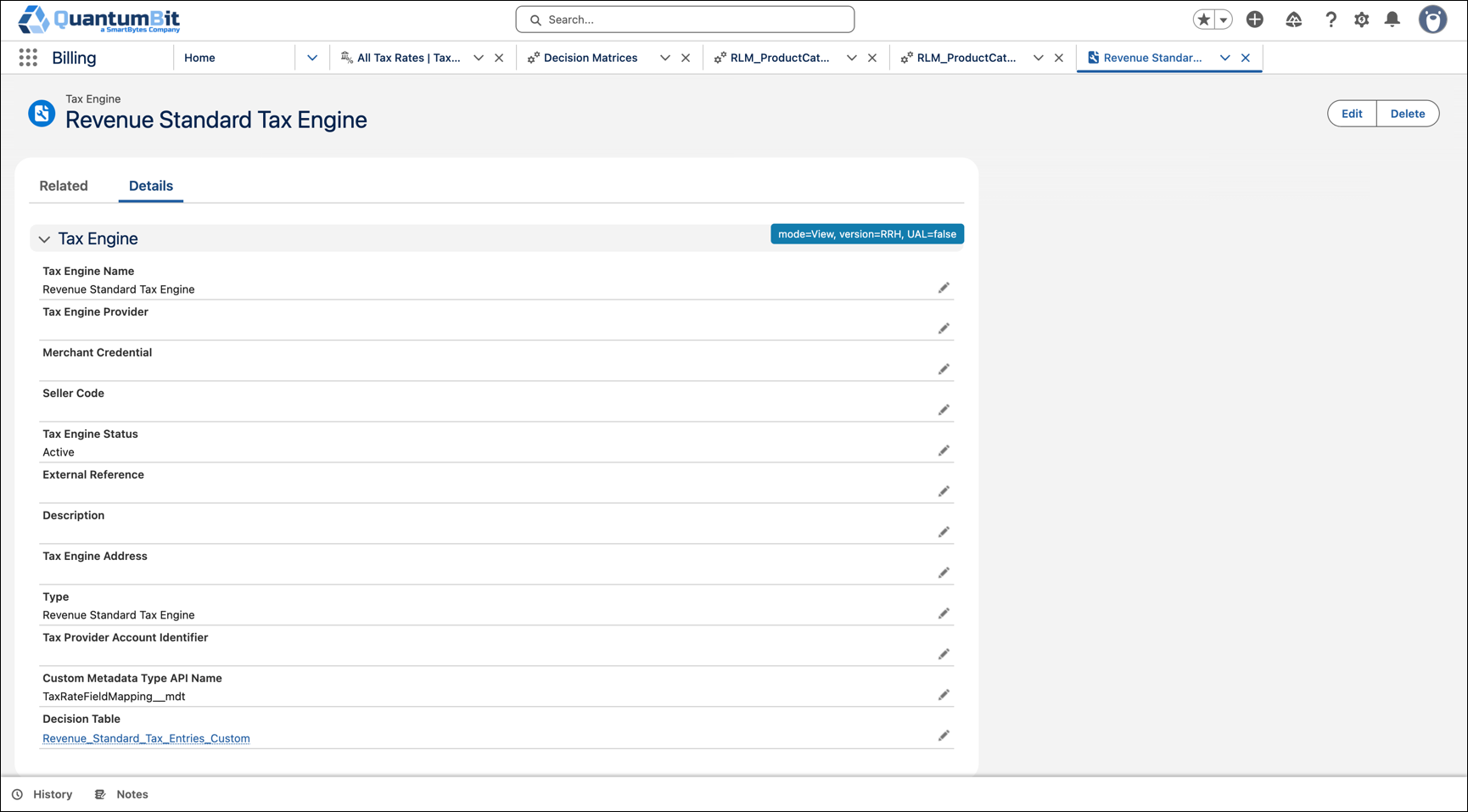
canonical_url: https://help.salesforce.com/s/articleView?id=ind.billing_tax_engine_create.htm&release=264.0.0&type=5
source_site: help.salesforce.com
content_type: documentation
content_hash: c70a32e3a5c3ff35533a729825d9eca391eb33ce6dcf06e3e47f9d7ae0afe7da
description: Create a tax engine record that Billing uses to calculate tax. Set the type to Revenue Standard Tax Engine. When you extend the Revenue Standard Tax Engine, associate a custom metadata type and a decision table.
products:
- Revenue Cloud
release: "264"
---
# Create a Tax Engine
Create a tax engine record that Billing uses to calculate tax. Set the type to Revenue Standard Tax Engine. When you extend the Revenue Standard Tax Engine, associate a custom metadata type and a decision table.
### Required Editions

Note The Standard User profile includes the View Developer Name system permission. Users need this permission to use the Revenue Standard Tax Engine. When you clone the Standard User profile, keep View Developer Name on the cloned profile, or add it to a permission set assigned to the user.
1. From the App Launcher, find and select **Tax Engines**.
2. Click **New**.
3. Enter a name for the tax engine.
4. Select the type as **Revenue Standard Tax Engine**.
If the Type field is empty, Revenue Cloud Tax Extension is considered as the value.
5. When you extend the Revenue Standard Tax Engine, complete these fields.
1. Enter the API name of the custom metadata type in **Custom Metadata Type API Name**. See [Configure Custom Metadata Types](https://help.salesforce.com/s/articleView?id=ind.billing_extend_revenue_standard_tax_engine.htm&release=264.0.0&type=5 "Apply tax rates based on custom attributes, such as product category, customer attributes, or exemption criteria, without writing Apex code. Use a custom metadata type to map billing transaction fields to a cloned Revenue Standard Tax Entries decision table, and persist matched values on invoice and credit memo tax lines.").
Custom Metadata Type API Name is the API name of the custom metadata type that maps billing transaction fields to Revenue Standard Tax Entries decision table inputs and outputs. The tax engine references this custom metadata type to identify which field mappings to apply when it evaluates the decision table.
2. Select the cloned decision table in **Decision Table**. See [Clone the Decision Table](https://help.salesforce.com/s/articleView?id=ind.billing_extend_revenue_standard_tax_engine.htm&release=264.0.0&type=5 "Apply tax rates based on custom attributes, such as product category, customer attributes, or exemption criteria, without writing Apex code. Use a custom metadata type to map billing transaction fields to a cloned Revenue Standard Tax Entries decision table, and persist matched values on invoice and credit memo tax lines.").
The Revenue Standard Tax Engine matches tax rates with this decision table. If this field is blank, the engine uses the Revenue Standard Tax Entries decision table. To match custom tax rate fields, select your cloned table and make sure that table is active. The decision table must be active.
6. Select the status as **Active**.
You can use only active tax engines to calculate taxes.
7. To capture taxes at the header level, select **Capture Taxes At Header**.
The Capture Taxes At Header checkbox appears only when **Credit, Payment, and Refund Application Level** is **Header Level**. See [Capture Taxes at Header Level](https://help.salesforce.com/s/articleView?id=ind.billing_setup_header_tax_enable.htm&release=264.0.0&type=5 "Use a single consolidated tax amount at the invoice header level for invoices and credit memos.").
8. Save your changes. Here’s how the tax engine appears after you associate the custom metadata type and decision table.