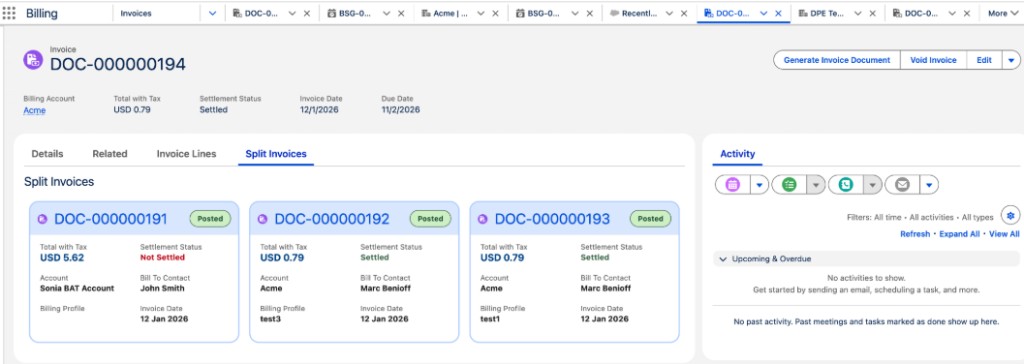
Before you post, void, or delete an invoice from a billing arrangement, review the
related split invoices on the Split Invoices tab. Each card shows status, account, total with tax,
settlement status, bill-to contact, billing profile, and invoice date.
Required Editions
| Available in: Lightning Experience |
| Available in: Enterprise, Unlimited, and Developer Editions with
the Revenue Cloud Billing license. Contact your Salesforce account
executive for more information.
|
| User Permissions Needed |
| To view all related split invoices: |
Billing Admin permission set
OR
Billing Operations User permission
set
|
When a billing arrangement splits a charge across accounts, Billing generates related split
invoices. Review those invoices together before you post, void, or delete any one of them.
-
Open the invoice record that was generated from a billing arrangement.
-
Select the Split Invoices tab.
Each split invoice card shows status, account, total amount with tax, settlement status,
bill-to contact, billing profile, and invoice date.
-
Click an invoice number to open that record.
After you review the related split invoices, post, void, or delete the invoice.