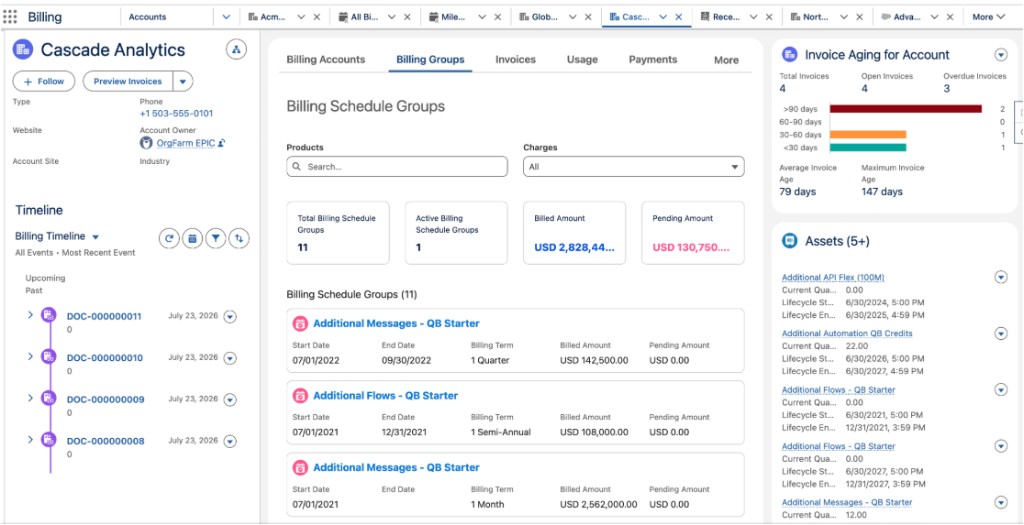
See an aging summary of account invoices so that sales reps and accounts receivable
teams can prioritize collections without opening each invoice. The Invoice Aging for Account
component shows invoice counts, overdue invoices, aging buckets, and average and maximum invoice
age on Account and Order pages.
Required Editions
| Available in: Lightning Experience |
| Available in: Enterprise, Unlimited, and Developer Editions with
the Revenue Cloud Billing license. Contact your Salesforce account
executive for more information.
|
The Invoice Aging for Account component shows an aging summary of account invoices so that
sales reps and accounts receivable teams can identify overdue invoices without reviewing
individual records. To view the summary, you need the Billing Admin or Billing Operations User
permission set. Your Salesforce admin adds the component in Lightning App Builder. See Add Invoice Aging for Account to an
Account or Order Page.
The component is available on Account and Order record pages. On an Order page, it shows aging
data for the associated account. The component includes:
- Total Invoices: Total count of invoices.
- Open Invoices: Count of unsettled invoices.
- Overdue Invoices: Count of past-due invoices.
- Aging Breakdown: A bar chart that groups open invoices into four aging buckets based
on invoice date.
- Average Invoice Age and Maximum Invoice Age: Measured in days.
Aging Buckets
By default, aging buckets use 30-day increments: less than 30 days, 30 to 60 days, 60 to 90
days, and more than 90 days. Your Salesforce admin can change the bucket duration to match your
business requirements.