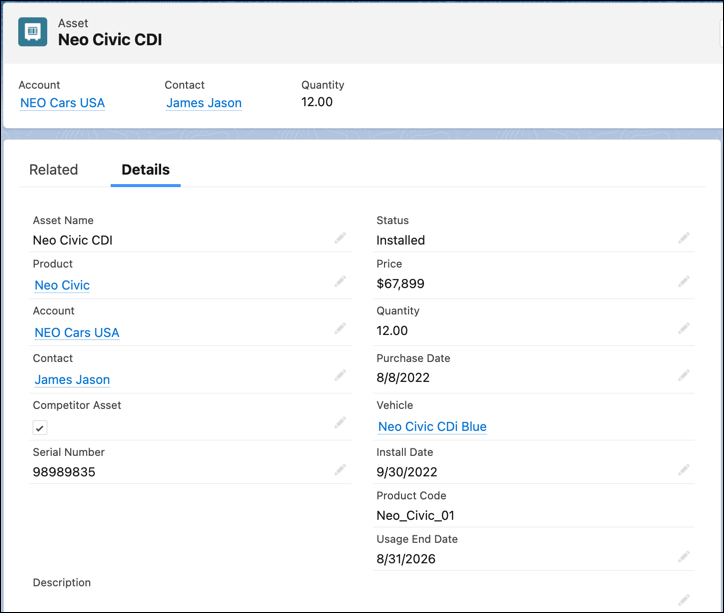
An asset is either a physical item that you sell or it’s something that you install as
part of another item. Each vehicle finally sold to a customer is an asset in Automotive Cloud.
Likewise, all the parts and accessories that are finally installed in vehicles or sold as spares
to customers are also assets. With asset-level information, original equipment manufacturers
(OEMs) and dealers can get complete visibility into a vehicle, its associated parts, and
accessories.
Required Editions
| Available in: Enterprise, Unlimited, and Developer
Editions. |
Assets and Vehicle Fields
All vehicles are assets, but all assets are not vehicles.
Some details are commonly captured across all types of assets, whether they’re vehicles or
parts and accessories. Examples include name, quantity, price per unit, related account and
contact, and date of purchase or installation. For a vehicle asset, you want to capture
additional details that are specific to automotive use cases, such as the market value,
registration details, odometer readings, and more. To capture vehicle-specific details, you
create a Vehicle record in addition to the Asset record.
Vehicle records act like extensions of the Asset record to capture vehicle-specific
information. So, Neo Power XS-Equinox Black with VIN number 4S1YL65888P411429 is both an Asset
and a Vehicle record. But the engine used in this car, Neo Engine_9S with serial number
SER678954 is just an Asset record.
Assets and Vehicles in Relation to Products
Think of assets as specific instances of a product. For example, if Neo Power XS-Equinox is a
specific vehicle model, a physical car built to this model’s specifications is a Vehicle record
and at the same time, an Asset record.
Now, think of a product such as an electric car battery, Neo Furio Battery_8A, compatible with
specific vehicle models. Each battery with this product’s specifications that is manufactured,
installed, or sold, is an Asset record, but not a Vehicle record.
Asset Information Shown on Vehicle
Automotive Cloud extracts data from a
vehicle’s asset record to show key information on the Vehicle page so that users can get a
360-degree view of a car. Examples include information about the hierarchy of child assets,
related assets like upgrades and replacements, asset milestones, and asset account and contact
participants. If you have enabled Automotive Scheduler in your org, you can also view the list
of test drive appointments for a Vehicle record where the Asset is used as service
resource.
Automotive Cloud also gives you an asset console that you can use to get a
360-degree view of parts and accessories. The asset console comes with a predefined timeline
showing work orders, related lists showing information about claims, warranties, repair orders,
cases, and an Actions & Recommendations component.
If you have Field Service enabled
in your org, you can also take advantage of capabilities such as scheduling inspections, and
associating maintenance plans with an asset. Then, you can configure timelines and related lists
on Vehicle that show the information about maintenance plans, inspections, and work orders from
the underlying Asset record.