---
schema_version: "1"
id: af9107a775e3b3bd8f7bf612fc93b9c001f277706c792a3267eb0e82d9349ae9
title: Create Products for Parts and Accessories in Automotive Cloud
collection: admin
version: current
locale: en-us
portal_url: https://docs.salesforce.com/admin/current/en-us/ind/264-0-0/auto_products_parts_accessories.md
canonical_url: https://help.salesforce.com/s/articleView?id=ind.auto_products_parts_accessories.htm&release=264.0.0&type=5
source_site: help.salesforce.com
content_type: documentation
content_hash: 6dcb29cd52e090090af9c9e85061f2302cc775cb0fb3dc88cc4738fda41a62ca
description: Use Product records to define the parts and accessories for a vehicle. With Automotive Cloud, you can track the key details of a part, such as the part's manufacturer part number, availability and discontinued dates, and other aspects.
products:
- Automotive
release: "264"
---
# Create Products for Parts and Accessories in Automotive Cloud
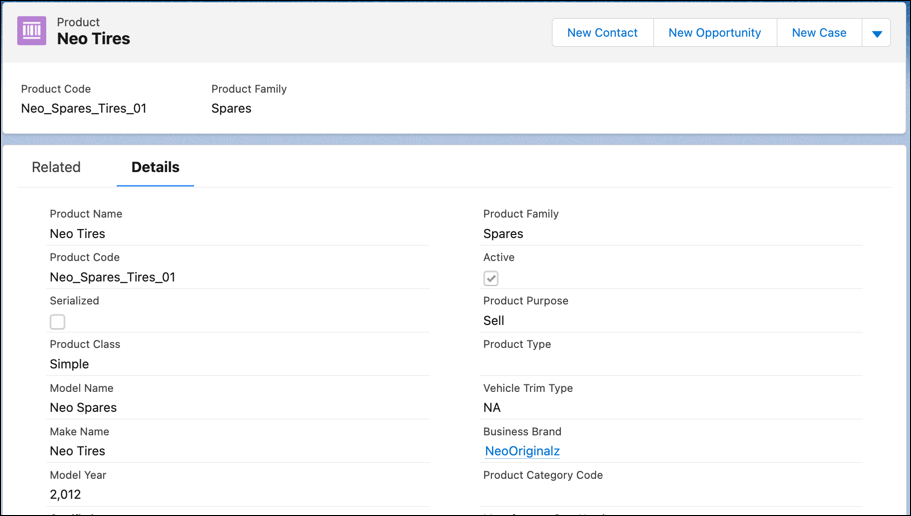
Use Product records to define the parts and accessories for a vehicle. With Automotive Cloud, you can track the key details of a part, such as the part's manufacturer part number, availability and discontinued dates, and other aspects.
### Required Editions
Available in: Enterprise, Unlimited, and Developer Editions.
User Permissions Needed
To create Products:
Automotive Foundation User permission set
Make sure your admin has added the relevant fields to the Product page layout that’s assigned to you.
1. From the App Launcher, find and select **Products**.
2. Click **New**.
3. Enter a name for the product.
4. For Product Line Code, enter the unique code that identifies the line of products that this part is a part of.
5. For Product Category Code, enter the unique code that identifies the category of products that this part is a part of.
6. For Manufacturer Short Name, enter the name of the manufacturer who built the part.
7. For Manufacturer Part Number, enter the unique number assigned by the manufacturer to identify the part.
8. For Universal Product Code, enter the code available as part of retail product packaging.
The code consists of two parts, a barcode and a unique 12-digit number.
9. For Harmonized System Code, enter the harmonized system code that’s assigned to a part used in the vehicle.
10. For Harmonized Tariff Schedule Code, enter the harmonized tariff schedule code that’s assigned to a part used in the vehicle.
Harmonized System (HS) is an internationally standardized system of names and numbers to classify traded products.
11. For Availability Date, select the date from when the part is used in the vehicle or made available for sale.
12. For Discontinued Date, select the date from when the part can’t be sold or used in any vehicle.
13. Select the Environmental Protection Regulation Compliant checkbox if the product is compliant with the environmental protection regulations.
14. Select the Certified checkbox if the part that’s installed in the vehicle is certified.
15. Enter the other details as required, and save your changes.
#### See Also
- [_Salesforce Help_: Customize the Product Page for Automotive](https://help.salesforce.com/s/articleView?id=ind.auto_product_page_layout.htm&release=264.0.0&type=5 "Capture key information about vehicles, parts, and accessories with Product records. Configure the Product page layout to capture both types of information, vehicle definitions and part definitions.")