---
schema_version: "1"
id: 07fe32655bd0bd0c7dd482334815460b39d1ccf54b344f01827fe2d2e2c5c002
title: Create Suppliers in Automotive Cloud
collection: admin
version: current
locale: en-us
portal_url: https://docs.salesforce.com/admin/current/en-us/ind/264-0-0/auto_create_suppliers.md
canonical_url: https://help.salesforce.com/s/articleView?id=ind.auto_create_suppliers.htm&release=264.0.0&type=5
source_site: help.salesforce.com
content_type: documentation
content_hash: 3da4796f05e7d2c734798a5abcd9f1c77b742d2a9c7b4abe350dd7b187961285
description: Capture key information about vendor and supplier accounts that supply raw materials or product components to your company. You can also capture information about third-party vendors that provide utilities and services, such as electricity, heating and ventilation, and transportation.
products:
- Automotive
release: "264"
---
# Create Suppliers in Automotive Cloud
Capture key information about vendor and supplier accounts that supply raw materials or product components to your company. You can also capture information about third-party vendors that provide utilities and services, such as electricity, heating and ventilation, and transportation.
### Required Editions
Available in: Enterprise, Unlimited, and Developer Editions.
User Permissions Needed
To create suppliers:
Automotive Foundation permission set
Make sure your admin has defined picklist values for the Company Relationship Type field on the Supplier object in Object Manager.
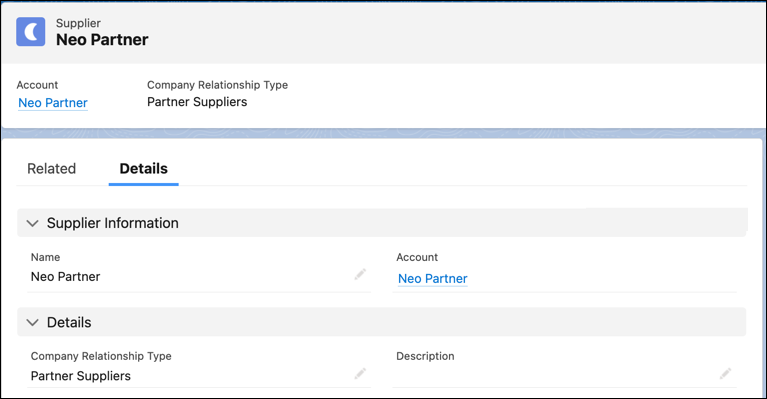
1. From the App Launcher, find and select **Suppliers**.
2. Click **New**.
3. Search for and select an account.
4. Enter a name for the supplier.
5. For Company Relationship Type, select the types of services that the supplier provides, such as Utility Provider, Energy Provider, or Third-Party Services.
6. Save your changes.