
To skip reviewing previously approved steps in an approval resubmission, turn on Smart Approvals.
- From Setup, find and select Flows.
- Open the flow that you use for managing approvals.
- Select an approval step.
-
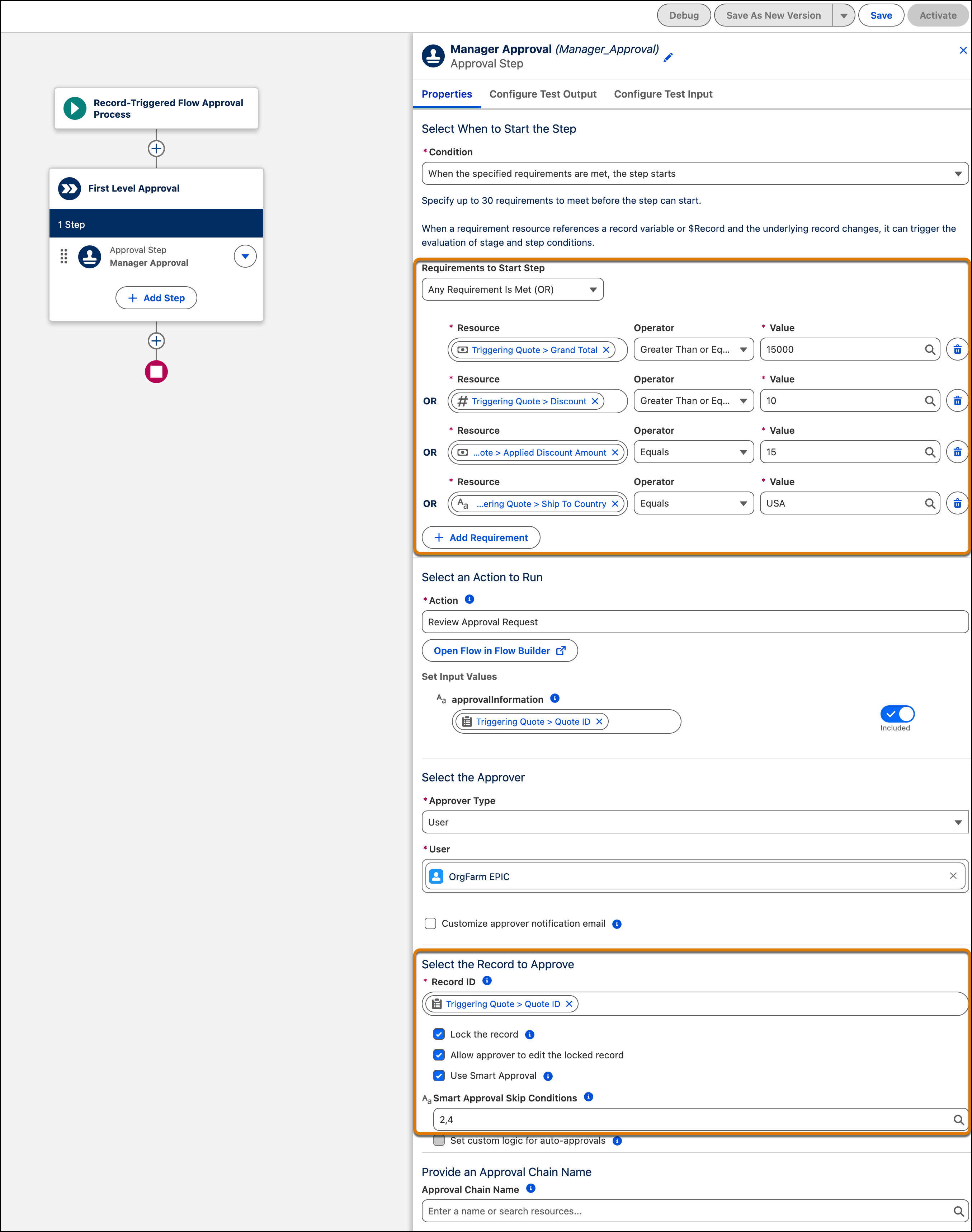
In the step’s properties tab, select Use Smart Approval.
-
To skip specific start conditions from Smart Approvals evaluation, enter each start
condition number separated by a comma in the Smart Approval Skip Conditions field.
Condition numbers match the order of conditions in the Requirements to Start Step list, starting at 1. For example, if a step has four start conditions and you enter 2, 4, Smart Approvals skips the second and fourth conditions.If you enter an invalid value or provide a resource, Smart Approvals doesn't skip the condition.
- Save your changes.