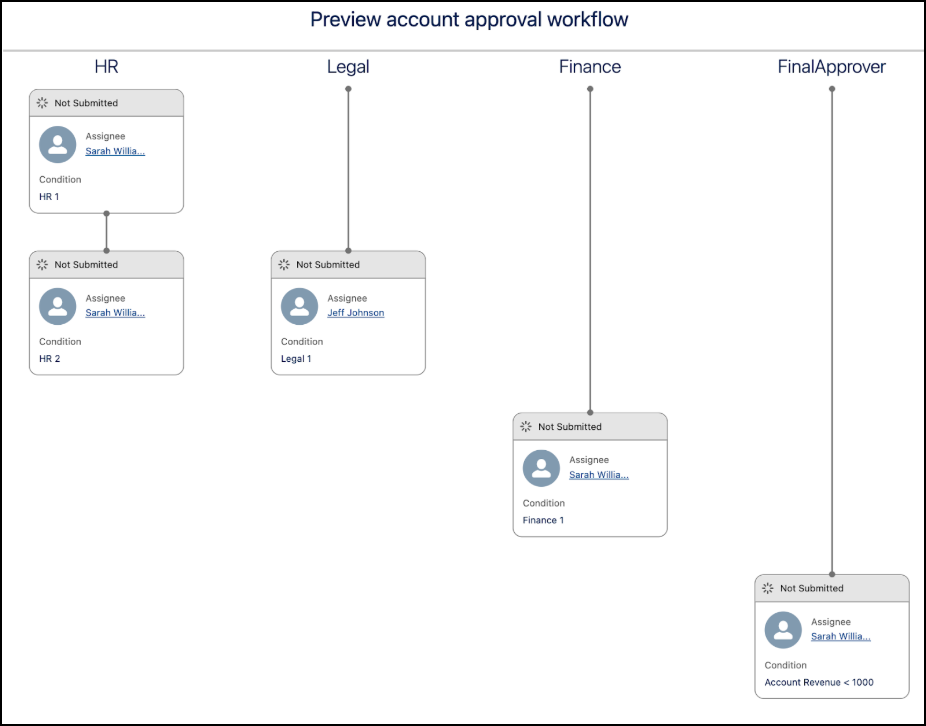
See how step entry conditions in your workflow determine the order and visibility of approval steps during preview.
Required Editions
| Available in: Lightning Experience |
| Available in: Enterprise, Unlimited, and Developer Editions where Advanced Approvals is enabled |
This example uses a flow of type Autolaunched Flow Approval Process (No Trigger) with these stages.
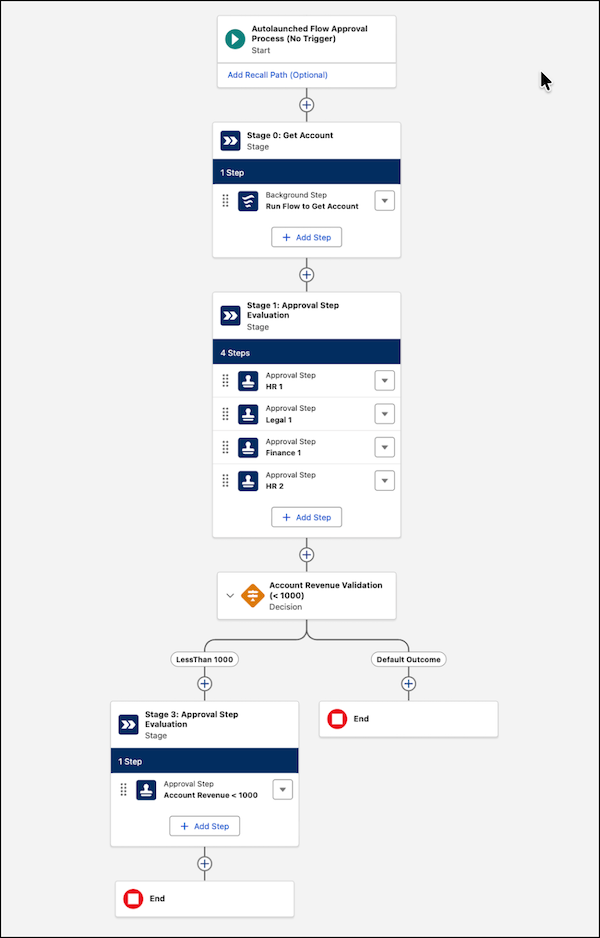
- Stage 0: Runs a background step to get the account record.
- Stage 1: Contains four approval steps across HR, Legal, and Finance chains.
- Decision element: Evaluates the account revenue after stage 1 completes.
- Stage 3: Contains one approval step that’s triggered when the account revenue is less than 1000.
Scenario One: Account Revenue Is 1000 or Greater
If the account’s revenue meets or exceeds 1000, the flow ends after stage 1. The preview window shows the four steps in stage 1 across the HR, Legal, and Finance chains based on their entry condition and sequence order.
- HR 1: Starts when the stage starts and appears at level one of the HR chain.
- HR 2: Starts when HR 1 completes and appears at level two of the HR chain.
- Legal 1: Starts when HR 1 completes and appears at level two of the Legal chain.
- Finance 1: Starts when Legal 1 completes and appears at level three of the Finance chain.
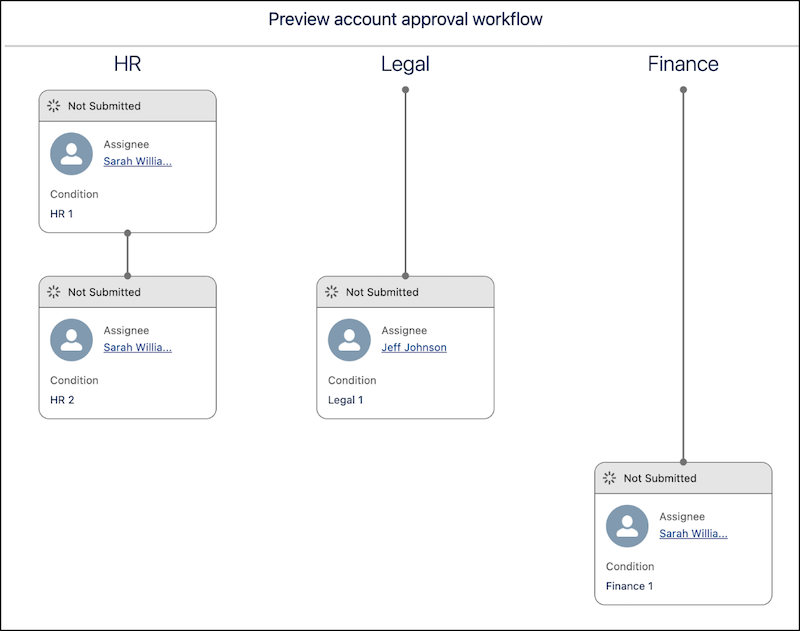
HR 2 and Legal 1 are at the same level because they both depend on HR 1.
Scenario Two: Account Revenue Is Less Than 1000
If the account’s revenue is less than 1000, the flow moves to stage 3. The preview window shows the same steps as Scenario One and another approval step belonging to stage 3.