---
schema_version: "1"
id: 21409d7b8ec745235bf676b092a3cc89ab29e51929a87c9c9ad346d695ccbb92
title: Assign Recognition Badges to Experience Cloud Site Members
collection: admin
version: current
locale: en-us
portal_url: https://docs.salesforce.com/admin/current/en-us/experience/264-0-0/networks_recog_badges_give.md
canonical_url: https://help.salesforce.com/s/articleView?id=experience.networks_recog_badges_give.htm&release=264.0.0&type=5
source_site: help.salesforce.com
content_type: documentation
content_hash: c70c44145b06882e820d07d43c5c015d96d93a92714e7a9702eb4391a4cacd34
description: Assigning badges to members helps reward them for staying engaged in the Experience Cloud site.
products:
- Experiences
release: "264"
---
# Assign Recognition Badges to Experience Cloud Site Members
Assigning badges to members helps reward them for staying engaged in the Experience Cloud site.
### Required Editions
Available in: Enterprise, Professional, Unlimited, and Developer editions.
User Permissions Needed
To assign recognition badges:
Assign Recognition Badges in Experience Builder Sites
1. Open the member’s profile page.
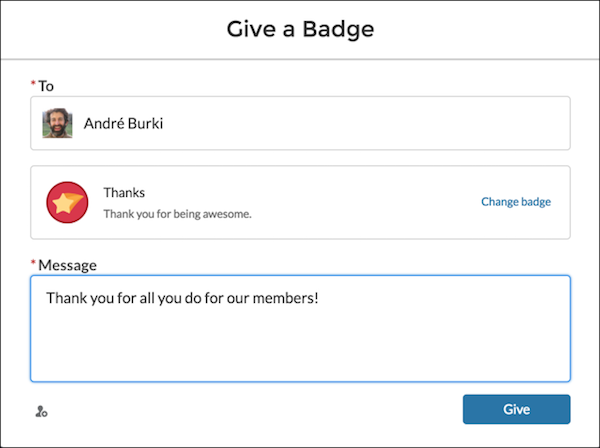
2. Click either the **Give Badge** button at the top of the profile or the **Give** button on the Recognition Badges card.
3. Choose which badge you want to assign by clicking **Change badge**.
4. Add a message letting the member know why they’re getting the badge, and click **Give**.