---
schema_version: "1"
id: 7980b53d65a0d59efa163c3dfc943342c2fa763a95600b5c54347b6b62cff538
title: Enable Chatter Questions in Your Experience Cloud Site
collection: admin
version: current
locale: en-us
portal_url: https://docs.salesforce.com/admin/current/en-us/experience/264-0-0/networks_enable_chatter_questions.md
canonical_url: https://help.salesforce.com/s/articleView?id=experience.networks_enable_chatter_questions.htm&release=264.0.0&type=5
source_site: help.salesforce.com
content_type: documentation
content_hash: a7702eacda359a178da8e23ec1cd86109835ec3b272f3cbf0d47647125c7456e
description: Chatter Questions helps you promote engagement by giving users the ability to ask and answer questions in their Chatter feed, in groups, and in records. Members in your users’ groups and Experience Cloud sites can answer questions in Chatter just as they would comment on a Chatter post. Users in sites built on the Customer Service template can also attach files to questions.
products:
- Experiences
release: "264"
---
# Enable Chatter Questions in Your Experience Cloud Site
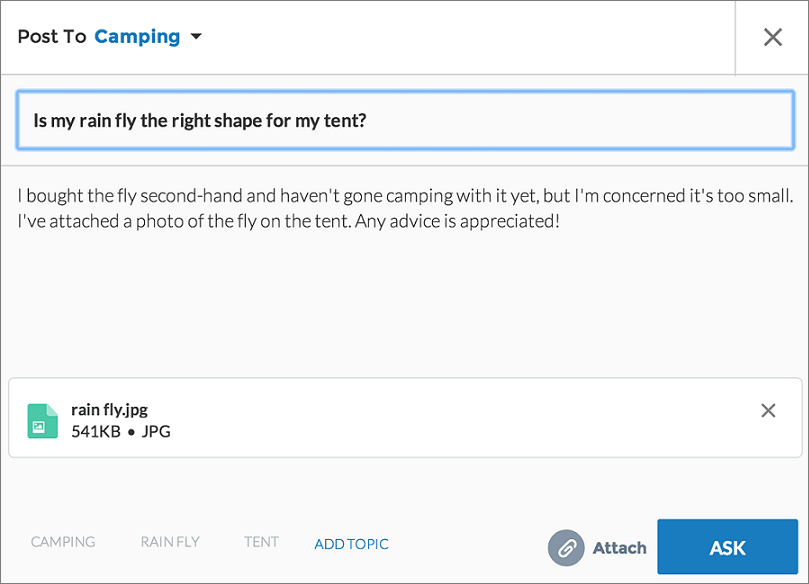
Chatter Questions helps you promote engagement by giving users the ability to ask and answer questions in their Chatter feed, in groups, and in records. Members in your users’ groups and Experience Cloud sites can answer questions in Chatter just as they would comment on a Chatter post. Users in sites built on the Customer Service template can also attach files to questions.
### Required Editions
Available in: Salesforce Classic
Chatter Questions is available in: Group, Professional, Developer, Performance, Enterprise, and Unlimited Editions.
User Permissions Needed
To edit the global publisher layout:
Customize Application
To set up Chatter Questions, add the Question action to the global publisher layout. In orgs created after Summer ’14, the Question action is automatically added, but we recommend dragging it to the far left to increase its visibility.
1. From Setup, enter Publisher Layouts in the Quick Find box, then select **Publisher Layouts**.
2. Click **Edit** next to the global publisher layout.
3. Drag the Question action from the palette to the global publisher layout. If the Question action already appears in the layout, drag it to the location where you want it.
4. Click **Save**.

Note If you're using a customized publisher layout in groups or on records, make sure that the Question action is added to those layouts as well.
- **[Enable Upvotes and Downvotes](https://help.salesforce.com/s/articleView?id=experience.networks_chatter_updown_vote.htm&release=264.0.0&type=5)**
Enable upvoting and downvoting in lieu of liking questions and answers in your Experience Cloud site. When you enable upvoting and downvoting, members see an **Upvote** option under a question or answer and a **Downvote** option on the question or answer’s overflow menu. The **Like** option goes away. Upvoting and downvoting are disabled by default in Experience Cloud sites created in Spring ’19 and later.
#### See Also
- [Track Use of Chatter Questions in Your Salesforce Organization and Experience Cloud Sites](https://help.salesforce.com/s/articleView?id=experience.collab_chatter_questions_reporting.htm&type=5&language=en_US)