---
schema_version: "1"
id: 00d5f1241ccd75437cca845609fe060d8f621c05717fb758d0b4319276f5a53b
title: Create and Publish a Standard Data Kit
collection: admin
version: current
locale: en-us
portal_url: https://docs.salesforce.com/admin/current/en-us/data/264-0-0/c360_a_data_stream_bundle_package_kits.md
canonical_url: https://help.salesforce.com/s/articleView?id=data.c360_a_data_stream_bundle_package_kits.htm&release=264.0.0&type=5
source_site: help.salesforce.com
content_type: documentation
content_hash: 81d76229c47c48f1acccaad6dd7ebbcf7d18e5d2ff80ff0bbf69e4c49af2e4ff
description: Streamline package creation and the installation experience for Data 360 objects by wrapping together the metadata and relationships into a standard data kit. Use a Developer Edition org that supports managed packages to create and publish a standard data kit. Use a DevOps data kit to migrate metadata across orgs.
products:
- Data 360
release: "264"
---
# Create and Publish a Standard Data Kit
Streamline package creation and the installation experience for Data 360 objects by wrapping together the metadata and relationships into a standard data kit. Use a Developer Edition org that supports managed packages to create and publish a standard data kit. Use a DevOps data kit to migrate metadata across orgs.
### Required Editions
## Step 1: Create a Standard Data Kit
Use this process to create a standard data kit for a first-generation managed package. For packaging Data 360 in a second-generation managed package using a data kit, see [Workflow for Data 360 Second-Generation Managed Packages](https://developer.salesforce.com/docs/data/data-cloud-dev/guide/data-cloud-2gp-workflow.html).
1. In your Developer Edition org, go to **Data Cloud Setup**.
2. Under Developer Tools, click **Data Kits**.
3. Click **New**.
4. Name the data kit and add an optional description, such as what it contains.
5. Save your changes.
## Step 2: Add Data 360 Features to a Data Kit
1. Add one or more of the Data 360 features by clicking **Add** in the appropriate section, then configure the data kit details.
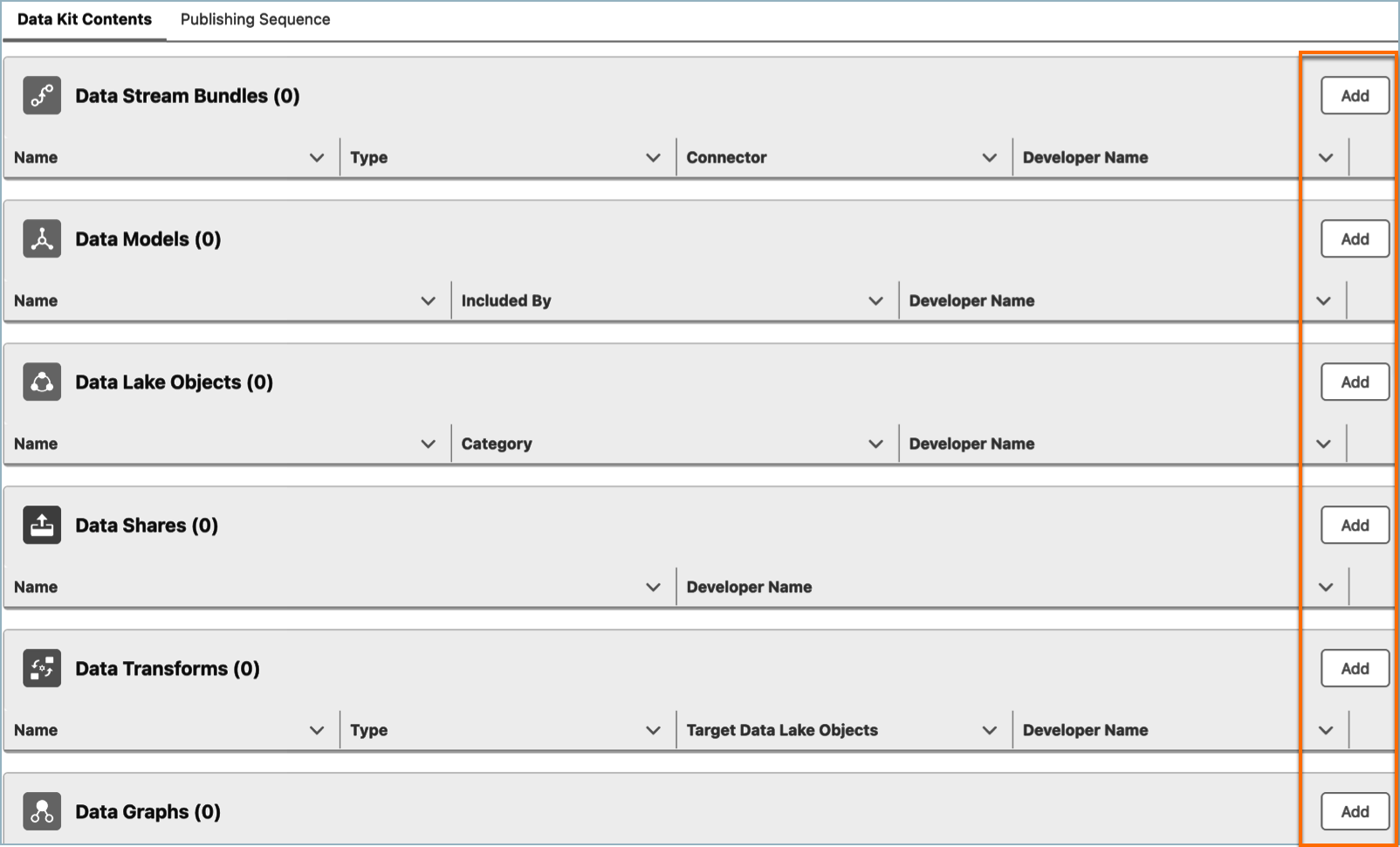
To find out which Data 360 features are packageable, see [Data 360 Extensibility Readiness Matrix](https://developer.salesforce.com/docs/atlas.en-us.c360a_api.meta/c360a_api/c360a_api_isv_readiness_data.htm).
2. Save your changes.
## Step 3: Publish a Data Kit
1. To review the auto-publishing sequence of the components, click **Publishing Sequence**.
The system publishes components based on their creation dates. When there are dependencies between components, clearly define the sequence order. For instance, if segments rely on calculated insights, place the calculated insights before the segments. This ensures all necessary data is available and up-to-date when the segments are published.
2. Click **Publish**.
Your data kit is published. You can now upload the data kit in Package Manager and deploy the data kit components in your Salesforce org.
#### See Also
- [_Salesforce Help_: Add a Data Kit to a Package](https://help.salesforce.com/s/articleView?id=data.c360_a_publish_package_kit.htm&release=264.0.0&type=5 "After creating and publishing your data kit in Data 360 source org, add the data kit to a package and upload it using Package Manager in your Salesforce org.")
- [_Salesforce Developers_: Data 360 Extensibility Readiness Matrix](https://developer.salesforce.com/docs/data/data-cloud-ref/guide/c360a-api-isv-readiness-data.html)
- [_Salesforce Developers_: Data 360 Developer Guide](https://developer.salesforce.com/docs/data/data-cloud-dev/guide/data-cloud-2gp-workflow.html)