---
schema_version: "1"
id: 89dfc1174b2d37326880669be2134712b512290b143b3d5beb14d4b77377d797
title: Create a Calculated Insight from a Package
collection: admin
version: current
locale: en-us
portal_url: https://docs.salesforce.com/admin/current/en-us/data/264-0-0/c360_a_create_calculated_insight_from_package.md
canonical_url: https://help.salesforce.com/s/articleView?id=data.c360_a_create_calculated_insight_from_package.htm&release=264.0.0&type=5
source_site: help.salesforce.com
content_type: documentation
content_hash: b8d5b3ffbf6e951491c53071c1d649ad63a8650305043b0e6ef0c69ebd2dbcaf
description: Create a calculated insight from an installed Salesforce package in Data 360.
products:
- Data 360
release: "264"
---
# Create a Calculated Insight from a Package
Create a calculated insight from an installed Salesforce package in Data 360.
### Required Editions
1. In Data Cloud, go to the Calculated Insights tab, and click **New**.
2. From the Data Space dropdown, select a data space.
You can use only the data spaces that you have access to. Only the objects that are included in the data space are available to create a calculated insight.
3. Click **From a Package**, and then click **Next**.
4. Choose an installed package, and then click **Next**.
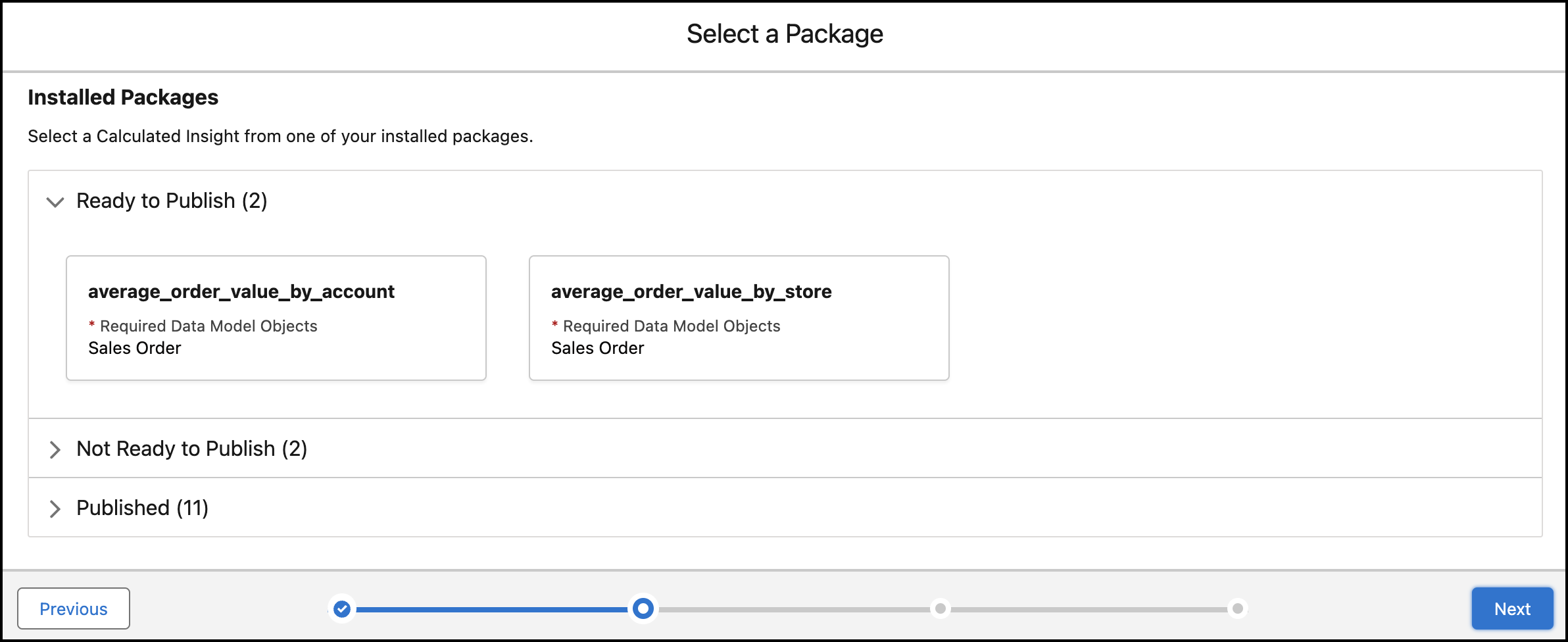
The Calculated Insight Name, Calculated Insight API Name, and SQL Query fields are auto-filled.
5. Click **Save and Run**.
You can view your insight on the record home page. After it’s created, you can’t edit the calculated insight. However, if it has no dependencies, you can delete it from the package.
#### See Also
- [_Salesforce Help_: Packaging in Data 360](https://help.salesforce.com/s/articleView?id=data.c360_a_packaging_in_customer_360_audiences.htm&release=264.0.0&type=5 "A package can contain small individual components or a large set of related apps. You create a data kit with the packageable features and add the data kit to a package. You can distribute this package to other Salesforce users and orgs, including people outside your company.")
- [_Salesforce Help_: Create and Install Your Package](https://help.salesforce.com/s/articleView?id=data.c360_a_create_install_package.htm&release=264.0.0&type=5 "Use a managed package to build a Data 360 app and distribute it on AgentExchange. Packaging is the container that you fill with metadata, and it holds the set of related features, customizations, and schema that make up your app. A package can include many different metadata components, and you can package a single component, an app, or library.")