
Build summary for Modern POS version 9.2.1, including what new features and changes it contains.
Overview of All Features
| Theme | Feature |
|---|---|
| Analytics / Reporting | Sales Reporting Terms Defined |
| Analytics / Reporting | Associate Sales Attribution Report on POS and CMS |
| Analytics / Reporting | Associate Login Report |
| Core Platform | UI Enhancement to Product Cell in Returns Flow |
| Core Platform | Return and Exchange Policy Approval |
| Core Platform | Suspend Cart if Any Items Are in Cart at Time of Auto Log-off of Associate |
| Core Platform | No Profile, No Card, No Receipt Returns |
| Receipts | Enhancements to Receipt Tags and How They Render in Layouts |
| Clienteling SPI | Customer Segments in POS and App |
| Clienteling SPI | Validate Customer Profile Address from SPI |
Analytics/Reporting
Sales Reporting Terms Defined
What it does: Check out our glossary of terms seen in CMS and App reports. There you can find definitions and calculations for metrics like GMV, Order Count, Net Sales, Taxes from Gross Sales, and so on
Learn More: Sales Reporting Glossary of Terms and Definitions
Associate Sales Attribution Report on POS and CMS
What it does: Point of Sale's Sales Attribution report allows merchants to predict commissions and measure performance. This comprehensive report is accessible on both the POS app and CMS. It presents a concise summary of sales and returns attributed to each sales associate, allowing merchants to view insights into their performance. The attributed sales vary from the sales where the associate completed the transaction.
How to access in CMS: Enable Store Associate Sales Attribution
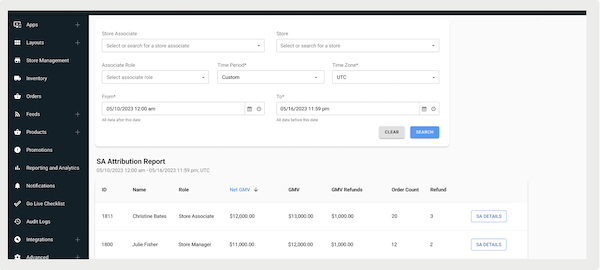
How to configure in the App:
- In CMS, go to .
- Edit an existing menu or create one.
- Using the deep link picker, go to .
- Set and save the changes.
- Access the report via the deep link you set up.
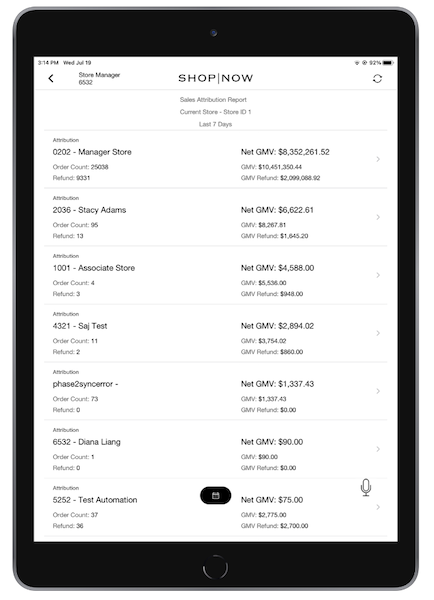
Associate Login Report
What it does: The associate login report provides a reference to log in information for all registered store associates in the CMS and POS app.

How to access in CMS: Access Associate Login Report in Point of Sale
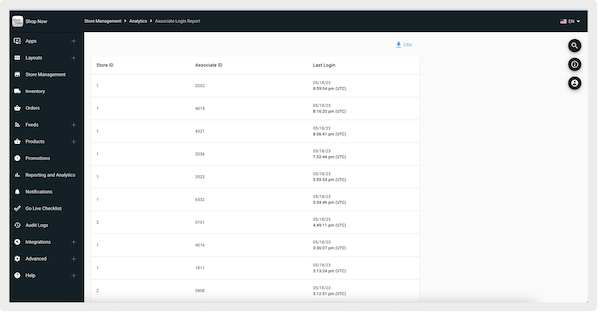
How to configure in the App:
- In CMS, go to .
- Edit an existing menu or create one.
- Using the deep link picker, go to .
- Set and save the changes.
- Access the report via the deep link you set up.
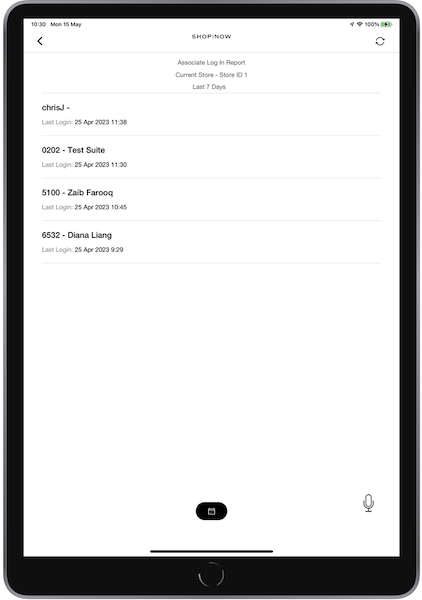
Core POS
UI Enhancement to Product Cell in Return Flow
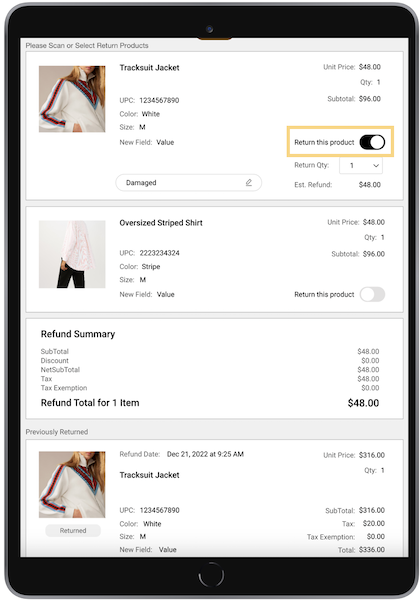
What it does: For app builds 9.1.2 and greater, the return product checkbox is replaced by a switch. Additionally, the user is prompted for the number of returns if a product's quantity is more than one.
Learn more about returns and exchanges here.
Return and Exchange Policy Approval
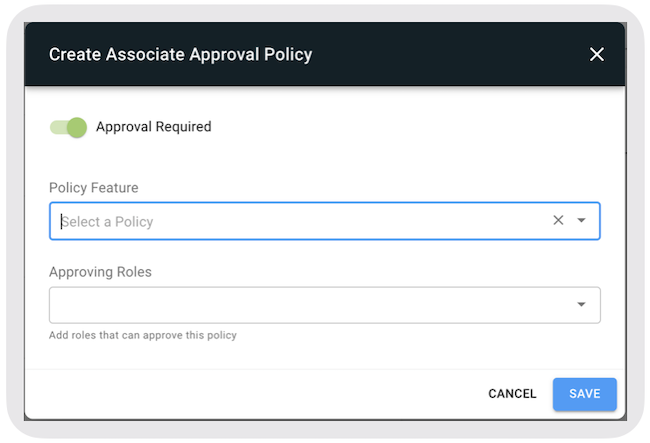
What it does: With POS Builds 9.2.1 or greater, you now have the ability to require manager approval for returns or exchange transactions regardless of whether they fall within the return window or not. Previous versions allow the merchant to configure manager approval only for returns outside the return window.
Learn more about store associate approval policies here.
How to configure: https://labs.predictspring.com/cms/associate-policies
- Select on the top-right of the approval policies page.
- Select
- Select that can approve this policy (for example , ).
- Select .
Auto Suspend Cart
What it does: With builds 9.2.1 and later, you not only can manually suspend and save a cart; you can have a cart auto-suspended either after the associate logs out, if there are contents in the cart or after the app times out.
No Profile, No Card, No Receipt Returns Refresher + Reason Code
What it does: No Profile, No Card, No Receipt Returns feature allows a return of an item without a purchase receipt or even customer profile details.
The returns and exchanges supported as part of No-Receipt Returns are listed:
- Returning an item or multiple items (that is, pure return)
- Returning item(s) along with a purchase where a customer still gets a refund
- Returning item(s) along with a purchase where a customer makes a payment
- Exchanging (even exchange) an item or multiple items
- Exchanging (even exchange) item(s) with purchase
To create NRR Price Correction Reason Codes:
- In CMS, go to .
- Select .
- Select in the upper right and fill out the required fields.
- Save your changes.
Receipts
Enhancements to Receipt Tags and How they Render in Layouts
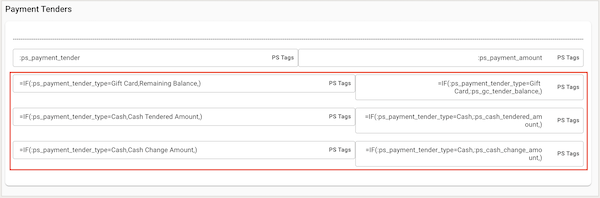
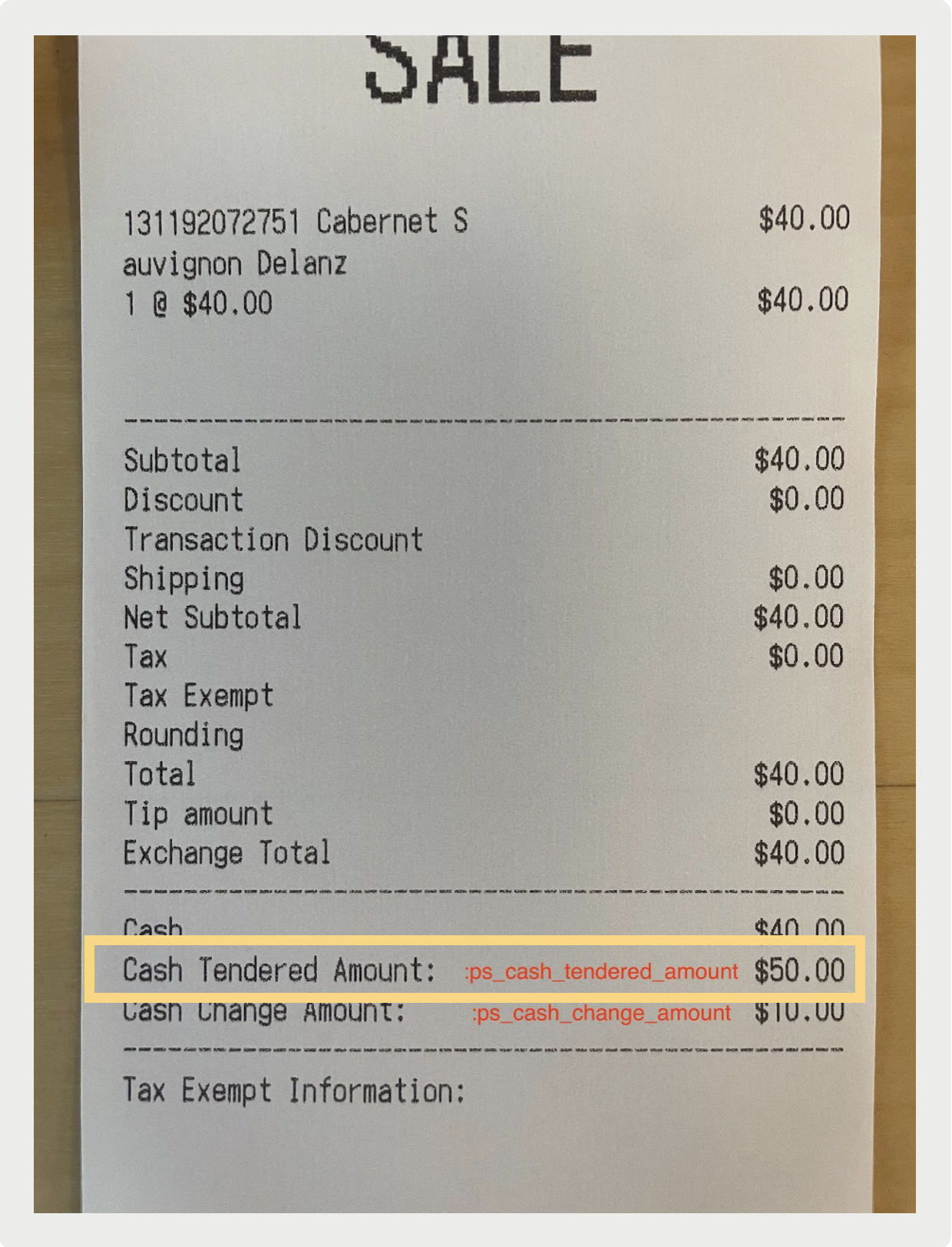
What it does: Starting with POS version 9.2.1, if the "=IF" function returns an empty string, the receipt line is truncated, thus removing the empty row where the "=IF" function result has been.
How to configure: https://labs.predictspring.com/cms/layouts (Learn more about Receipt Layouts here)
For Example: In a scenario if your customer pays with cash and you have Gift Card Remaining Balance, Cash Tendered Amount, and Cash Change Amount configured in your template, only Cash Tendered Amount and Cash Change Amount shows.
Learn More: Customize Receipts Using Functions
Clienteling SPI
Applying Customer Groups to Promotions
What it does: Create targeted promotions tailored for specific customer groups.
How to configure the layout:
- In the merchant's external system, configure Salesforce's Clienteling SPI.
- In CMS, configure a Customer Sign-up layout by going to .
- Add a new field for .
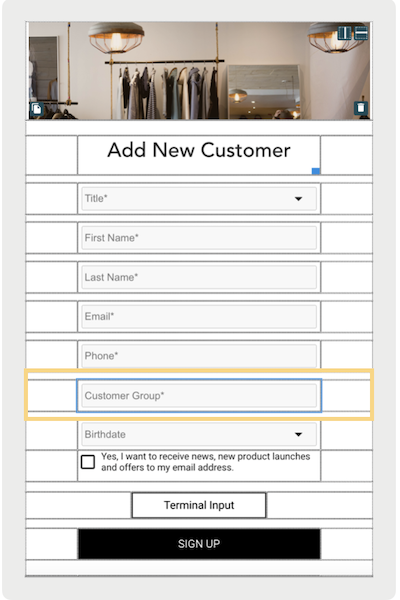
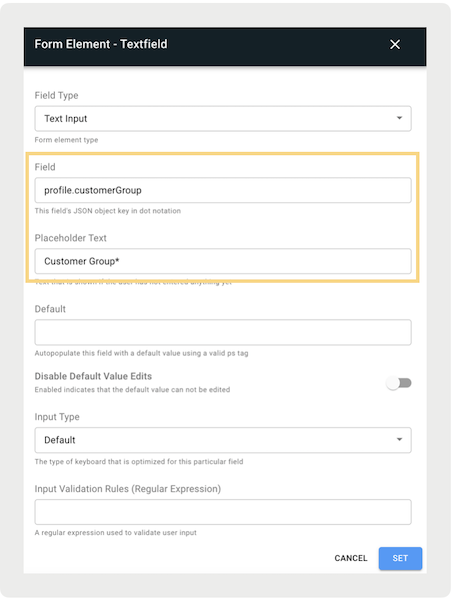
- Configure the rest of the fields.
How to configure the customer group-specific promotion:
- In CMS, create a promotion by going to .
- Select the type of promotion.
- Under , enter the required fields.
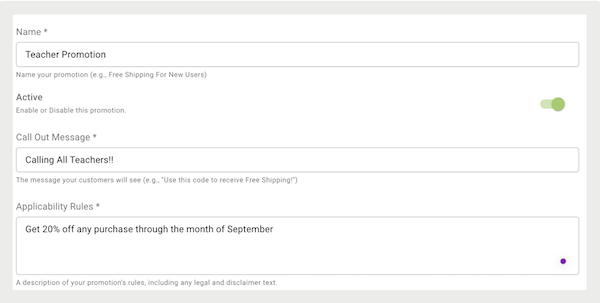
- Under , configure the promotion discounts.
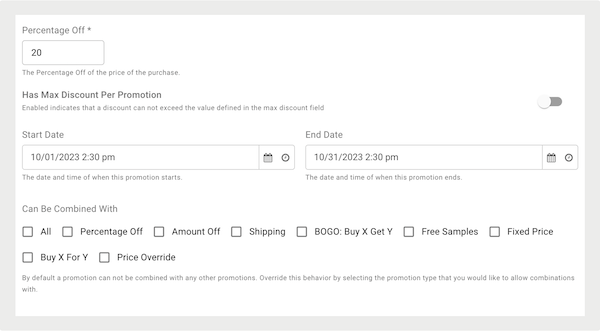
- Go to and create a .
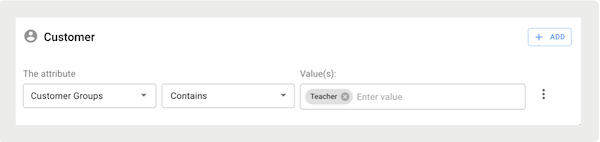
- Fill out the rest of the fields.
- Save the changes.
How it functions:
- If signing up a new customer in the POS app, the value entered in the Customer Group field will be saved to Salesforce’s Backend.
- If a customer group-specific promotion is successfully applied to an order, and the customer completes the checkout process, the customer's group attributes are automatically logged in the TLogs and Exports.
Learn More: Apply Customer Groups to Promotions
Validate Customer Profile Address from SPI
What it does: If the CRM isn't complete or doesn't have a valid shipping address, Salesforce can check the customer's address before an order is placed.
How to configure:
- In the merchant's CRM system, configure the Clienteling SPI.
- Configure the endpoints of the merchant's third-party integration in CMS by going to Integrations > Custom API Connectors.
- In CMS, go to .
- Edit the app configuration(s) to have address validation.
- Go to .
- Turn on .
Learn More: Validating Customer Profile Address on Cart
Other Feature Enhancements
| Title | Description | Help Center Link |
|---|---|---|
| PS Inventory Lookup API | By setting up your inventory API with Salesforce, you can call Salesforce to see where your products are in a store or all stores. | Application Programming Interface (API) in Point of Sale API, SPI, and Webhook Specs |
| New Language Support: Simplified Chinese and Catalan | Out-of-the-box support for Simplified Chinese and Catalan! | Region Support in POS App |
| Ireland Cash Rounding | Out-of-the-box support for regional cash rounding requirements. | Currency Rounding in the POS app |
| Reversal for SVS Failure | If attempting to issue a gift card with an invalid number, the activation process fails. | Configure Gift Card Payments in Payment Terminal |
| Verifone Payments and Onboarding | Updated onboarding steps for using the Verifone Payment terminals. | Verifone Payment Onboarding |