
Build summary for Modern POS version 11.56.1, including what new features and changes it contains.
For a complete list of bug fixes and known open issues in this release, see the Release Notes for Modern POS Version 11.6.1.
| Section | Feature |
|---|---|
| Platform | |
| Omnichannel | |
| Inventory | |
| Fiscalization | |
| Payments |
Platform
The POS App Has a New Name and Icon
The PredictSpring POS app is now called Modern POS and has a new icon.
Omnichannel
Increase Quote Visibility Across Channels
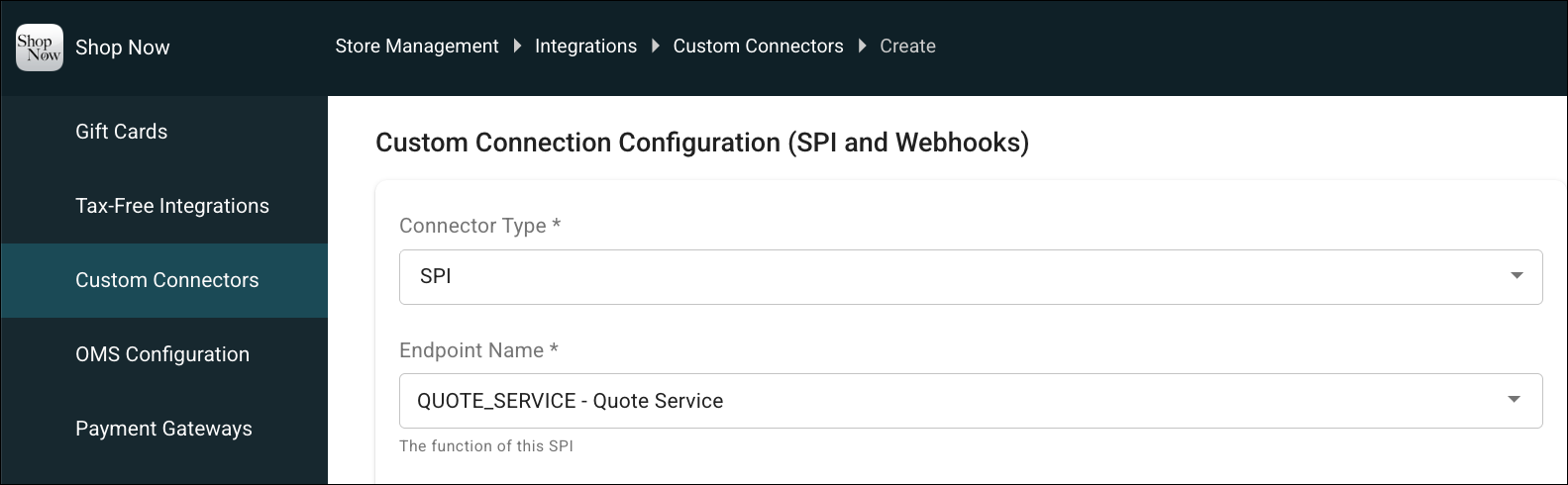
Find and manage POS-created quotes across your connected systems, including ecommerce, call centers, CRM, and order management. The new Quote SPI helps convert more quotes into orders, providing a unified quote experience across channels.
How: In CMS, go to Integrations |Customer Connectors. Create a connector and select QUOTE_SERVICE.
See Also:
Inventory
Manage Inventory on Android Devices
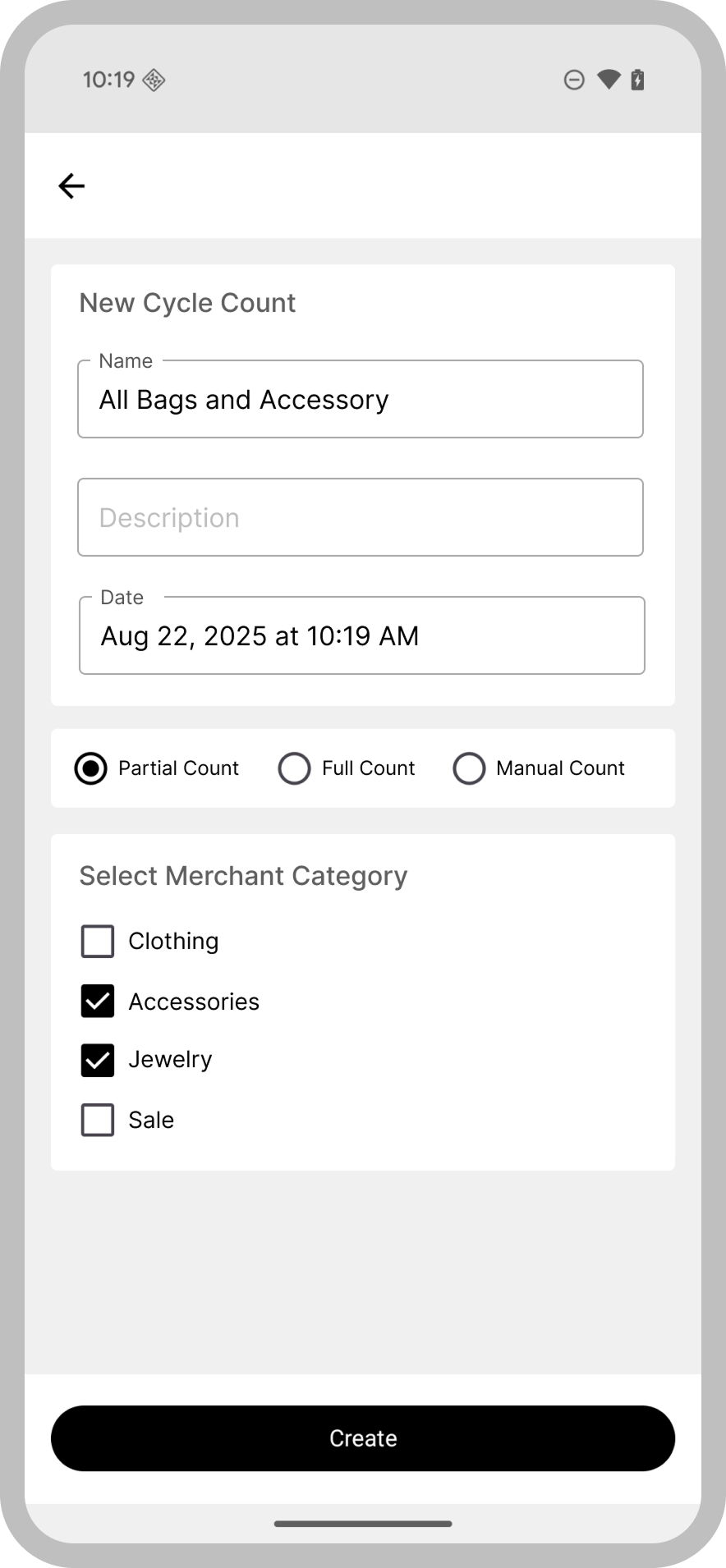
Point of Sale now supports inventory management on Android devices. Reach more customers in regions that favor Android or rely on ruggedized Android devices.
See Also:
Improve Inventory Integrity with Integrated RFID Support
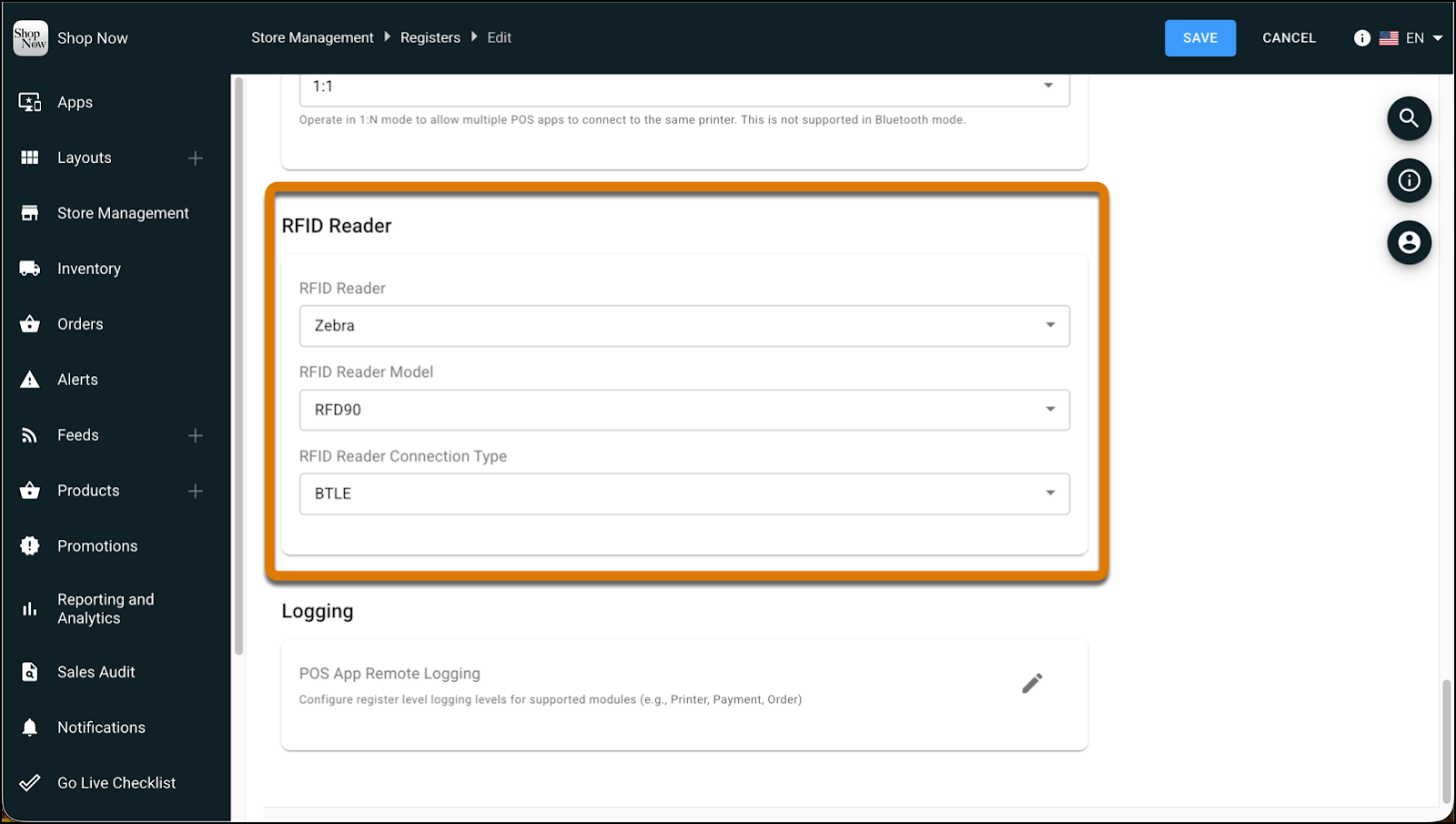
Inventory cycle counts now support RFID scanning with Zebra readers. Eliminate manual barcode scanning and run high-volume counts with speed and accuracy. Handle processing exceptions like invalid tags, missing products, and duplicates, directly in the POS app, maintaining your inventory integrity. With RFID scanning, you can run a full, partial, or manual cycle count. Quickly view RFID inventory count stats in the POS app and manage reporting in CMS.
How: In CMS, connect your RFID reader to your register. Then, in Device Manager, pair the reader to your register terminal..
See Also:
Fiscalization
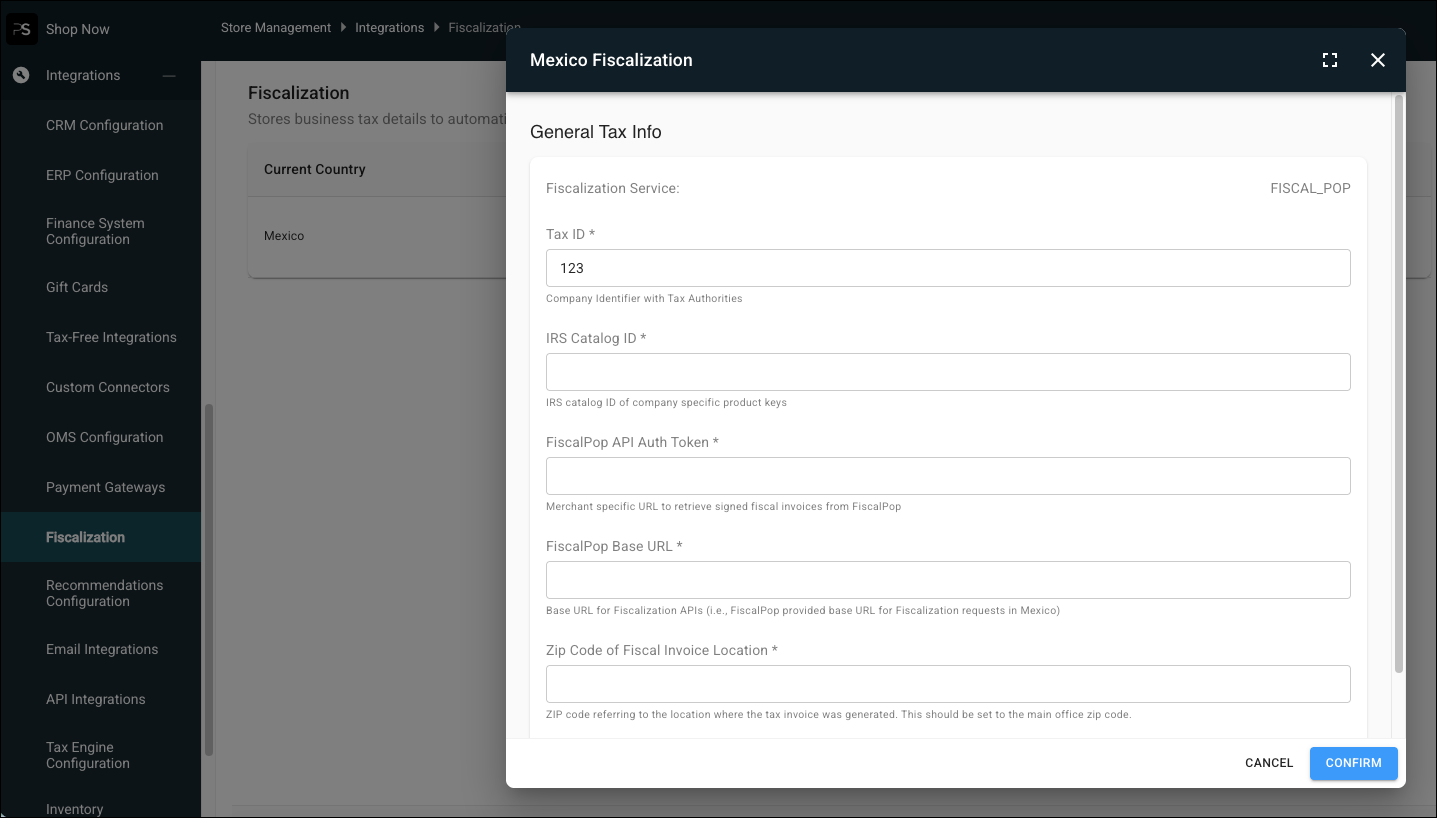
View Only Region-Specific Settings When Configuring Fiscalization
See only the options necessary for your current merchant region when setting up fiscalization. Use the Integrations tab to standardize your fiscal configuration across regions without changing legacy store settings. You can also still manage your existing setup in Store Management.
How: In CMS, go to Integrations |Fiscalization.
See Also:
Payments
Offer Convenient Payment Options with Upgraded Tap to Pay
Support the latest tap to pay options for customers with an upgrade of your Adyen terminal. Adyen’s v3.12.0 upgrade mitigates critical breaking changes and supports the latest POS features like unreferenced refunds, offline payments for U.S. merchants, and card acquisition. With this upgrade, you can test tap to pay in the POS app only in a production environment. To test tap to pay transactions in a nonproduction environment, install the new POS beta app. Your existing POS app and the beta app can safely coexist on the same device.
How: Upgrade your device to iOS 16 if necessary. To test tap to pay in a nonproduction environment, download the new POS beta app. Contact your Customer Support Manager for help getting started.
See Also:
Enhanced Financial Accuracy for Currency Specific Rounding
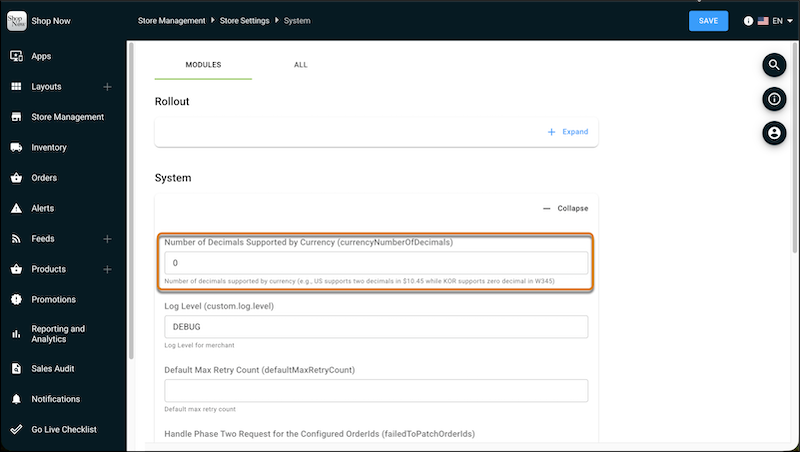
POS rounding support for zero-decimal currencies, including the Japanese Yen, is now more accurate. This standardizes calculations to match third-party tax engines and prevents totals that differ from downstream financial systems. With this enhanced rounding accuracy, you can avoid discrepancies between sales totals and return amounts in markets with zero-decimal currencies.
How: In CMS, go to Store Management |Store Settings|System and set Number of Decimals Supported by Currency to zero. Save your changes.
See Also:
Capture Richer Payment Data with Extended BINs
Record the first 6 to 8 digits of the Bank Identification Number (BIN) in TLOGs and transaction JSONs for Adyen payments. This expanded data helps your finance and fraud teams perform issuer-level analytics and customer segmentation without storing a customer’s full card number. Previously, only the last four digits were captured, which limited detailed reporting capabilities.
How: Enable card BIN capture in your Adyen terminal settings. For Terminal API, go to Developers |Additional Data|Card Section and then select Card BIN. For Pay-by Link, got to Developers | Webhooks | select your Adyen payment gateway webhook | Additional settings |Card and then select Include Card BIN.
See Also:
Simplify Transactions with Cash Rounding for USD
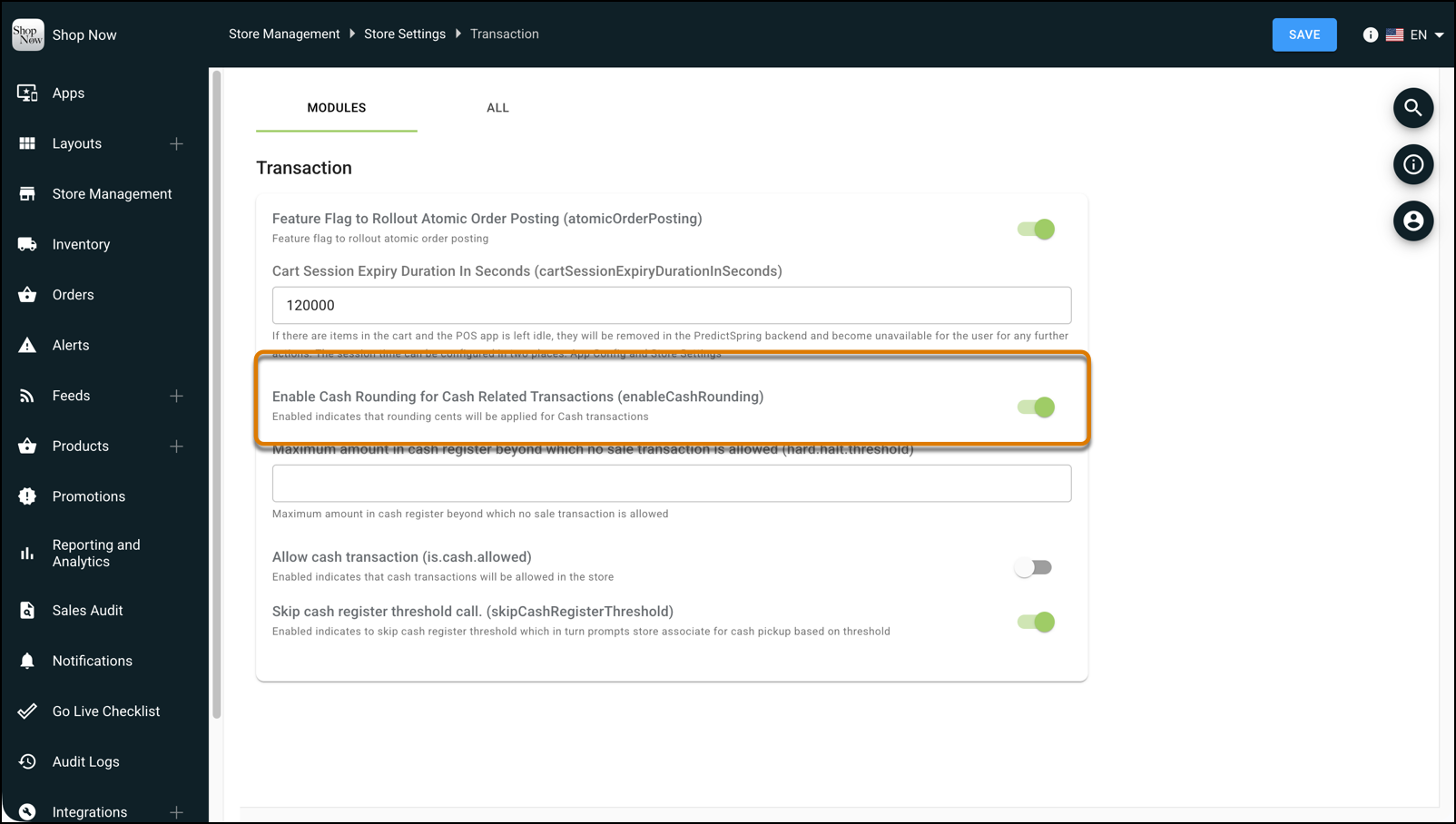
Speed up checkout and reduce cash drawer clutter with half-even rounding on cash transactions. You now have the option to turn on cash rounding for stores processing USD transactions. This enhancement supports the downward trend in lower coin denominations being used in cash transactions. Previously, cash rounding was supported only for regions where rounding practices are more common.
How: In CMS, go to Store Management |Store Settings | Transaction and turn on Cash Rounding for Cash Related Transactions.
See Also: