
Build summary for Modern POS version 11.4.1, including what new features and changes it contains.
| Section | Feature |
|---|---|
| Cart | |
| Core Platform |
Cart
Control Which Discounts and Price Overrides are Visible at Checkout
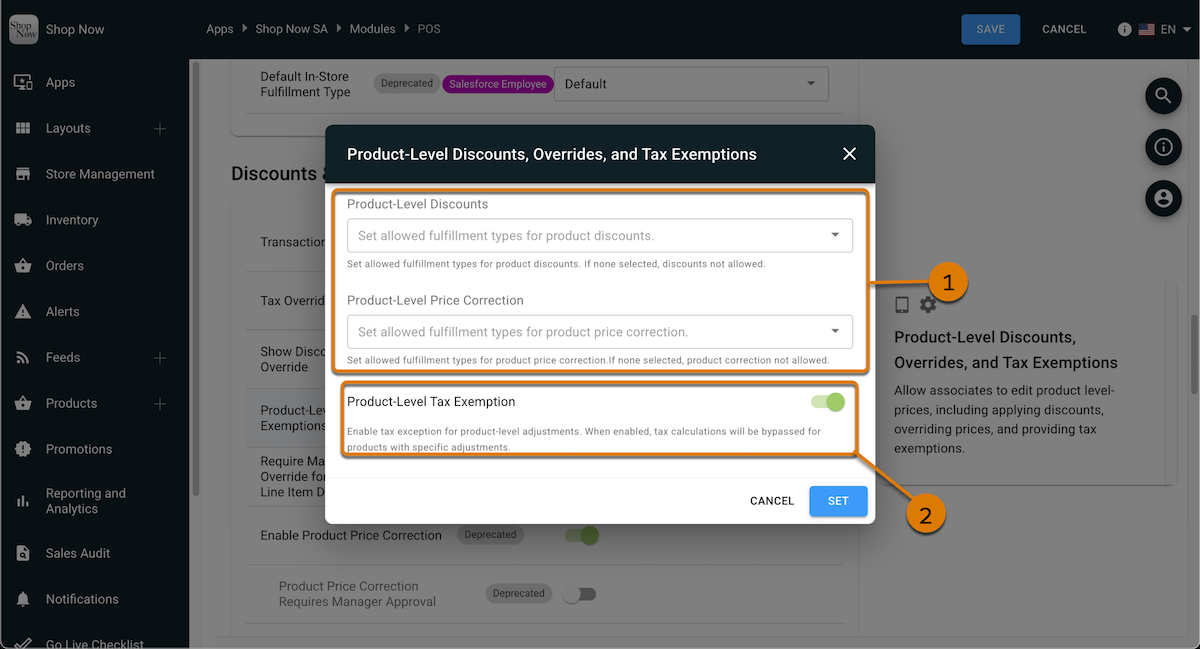
What it does: Help store managers and associates stay compliant with your pricing strategy by showing only the available discounts and price adjustments. The previous discount and price correction settings are being phased out, but any discount settings that you've set up in the Login API are saved. However, we suggest turning off the old settings and updating your settings with the new setup.
How: In CMS, in your store's App Configuration, go to . In the section, edit the setting. Set the allowed fulfillment types for product-level discounts and price corrections (1), and turn on product-level tax exemptions (2).
Learn more: Applying Manual Discounts & Price Corrections in POS App
Stay Compliant with Regional Tax Rules Using Transaction-Level Overrides
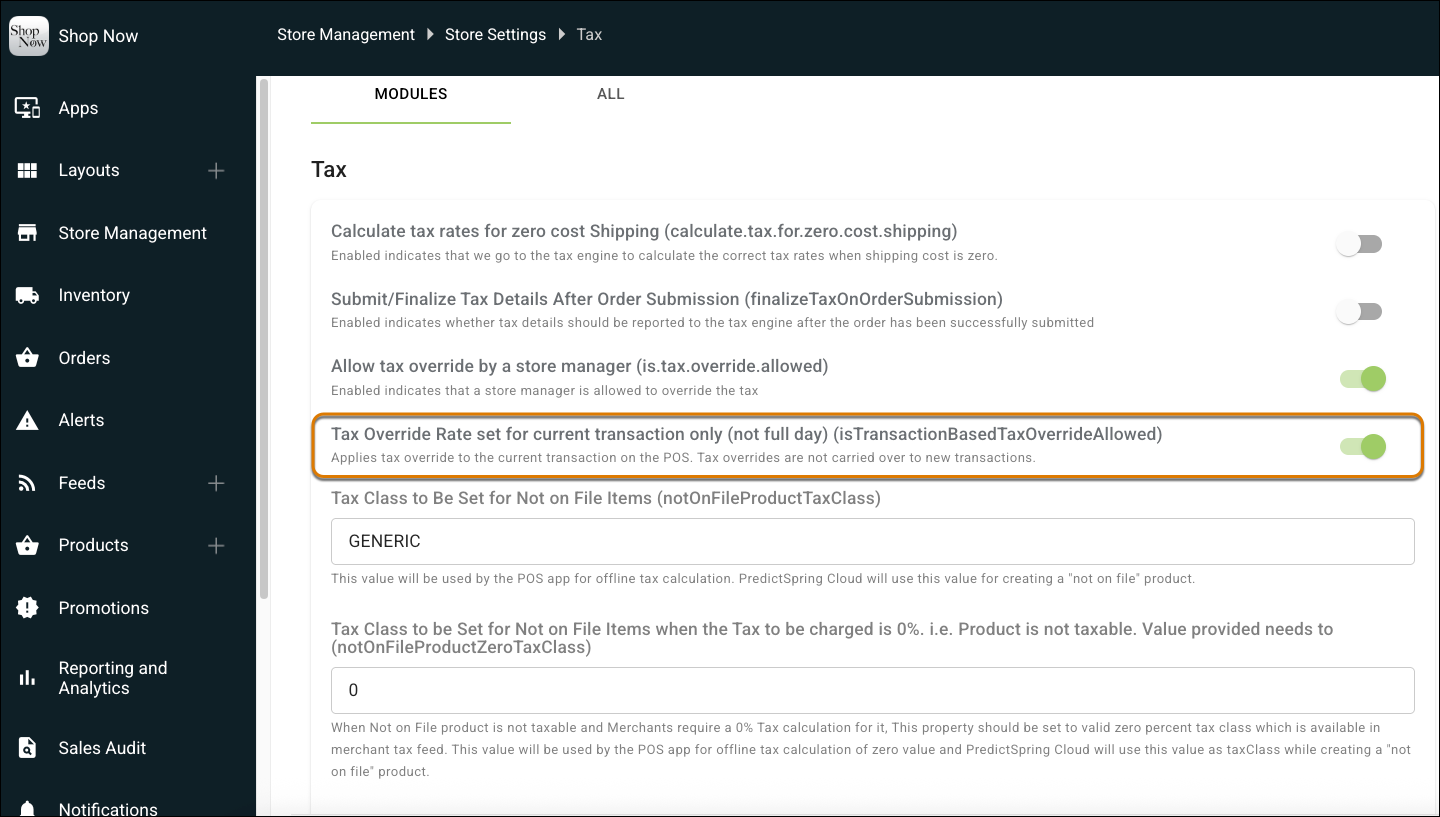
What it does: Apply tax overrides at the transaction level to handle rules like Japanese Consumption Tax (JCT) exemptions. Overrides ensure exemptions are applied accurately while keeping downstream reporting consistent for audits and compliance.
How: In CMS, go to and turn on Tax Override Rate set for current transaction only.
Learn more: Manage Tax Rates and Exemptions in POS App
Reduce Audit Risk with Expanded Tax Jurisdiction Coverage
What it does: The POS system now applies and displays all applicable taxes based on where the sale occurs. With broader jurisdiction support, you reduce audit risk, improve reporting accuracy, and give customers confidence in fair pricing. No configuration needed as this is the new default behavior.
Learn more:
Core Platform
Expand Country, Language, and Currency Support to New Markets
What it does: You can now operate in New Zealand, Singapore, and Malaysia with full support for local currencies and languages. This update includes Malay language support in both Singapore and Malaysia, giving shoppers and retail associates a localized experience. With these enhancements, you can enter new markets with confidence and strengthen customer trust. This capability is available by default. No configuration required.
Learn more: Multi-Language Support