
Build summary for Modern POS version 10.9.1, including what new features and changes it contains.
| Feature | Benefit |
|---|---|
| Core Platform | |
| Manual Store Closure Option in CMS | Manually close stores in the CMS if the POS app fails, supporting proper store management and data accuracy |
| UI Updates for WebViews | Improved user experience with the X CTA moved to the top left for easier navigation and webview closure |
| Integrations | |
| Enhanced Customer Rewards Lookup for Synchrony Integrations | Customers can look up Synchrony rewards without their card, enhancing the checkout experience |
| Inventory Management | |
| New 'Unreserve' and 'Create Cart' Functionalities in ROPIS | Streamline ROPIS order management with real cart creation and improved UI for quick order identification |
| Search and Scan Features Added to Inventory Overview Report | Quickly locate and manage inventory items with added search and scan features, improving accuracy and efficiency |
| Other | |
| Various |
Core Platform
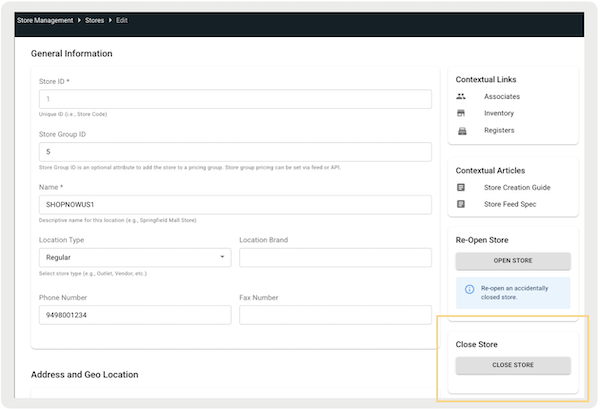
Manual Store Closure Option in CMS
What it does: A new option in the CMS allows users to manually close a store if it can't be closed through the POS app, even after reconciling all open tills. This feature makes sure stores can close and manage properly, even in hard times, while keeping operations running smoothly and data accurate.
How to configure in CMS:
- In CMS, go to .
- Edit an existing store.
- Select Close Store on the bottom right.
Learn more: Store Creation
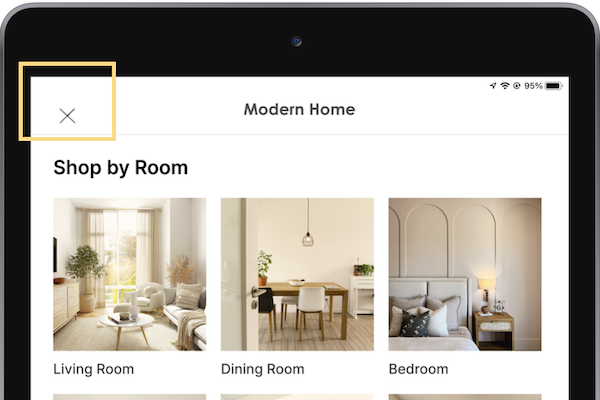
UI Updates for WebViews
What it does: The X for WebViews has been moved to the top left of the screen, providing a more intuitive interface. This change makes it easier for users to move around and close WebViews.
How to configure in CMS: No configuration needed as this is the default behavior.
Learn more: Supporting PunchOut Webpages on POS App
Integrations
Enhanced Customer Rewards Lookup for Synchrony Integrations
What it does: Customers can look up their Synchrony rewards, even if their card isn't present. This feature enhances the customer experience by providing quick access to reward information, making the checkout process smoother and more convenient.
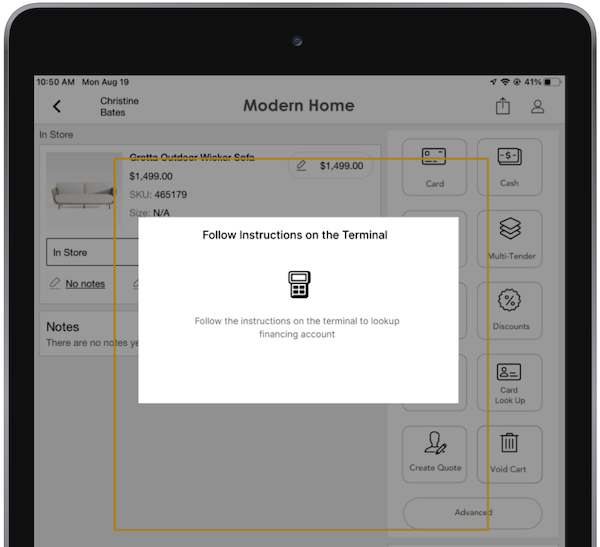
How to configure in CMS: Configure a deep link to open the account lookup flow via terminal if the customer's card isn't present.
- In CMS, edit your Cart Options layout.
- Using the deep link picker, go to .
- Select and add "".
Learn more: Set Up Processing of Synchrony Credit Card Purchases using Adyen
Inventory Management
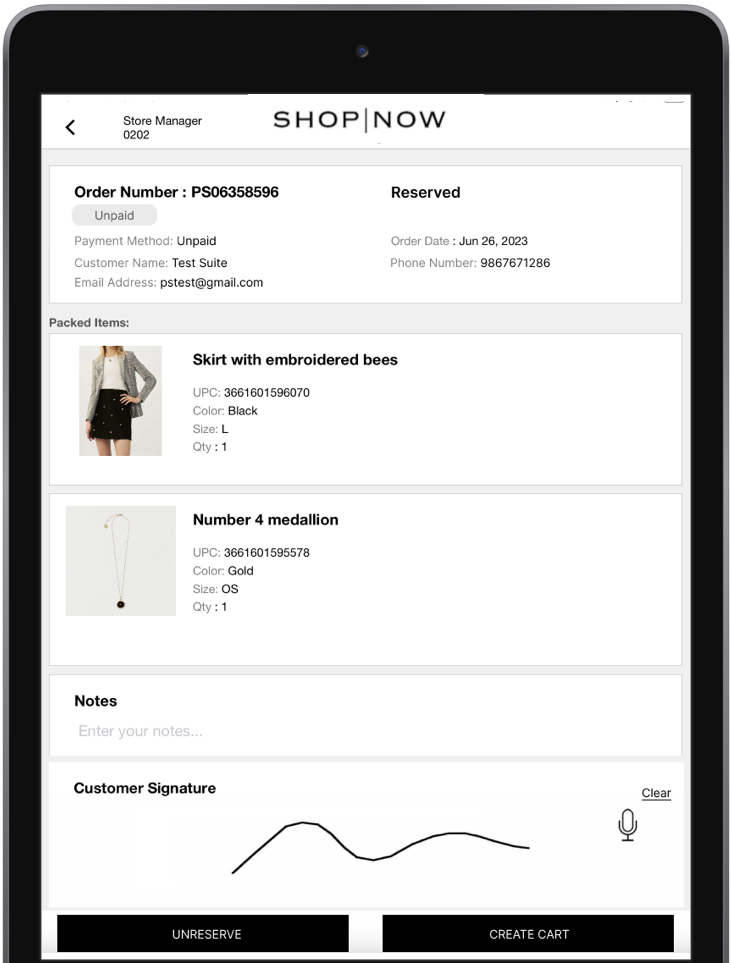
New 'Unreserve' and 'Create Cart' Functionalities in ROPIS
What it does: Easily manage Reserve Online, Pickup In-Store (ROPIS) orders with the updated '' and '' functionalities. The '' function now generates a real cart. If the customer decides they no longer want the product, tapping subtracts the item's quantity from the Allocated inventory bucket and moves it to the bucket.
How to configure in CMS: No configuration needed as this is the default behavior.
Learn more: Use Reserve Online, Pick Up In Store (ROPIS)
Search and Scan Features Added to Inventory Overview Report
What it does: The report now includes search and scan features, allowing users to quickly locate and manage inventory items. This improvement makes inventory management more accurate and efficient. It also makes sure that stock levels are always up-to-date and easy to find.
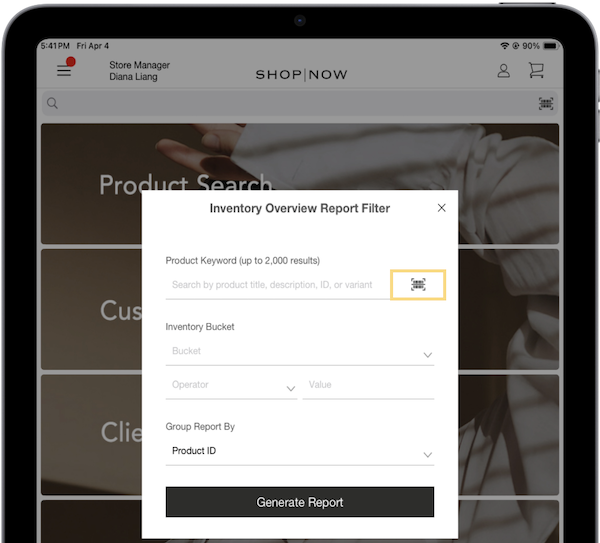
How to configure in CMS: No configuration needed as this is the default behavior.
Learn more: View Product Inventory in Point of Sale
Other Feature Enhancements
| Title | Description | Help Center |
|---|---|---|
| Valuelink Adyen Certification | Supports refunds to active and inactive Valuelink gift cards, plus activation and loading, for greater customer convenience | March Build Summary (10.8.1) |