
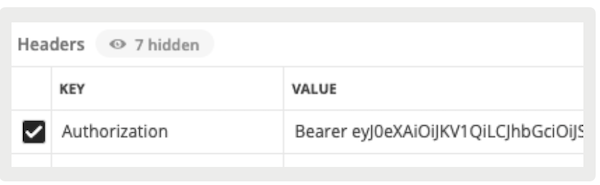
Configure token fields to generate a web authentication token in the Point of Sale (POS) app. This token is then passed as an Authorization header in a later network call.
Prerequisites
- Modern POS App Build: 5.12.2 21098 or greater
- Platform Support: iPhone & iPad
- Offline Support: no
- Technical Prerequisites: An endpoint that is used to generate a token using a POST call
Turn On App Settings
- In CMS, go to and edit your app configuration.
- Go to .
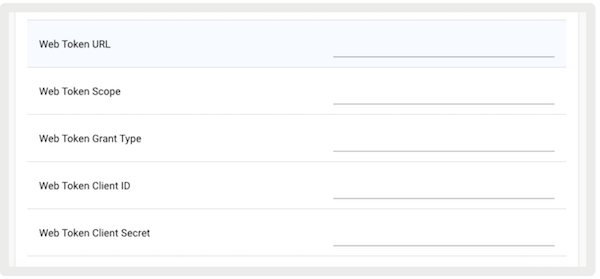
- Under , enter the token service endpoint.
- Under , enter the scope of the token permission passed in the request as "resource".
- Under , enter the token type passed in the request as "grant_type".
- Under , enter the client ID to call the token service passed in the request as "client_id".
-
Under Web Token Client Secret, enter the client ID to call the token service passed in the
request as "client_secret".
Configure Web Auth Token Deep Link
- Edit a layout cell or hamburger menu.
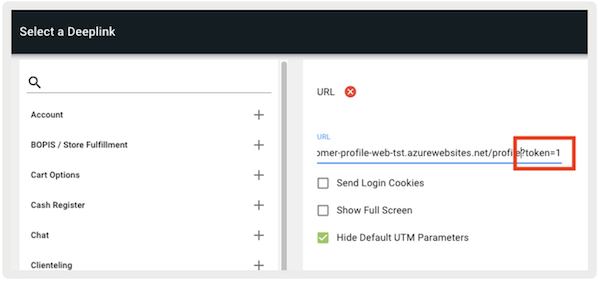
- Using the deep link picker, select the URL as the deep link type.
-
Add the URL for which the generated token will be passed in the Authorization header.
Append a query parameter at the end of the URL with the key "" and value "" ().

Known Issues & Restrictions
The keys for the token generation request are hard-coded in the app and can't be configured in Point of Sale CMS. These values are "", "", "", "".
Frequently Asked Questions (FAQs)
What determines whether a new token is generated?
If the POS is about to open a web URL deeplink configured for token authentication (indicated
by token=1 in the URL), the app generates a new token and includes it in the
web URL request.
How long does a token last?
Tokens are for one-time use only. The app doesn't save the token and regenerates a new one each time the web URL deeplink is launched from the POS.