Monitor the status of individual registers, store connections, and offline readiness using the Point of Sale (POS) Vitals feature.
Prerequisites:
- Modern POS App Build: 5.10.3 and later
- Platform Support: iPhone & iPad
- Offline Support: yes
The POS Vitals feature offers a comprehensive overview of registers and store operations. It lists all registers configured for each store, offering real-time overview and detailed vital statistics. The POS app sends vital information to the system every five minutes.
After the POS app is rolled out to the stores, log in to Point of Sale CMS.
- Go to .
-
Select the store from the dropdown.
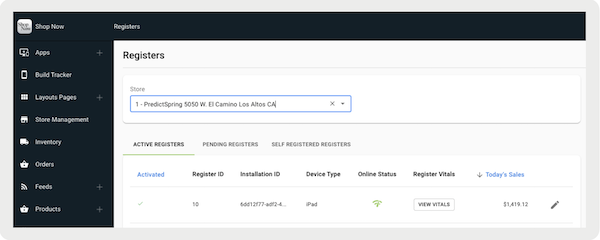
View POS App Vitals Information
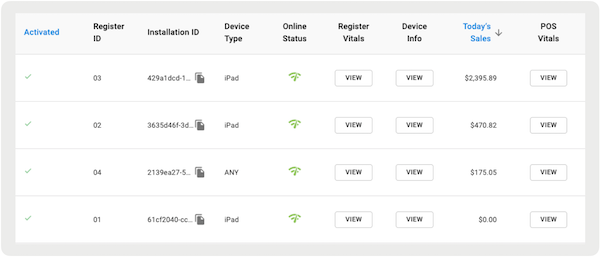
Show the status of each register per store along with the current dollar value of transactions going through the register for the day in Point of Sale CMS.
High-Level Vitals Information
Register vitals data is retained for one year. You can't see Register Vitals because the register never sent a message to Salesforce’s Backend. You can also see Register Vitals because the last message from the register was more than one year old.
Detailed Level Vitals Information
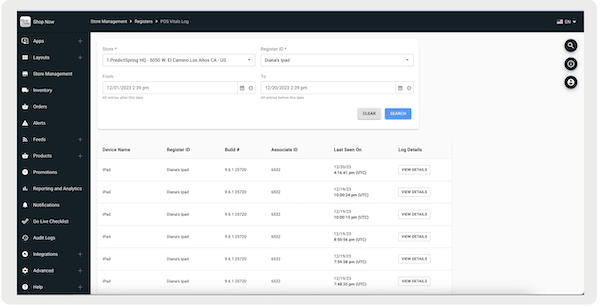
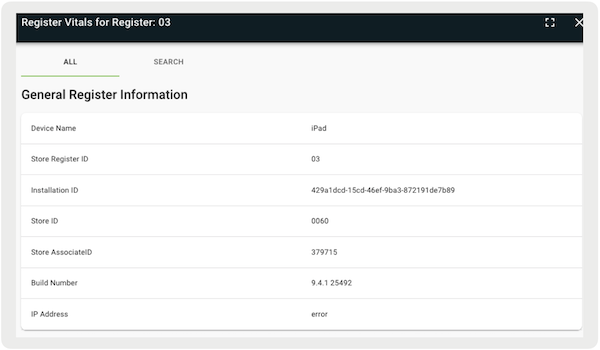
At the detailed level, we provide extensive information on each register's vital, peripheral connectivity, and offline data.
- Under POS Vitals (to the right of the store), select .
- Configure the date filter.
- Select .
- Under (to the right of the register event), select.
General Information
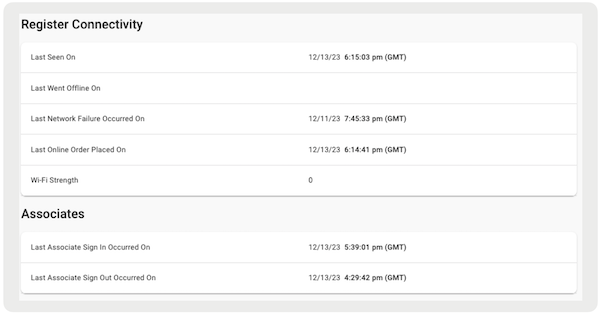
Register Connectivity
This reports if the register communicated with Point of Sale.
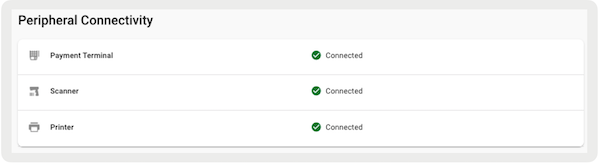
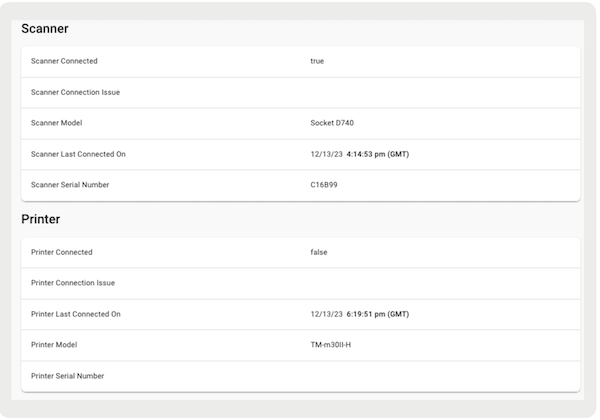
Peripheral Connectivity
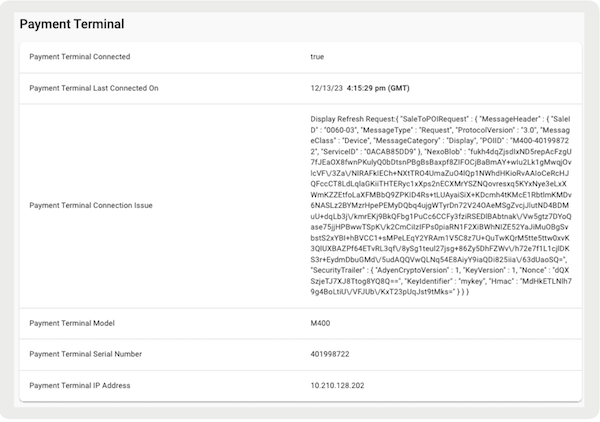
Vitals also provides detailed information related to connectivity issues, if any, with each peripheral.

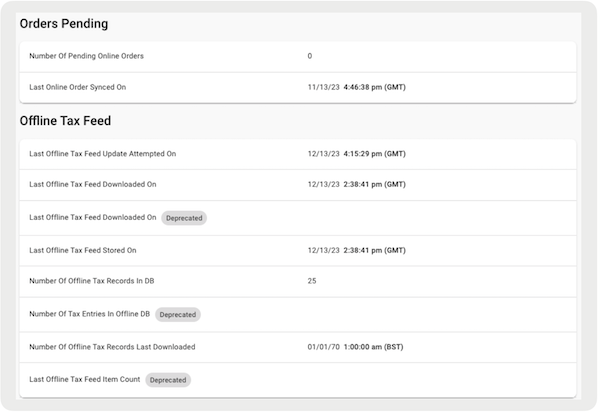
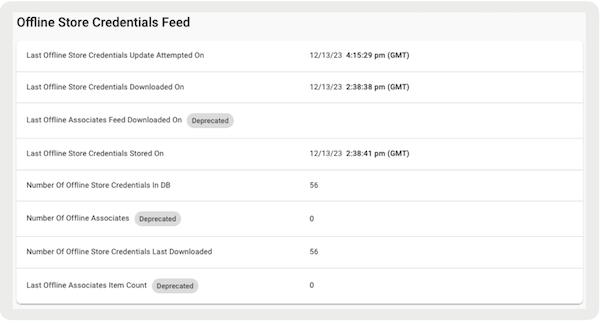
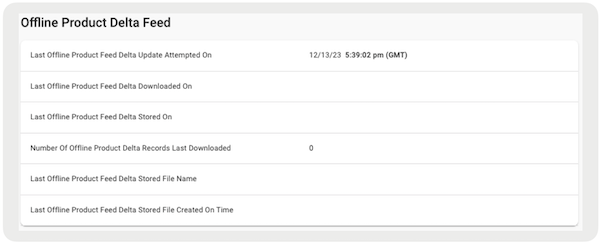
Offline Data
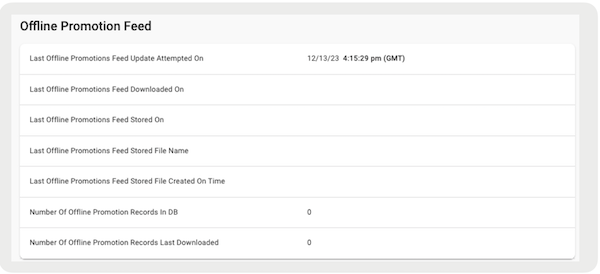
We also provide details on offline activity and any orders that are pending sync with Point of Sale.
Export Point of Sale App Vitals
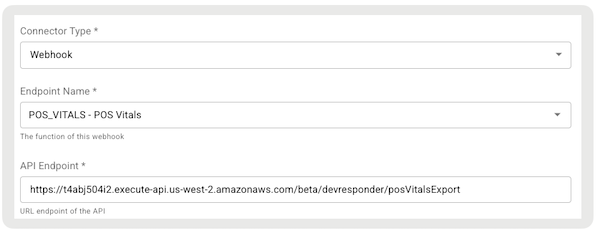
Export vitals data to Point of Sale using webhooks.
After being received by Point of Sale's backend, events are posted to the merchant-specified API endpoint. The JSON payload includes a snapshot of vitals (all captured metrics) and register metadata, such as the capture date and time, for the specific register on the current schedule for publishing vitals to Point of Sale.
- Go to .
- Select in the upper right.
- Under , select "".
- Under , select "".
- Configure the rest of the fields.
-
Save your changes.