
View details of received inventory or start the receiving process from different stores. Access the report in Point of Sale CMS or configure a deep link in the POS app.
- Modern POS App Build: 5.5.2 or later
- Platform Support: iPhone and iPad
- Offline Support: No
Configure ASN Reports in CMS
Access and filter ASN data in Point of Sale CMS to track shipments and identify discrepancies. You need the INVENTORY permission or higher to access this report. See CMS User Management.
- In CMS, go to .
- Configure the search query.
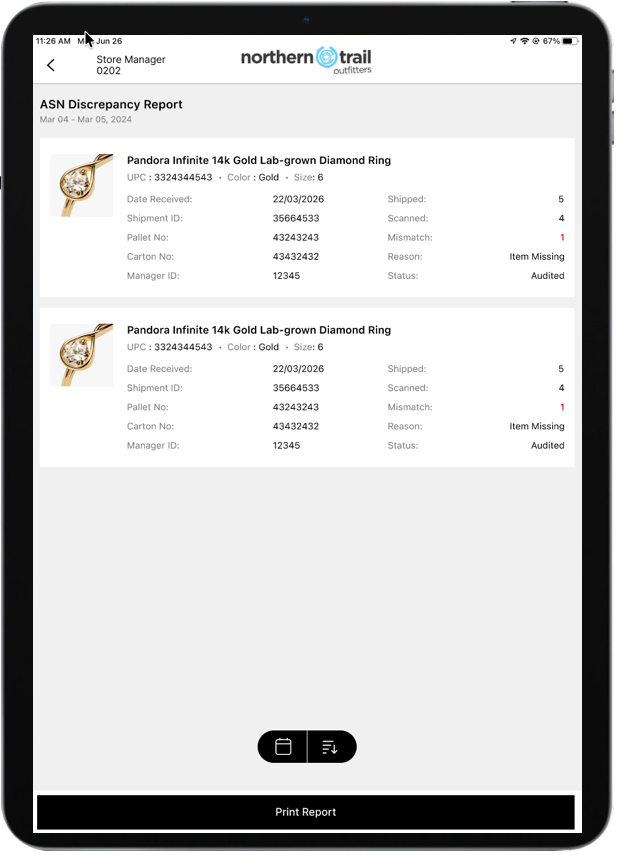
- (Optional) To view only shipments with discrepancies, select the Discrepancy Report option. The report highlights short or over counts in red alongside receiving details, dates, and approval tracking.
- Save your changes.
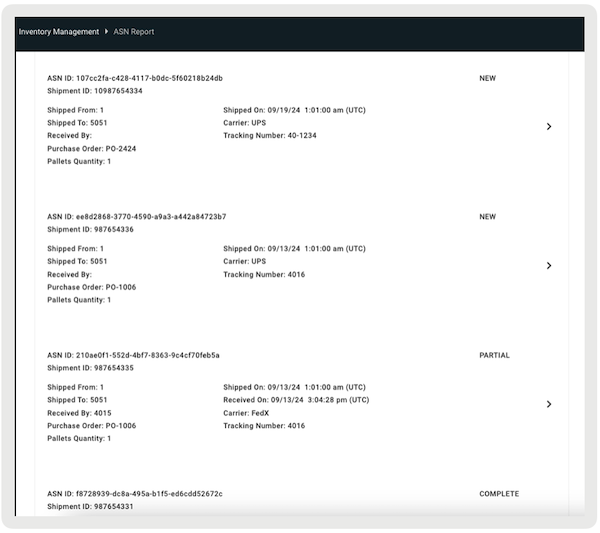
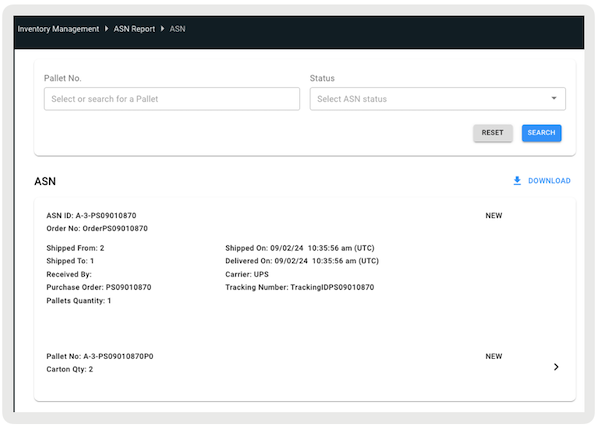
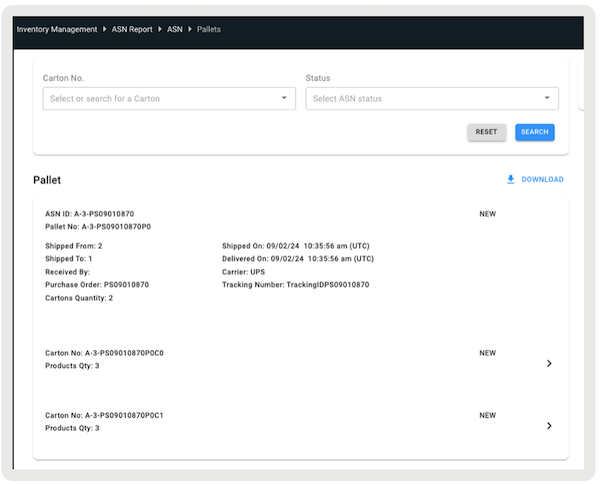
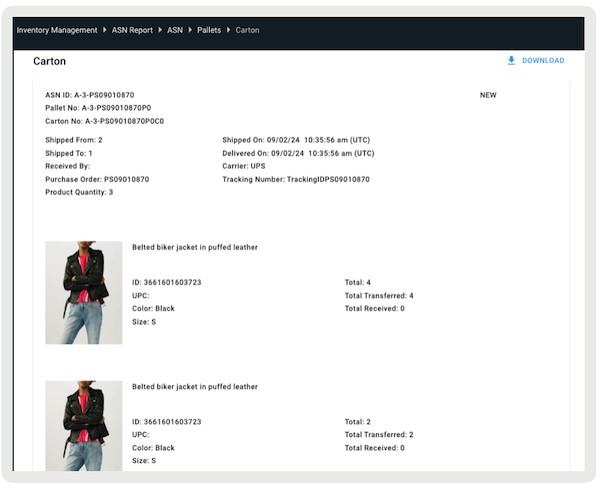
The report shows ASNs with their details. Drill down to view:
- List of ASNs
- List of pallets in a specific ASN
- List of cartons in a specific pallet
- List of products in a specific carton
Configure ASN Reports in POS App
Configure a deep link to access the ASN report from a layout or the hamburger menu in the POS app.
- In CMS, create a layout or open an existing one.
- Select a cell.
-
Configure one or both of these deep links:
- - View all received shipment
- - View only shipments with discrepancies
- Select .
View ASN Reports in POS App
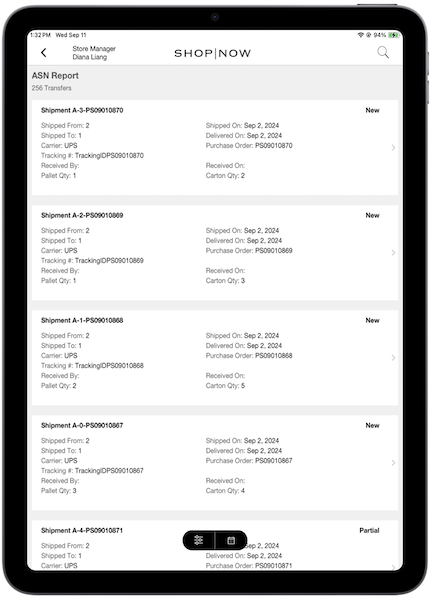
The ASN report shows a list of all shipments received at the store.
The Receiving Discrepancy Report shows only shipments with discrepancies. Short or over counts appear highlighted in red alongside receiving details, dates, and approval tracking.
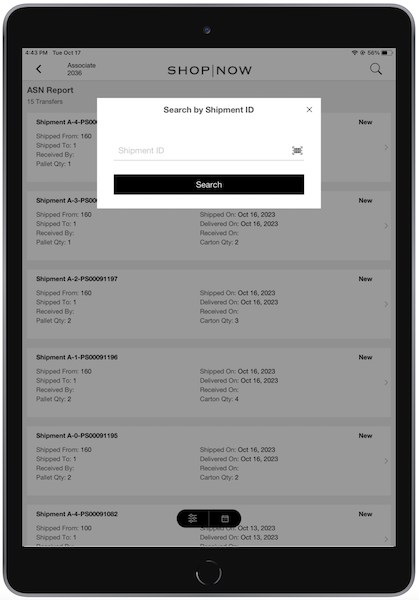
To search by shipment ID, select the magnifying glass icon and scan the ID.
Select any shipment to view its details. The ASN Details page shows pallet information, including Pallet Number, ASN Number, and shipping location.
Shipment statuses:
- New - Pallet or carton delivered to the store
- Received - Pallet or carton received by the associate
- Partial - Pallet partially received with some cartons still pending
For more information about the ASN receiving process, see ASN Receiving.
Known Issues and Restrictions
- Shipment IDs appear in the ASN report only if you configure field mapping for the ID in the feed. The system doesn't generate Shipment IDs automatically.
- The system retains received shipment records indefinitely unless you delete them.
- You can query the full history with optional filters (time period, status, and so on). The system doesn't impose date-range or result-count limits.
- The system doesn't automatically archive or purge records.
- The system doesn't impose storage limits, licensing constraints, or performance considerations for historical data.
 Note These policies reflect the current system state and can change in future releases.