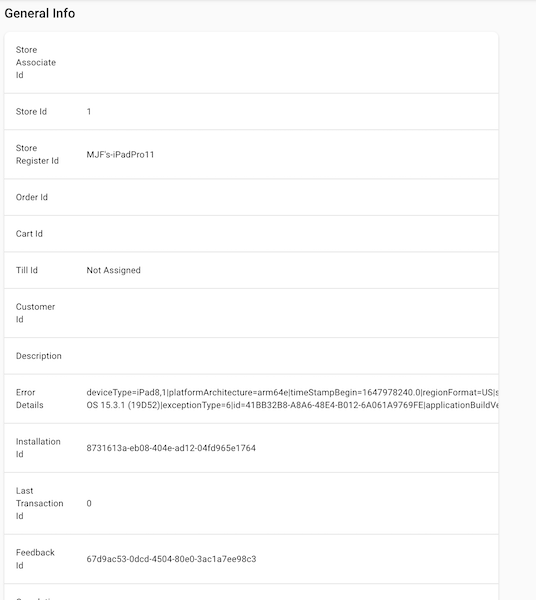
Send Point of Sale (POS) app crash details to the systel to determine the root cause.
Prerequisites:
- Modern POS App build: 7.14.5 and later
- Platform Support: iOS/iPadOS >= 14.0
- Offline Support: yes
Turn on Crash Report Configuration Settings in Point of Sale CMS
- Go to .
- Turn on .
- Select in the top right corner.
Access Crash Insights in Point of Sale CMS
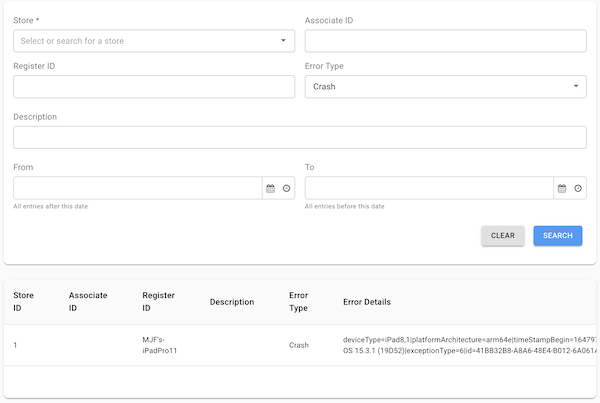
The CMS displays crashes experienced in the POS app for further understanding.
To view crashes in Point of Sale CMS:
- Go to .
- Select "" and set your "" date.
-
Under " select .

Note
"" error type is only available for internal users.
For more details, scroll to the end on the row and select "".