
Configure POS to require a billing address before completing an order. Requiring a billing address ensures you have complete customer information for all transactions. This configuration is managed within the CMS. Streamline your checkout process and maintain accurate records by enforcing this requirement.
- Modern POS App Build: 8.9.1 or above
- Platform Support: iPad and iPhone
- Offline Support: Yes, however, the POS app has to be online at least once to fetch the above data in order to work in offline mode.
To configure the billing address for orders:
- In CMS, go to .
- Edit a selected app config.
- Go to .
-
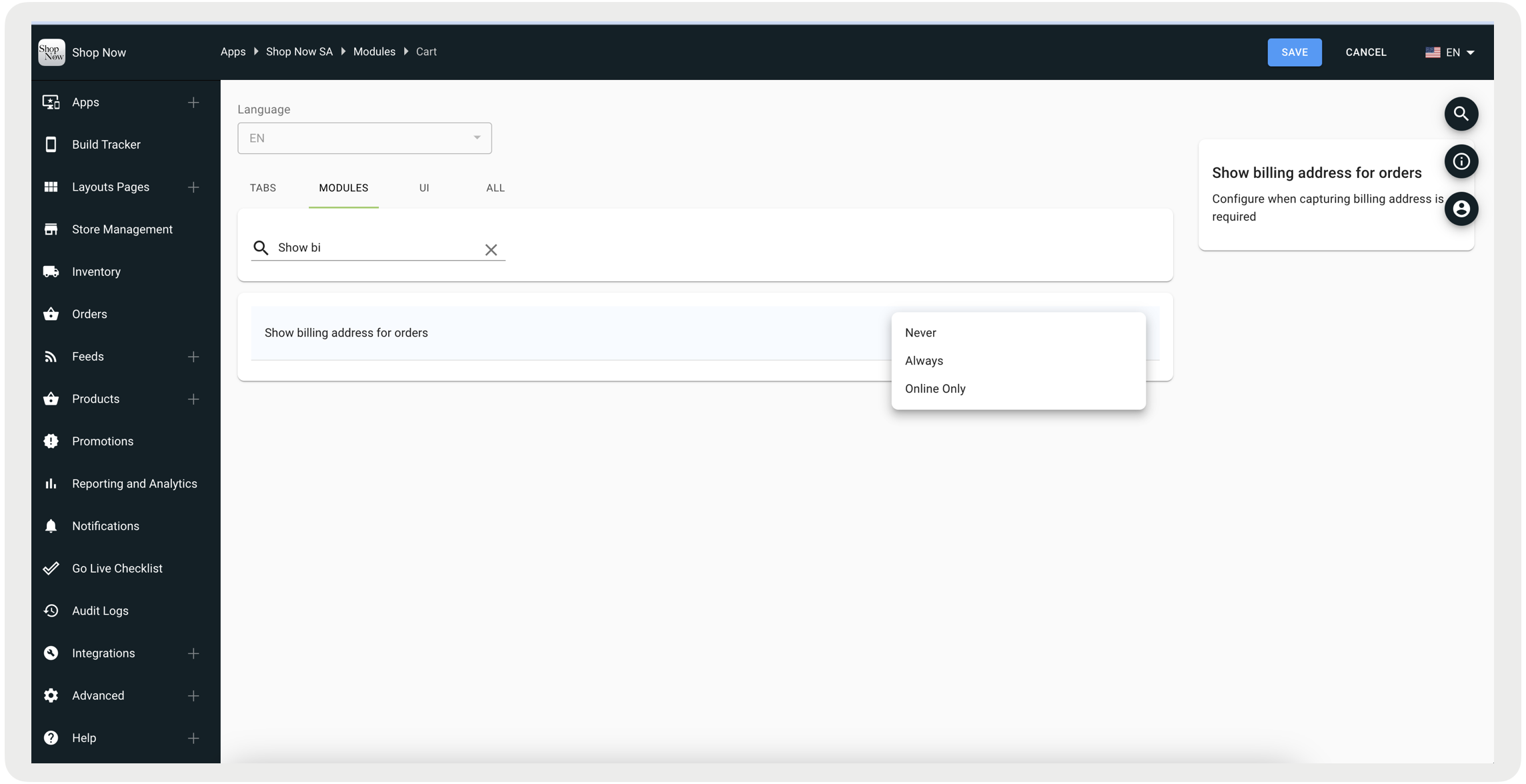
Under Show billing address for orders, configure this flag based on these options:
- Never - Billing address will not be required to complete the order.
- Always - Billing address will be mandatory to complete the order.
-
Online Only - Billing address will be mandatory if any item in the cart has a fulfillment
type of "Online" which includes Ship to Home, Pickup Later with autoroute, and Try at Store.

Note There is an existing configuration flag on CMS to configure the billing address, this
property is in process of deprecation and should not be used onwards.