
Beverage retailers need the ability to charge and disclose additional charges like CRV, liquor tax, and deposits on the items that customers purchase. In the United States, the Container Deposit Legislation/Bottle Bill governs the additional charges. The Container Deposit Legislation/Bottle Bill generally requires a refundable deposit on certain types of recyclable beverage containers to maintain an increased recycling rate.
Requirements Supported:
- Configure one or multiple additional charges at each product level.
- Mark certain types of additional charges as taxable or nontaxable.
- Call out additional charges at the item level in the POS app.
- POS Log exports can reflect all the additional charges which were applied to the items in an order.
Prerequisites:
- Modern POS App build: 5.5.2 or later (Offline available in 8.3.1+)
- Platform Support:iPhone & iPad
- Offline Support: Yes
CMS - Configuration & Setup
-
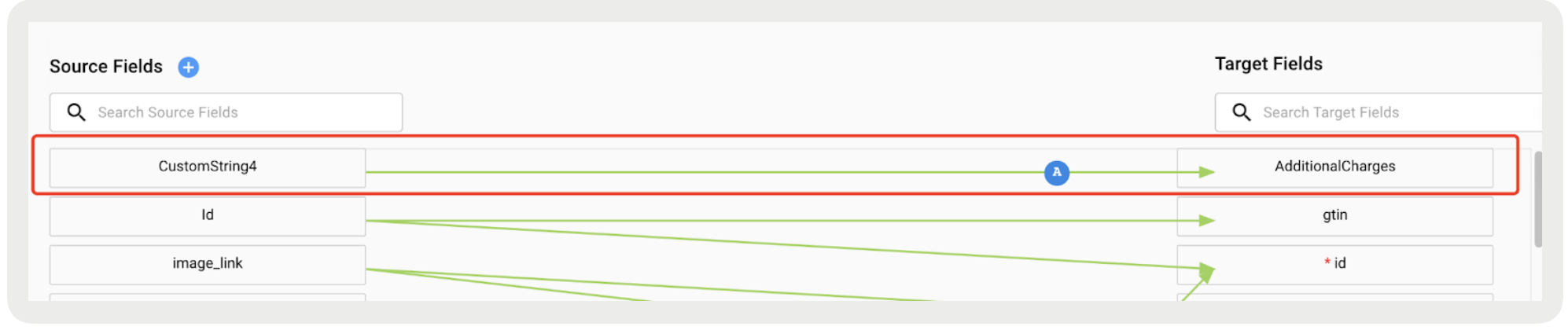
Set up the Field Mapping.
Read the additional charges from your product feed and map them to AdditionalCharges in the CMS.
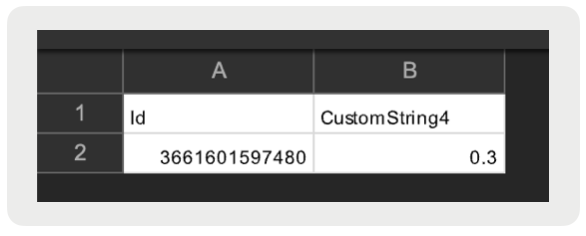
-
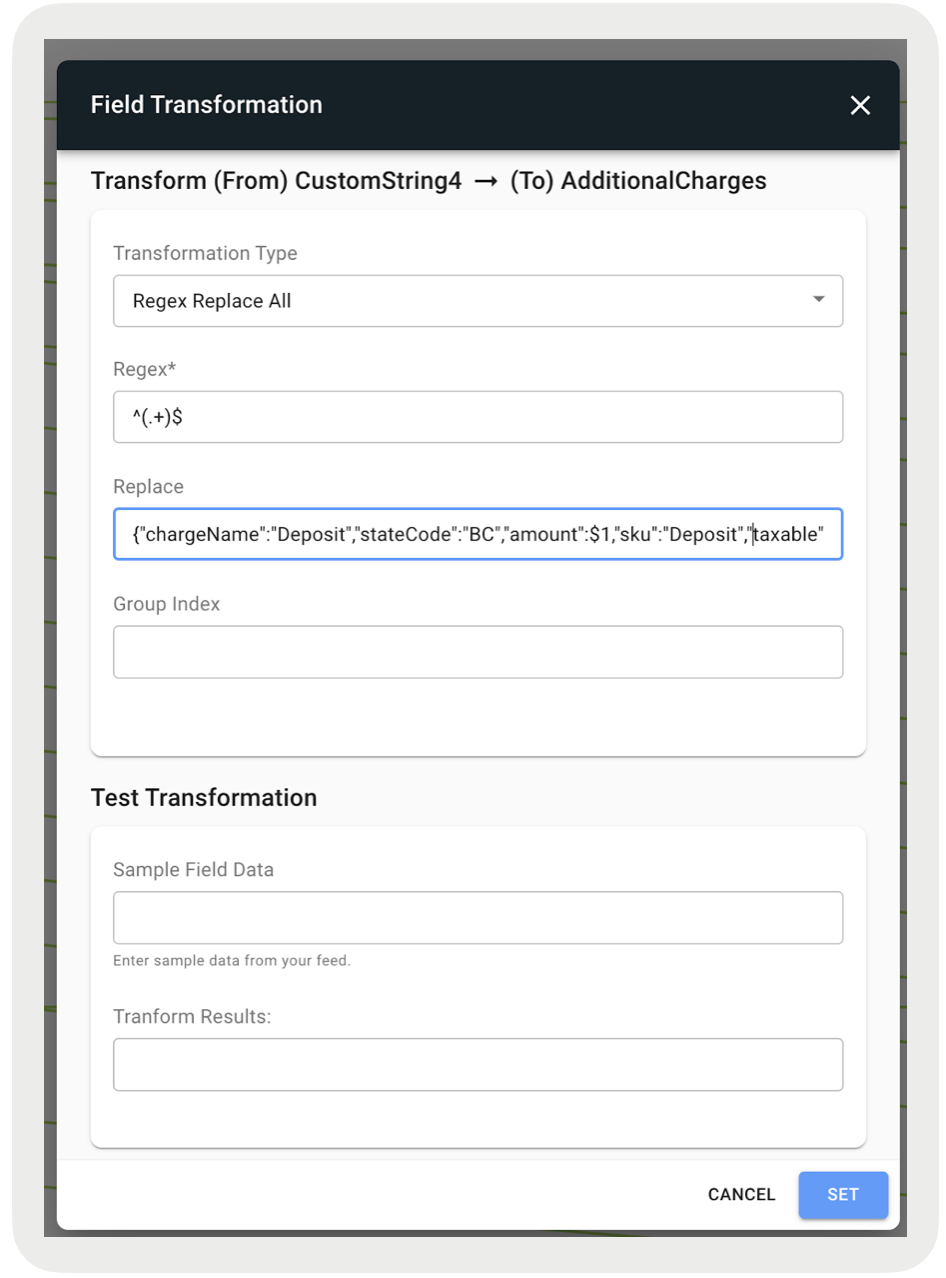
After setting up the field mapping, click the green line to add a Field
Transformation.
- Transformation Type: Regex Replace All
- Regex: ^(.+)$
- Replace: {"chargeName":"Deposit","stateCode":"CA","amount":$1,"sku":"123","taxable":false}
-
 Important If you change the Field Transformation, reupload the product feed to update the offline logs.
-
Additional charges appear on the Cart and Checkout page at the item level, on paper
receipts, in order history details, and on return screens. For example, the deposit is
$0.30.
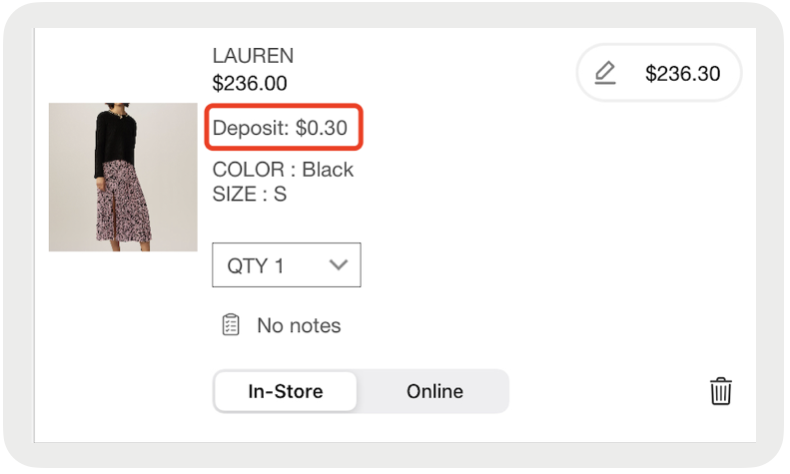
- Merchants can rename the additional charges. For example, merchants can rename Deposit to Bottle Deposit. This is done with "chargeName":"Deposit" in the field mappings. This value then appears on the Cart Screen at the item level.