
Create a list of tasks to help with task management and leverage the feature to keep track of any to-dos you might have.
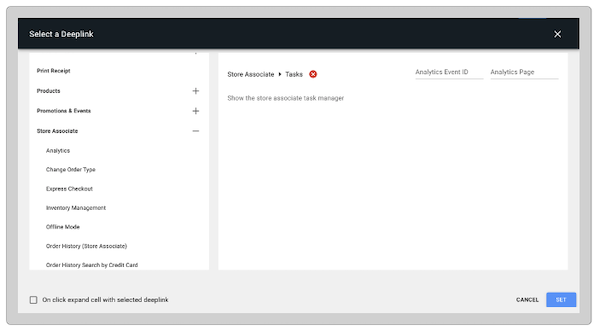
The task feature is configured by a deep link in Point of Sale CMS, and can either be implemented in a layout or in a hamburger menu.
- Create a layout or hamburger menu, or use a preexisting one.
- Add the deep link by going to .
-
Save your changes.
Manage Store Taks in the POS App
View the task creation process in Point of Sale's Point of Sale (POS) app.
After you've set up the deep link, relaunch the POS app and tap the deep link.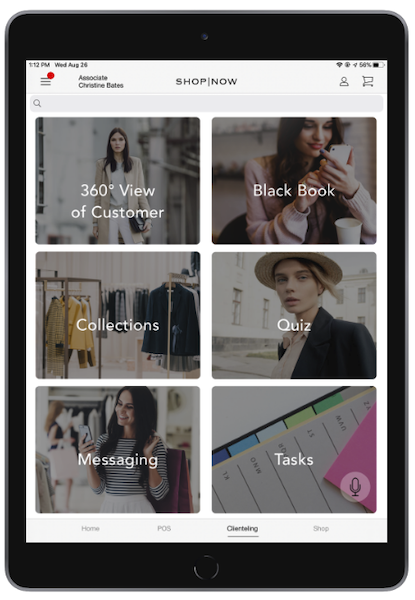
Tasks User Flow
The associate can create, complete, and delete tasks as needed.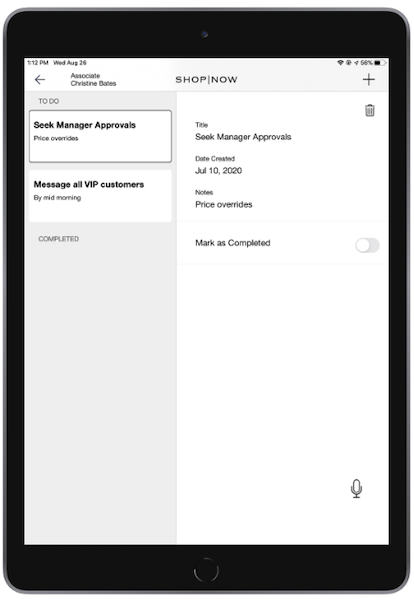
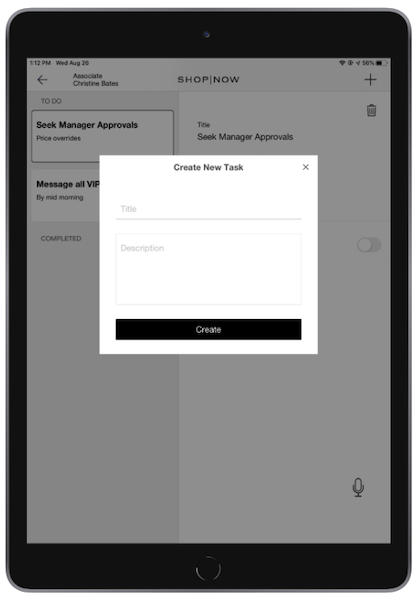
Create a Task
- Tap the .
- Enter the title and description.
- Tap .
Complete a Task
After a task is completed, tap the switch and the task transitions into the “” list.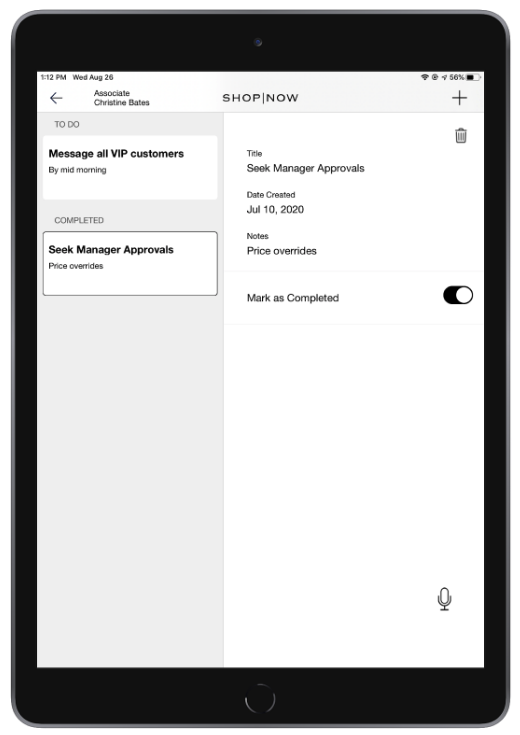
Delete a Task
Tap the icon to delete either an incomplete or completed task.