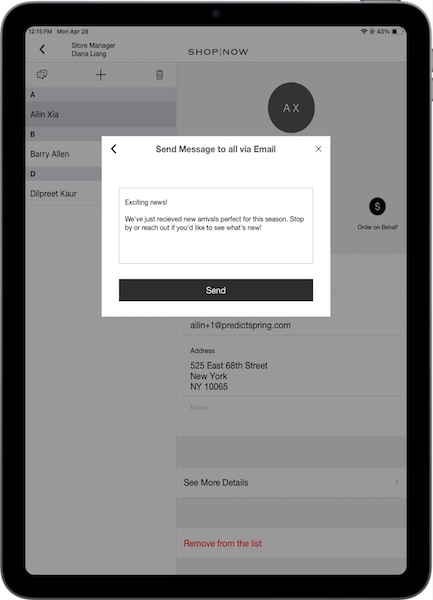
Send an email to the customers in your black book in the POS app app. Tap on the Black Book deep link in the app. Select a black book. Tap the message icon. Select Email and tap Confirm. Enter the message and tap Send.
Send an email to the customers in your black book in the POS app app. Tap on the Black Book deep link in the app. Select a black book. Tap the message icon. Select Email and tap Confirm. Enter the message and tap Send.