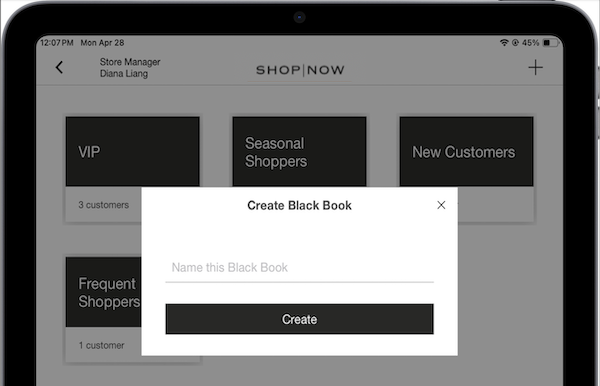
Create preferred customer list in the POS app. Tap the Black Book deep link in the app. Tap the plus sign (+) in the upper right corner. In the dialog box that appears, provide a name for the black book. Tap Create.
Create preferred customer list in the POS app. Tap the Black Book deep link in the app. Tap the plus sign (+) in the upper right corner. In the dialog box that appears, provide a name for the black book. Tap Create.