Merchants can configure refund fees, such as restocking fees, within a return policy in Point of Sale.
Point of Sale supports the refund fees (for example, restocking fees) on the POS app. By configuring a return policy, merchants can configure multiple types of refund fees. On the POS app, store associates can manually enter the amount of fees, which will reduce the customer's refund amount.
Prerequisites include:
-
Modern POS App Build: 5.5.2 or greater
-
Platform Support: iPhone & iPad
-
Offline Support: No
CMS Configuration and Setup
To turn on refund fees on the POS app, make sure that a return policy is configured. To set up a return policy, refer to this article.
- In CMS, go to .
- Edit a policy.
- Go to and select .
- For , enter the type of refund fee (for example restocking fee).
- For , provide the label that will appear to the user on the POS app.
POS App Flow
Initiate the return process on the POS app by going to the Returns & Exchanges screen.
- Find the order either by scanning the receipt or using search filters.
- To return a product, turn on this product. If Reason Codes are configured, select a reason for the return, and the product will be automatically added to the cart.
-
Tap and a window will display, showing the amount of the product and the original tender used for payment. You'll also see fields where you can enter the refund fees. Note that entering an amount will reduce the refund amount.
 Note Entering an amount will reduce the refund amount.
 - Finally, tap to select the tender for the refund. Tap again to complete the return process and print the receipt.
Reporting Refund Fees
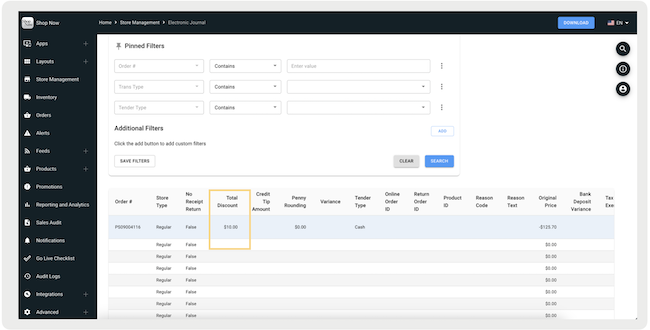
Refund fees are recorded in the Electronic Journal under the column "Total
Discount".