View use cases for various reason codes in the Point of Sale (POS) app.
Reason Code with Additional Text Input Value
The POS app will show a text field at the bottom of the reason code popup if a
discount reason code configured with this flag enabled is enabled. Any text value
can be entered in this text field. If the associate decided to select any other
reason code, then the text entered will be cleared. Use case for this type of reason
code is for any other reason which doesn't fit in already configured reason codes.
For example, Others.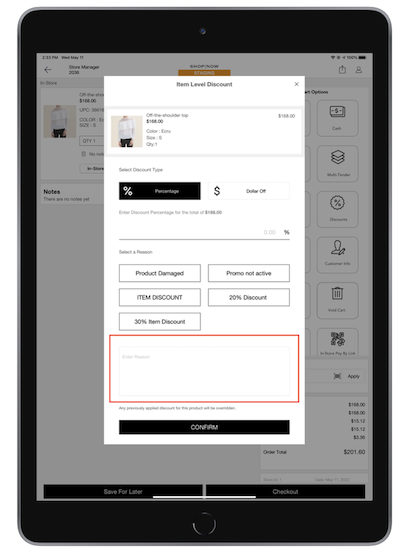

Reason Code With Default Non-editable Value
A discount reason code, configured with the default value of 30 applies the 30%
discount at the transaction level while performing a sale. The discount percentage
gets populated based on reason code default value and is not editable.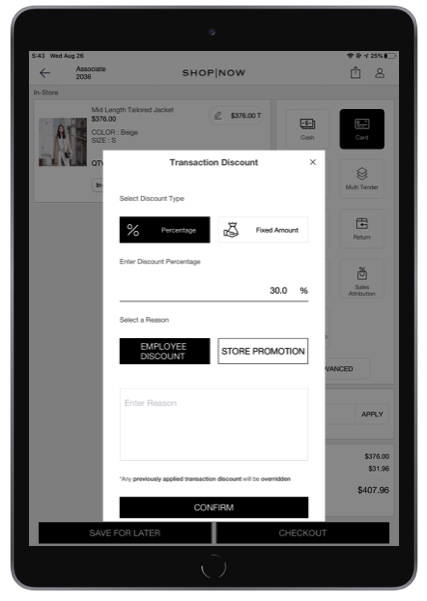
Reason Code Without Default Value
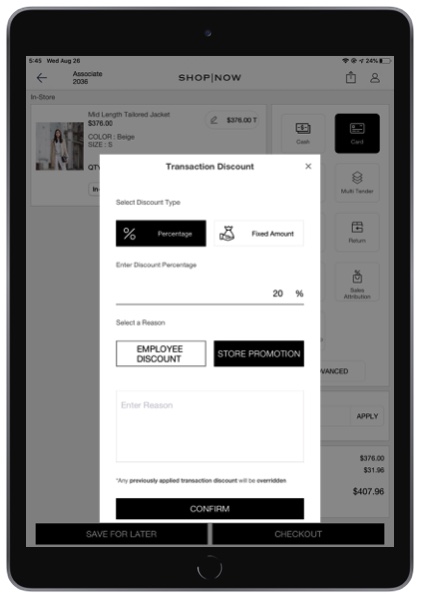
Reason code store promotion is configured as a regular reason code that doesn't have any default value. It allows the user to enter the discount value.