
The POS app lets you print store-copy order receipts with product alterations info on top. These receipts are intended for use and record keeping in the store. Printing a store copy helps users keep track of product changes. This ensures accurate record-keeping and facilitates easy reference for store personnel.
Prerequisites
- Modern POS App build: 7.10.5 or above
- Platform Support: iPhone & iPad
- Offline Support: Yes
- Technical Prerequisites
- Product alterations must be configured
POS App Behavior
When an order has alterations, a button "Print Back of House Receipt" will be shown.
Once selected, the alterations receipt or receipts will be printed out. A receipt will be printed out for every alteration found - these are identified by "tokenNumber".
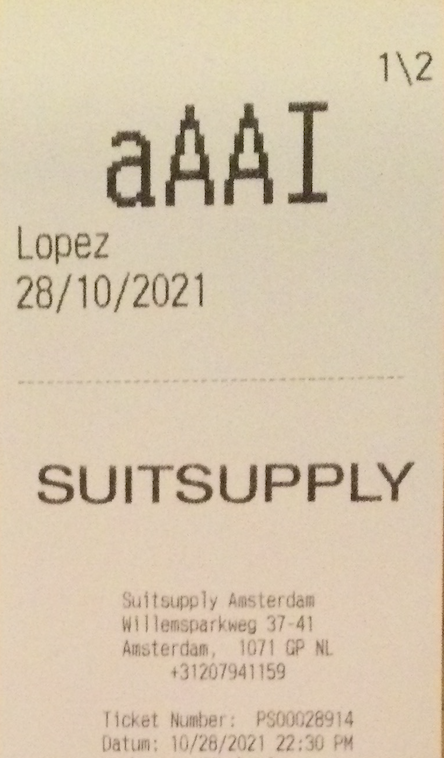
The format of the receipt will be the same as a regular receipt, but with the alterations information at the top:
- The number of alteration being printed will be at the top right of the receipt.
- If there are three receipts, "1/3" will be printed for the first one, "2/3" for the second, and "3/3" for the third.
- The last four characters of the customer ID will be printed with the biggest size and centered.
- The last name of the customer will be printed in big size.
- The "readyDate" of the alteration will be printed in big size.
In case of error, a message will be shown to the user indicating which alteration numbers failed to print.
Known Issues & Restrictions
The new button is not available in custom order confirmation layouts.