Get details of the deep link values for various destinations in the Point of Sale app. Each URI ensures users can navigate directly to key destinations, streamlining their workflow and enhancing productivity. In each, you need the URI provided by Salesforce.
| Destination | URL Value |
|---|---|
| Open homepage | Value (IOS): [URI]:// |
| Open a product |
Value:  Tip Product IDs are listed in the List Products page in the Mobile
Workbench.
|
| Open products | Value: [URI]://products/[Product ID1],[Product ID2] |
| Open product search |
Value: Example:
Query String: This is a search criteria as would be entered in the search box within the
app. The string must be URL encoded. To not apply a search query enter
Sort Order: The sort order for the search result items. Possible values are blank (which
sorts by relevance), Category: This is the category filter to apply to the search results. Subcategories should be entered as Category > Sub Category. This string must be URL encoded. |
| Open a layout page |
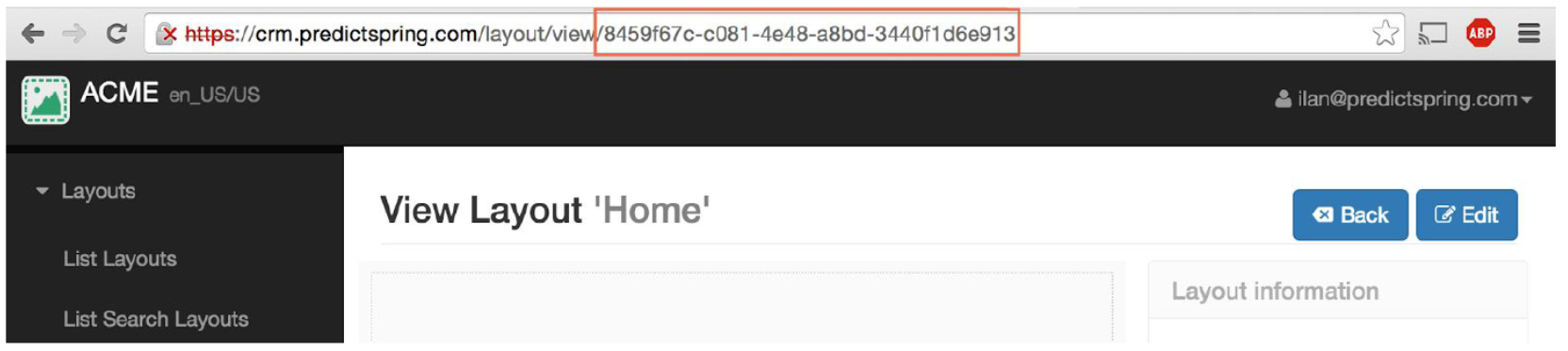
Value: Title: The title of the layout page. This will be displayed in the center of the top nav. Tip Layout ID can be found in your browser address bar when viewing a layout in
the Mobile Workbench.
|
| Open an Instagram page | Value: [URI]://instagram |